Now you can have a look of my all screeners at one place
No need to run all screeners separately
Save this link
All screeners complied and visible under one roof
Download Stocks in list in excel too
Keep learning
Keep
More from Vibhor Varshney
approching upper trendine , might took a small pause or need to break resistance with good volumes
target was 2900 , made high 2897 , with just 3 points short.
booking some positions as reached near resistance , will add near supportive trendline,
holding rest for 3600 https://t.co/2H0myGPgu5
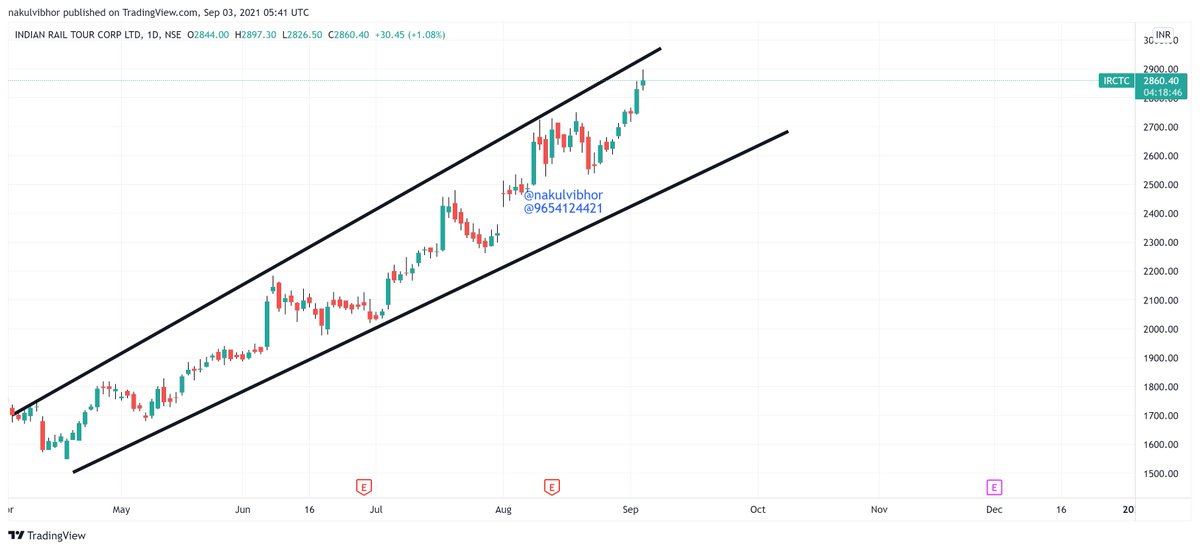
Itctc
— Vibhor Varshney (@nakulvibhor) September 2, 2021
Entered 2800 \u2705
Heading towards 2900 target
Then 3600
Holding personally in folio \U0001f44d https://t.co/jd2OOQTSLs
Another fresh breakout making HH-HL
volume spike seen today
Unlock process started which will help irctc to have upcoming good quarter results
Hits 2100+
Keep holding
2300-2500 short term targets
4992 long term target
Monopoly company https://t.co/mlIErwRuP5
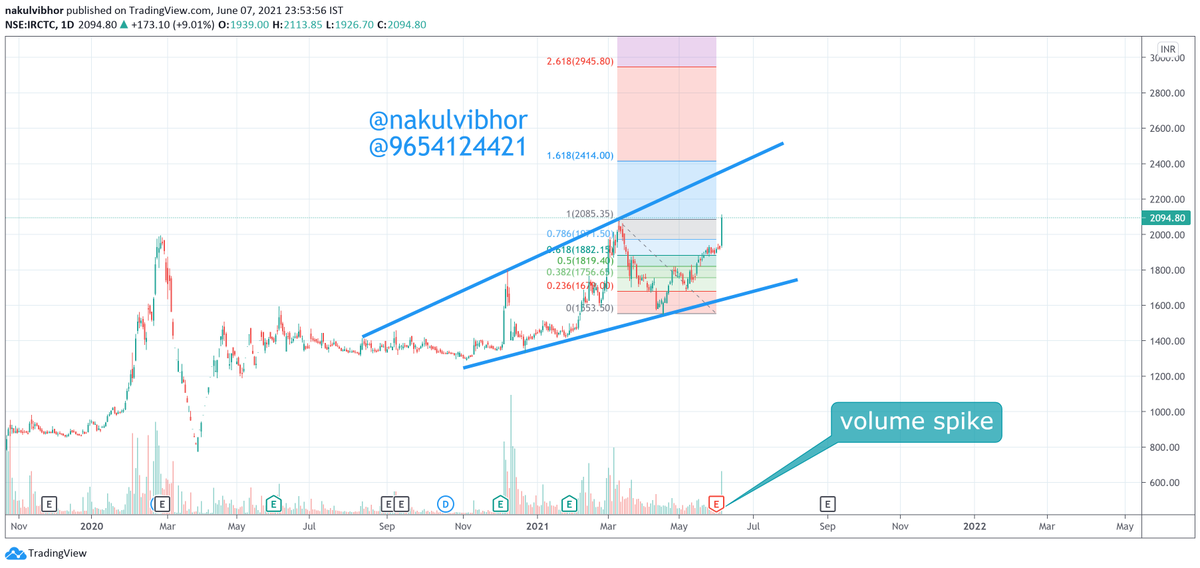
Irctc
— Vibhor Varshney (@nakulvibhor) June 7, 2021
Another fresh breakout
Unlock process started in Mumbai - Delhi - up and few other states will help irctc to have upcoming good quarter results
Hits 2100+
Keep holding
2300-2500 short term targets
4992 long term target
Monopoly company
One can add now as well
\U0001f44d\U0001f44d https://t.co/O5M3hj8Mhk

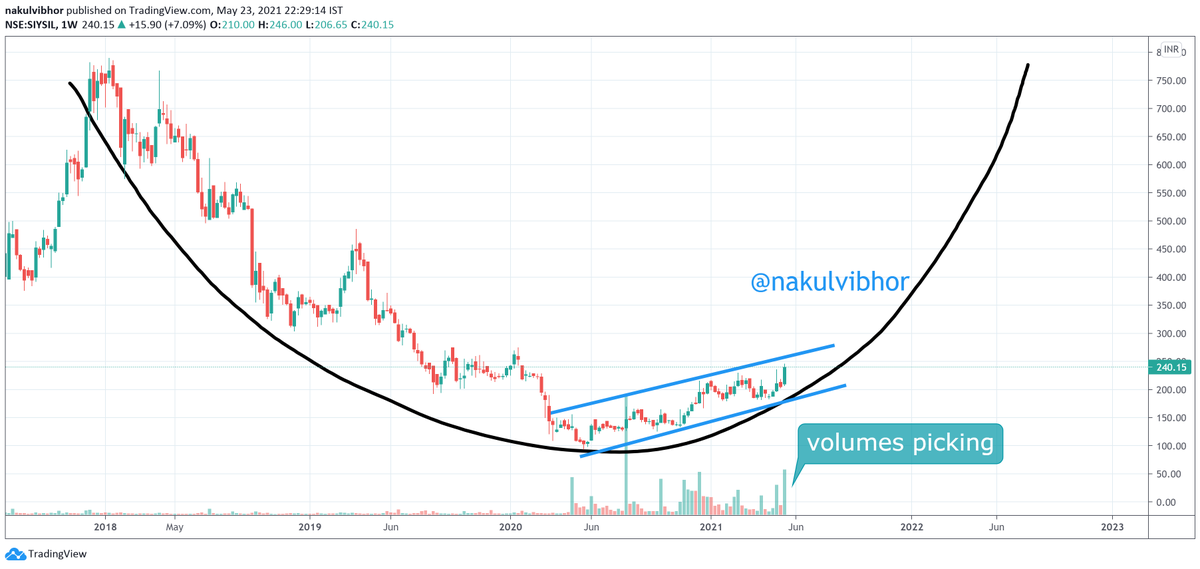
More from Screeners

Step-by-step: how to use (the free) @screener_in to generate investment ideas.
Do retweet if you find it useful to benefit max investors. 🙏🙏
Ready or not, 🧵🧵⤵️

I will use the free screener version so that everyone can follow along.
Outline
1. Stepwise Guide
2. Practical Example: CoffeeCan Companies
3. Practical Example: Smallcap Consistent compounders
4. Practical Example: Smallcap turnaround
5. Key Takeaway
1. Stepwise Guide
Step1
Go to https://t.co/jtOL2Bpoys
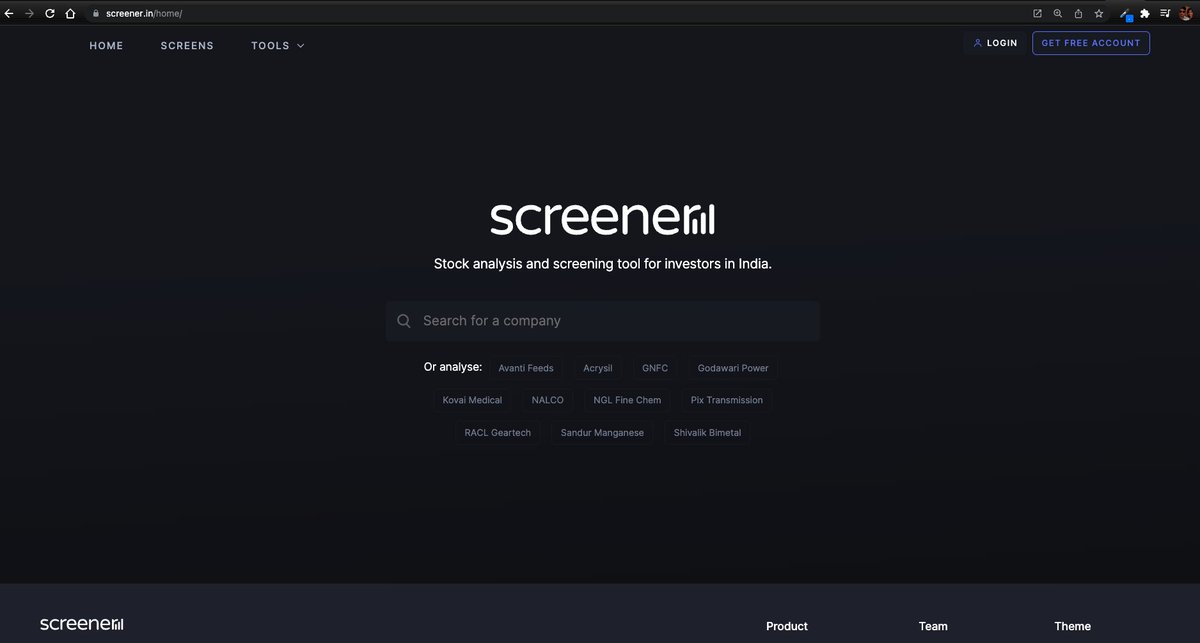
Step2
Go to "SCREENS" tab
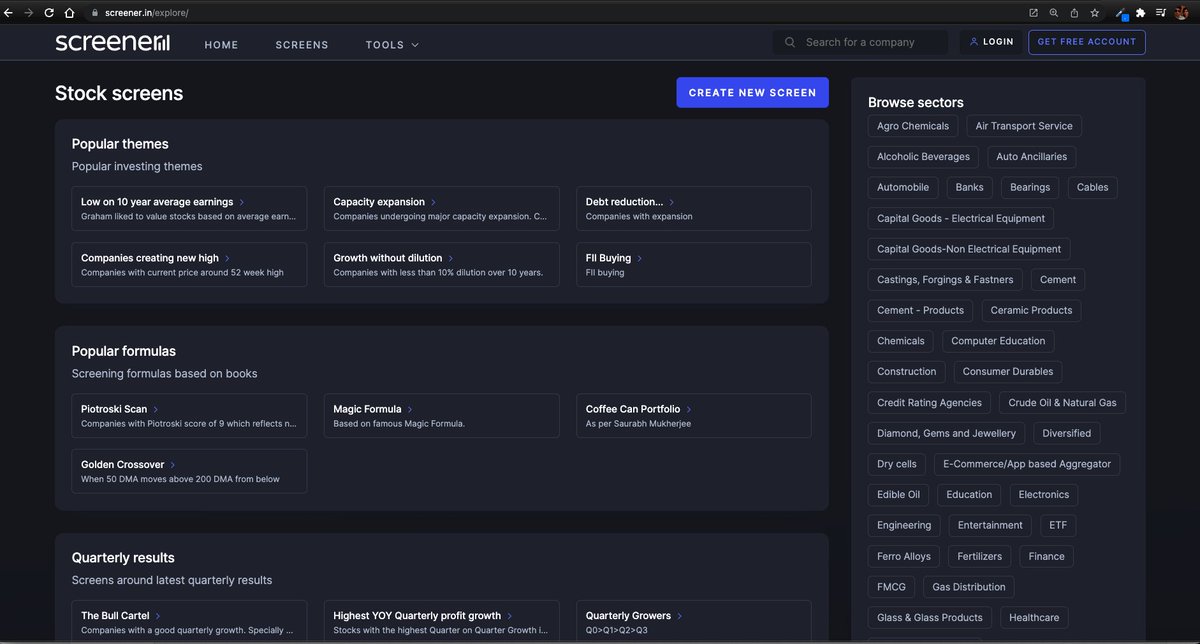
Step3
Go to "CREATE NEW SCREEN"
At this point you need to register. No charges. I did that with my brother's email id. This is what you see after that.


It's much more powerful than you think
9 things TradingView can do, you'll wish you knew yesterday: 🧵
Collaborated with @niki_poojary
1/ Free Multi Timeframe Analysis
Step 1. Download Vivaldi Browser
Step 2. Login to trading view
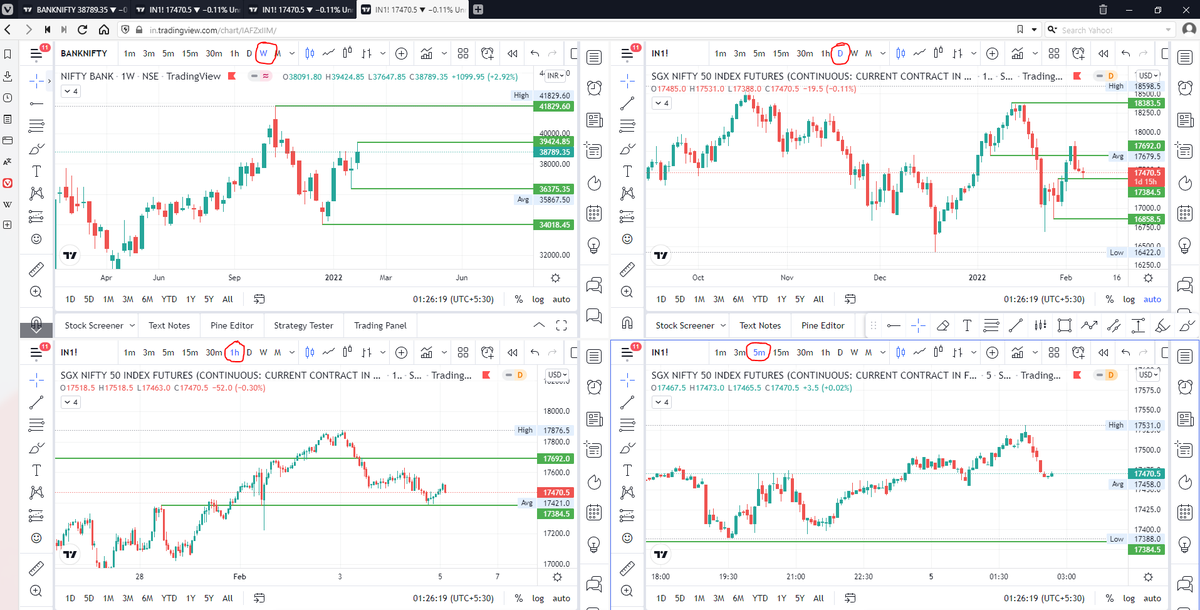
Step 3. Open bank nifty chart in 4 separate windows
Step 4. Click on the first tab and shift + click by mouse on the last tab.
Step 5. Select "Tile all 4 tabs"
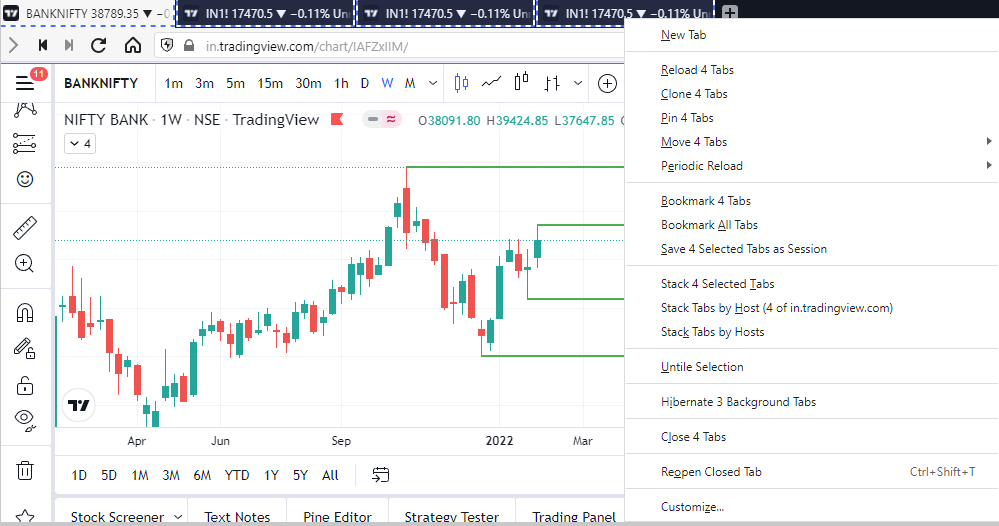
What happens is you get 4 charts joint on one screen.
Refer to the attached picture.
The best part about this is this is absolutely free to do.
Also, do note:
I do not have the paid version of trading view.
2/ Free Multiple Watchlists
Go through this informative thread where @sarosijghosh teaches you how to create multiple free watchlists in the free
\U0001d5e0\U0001d602\U0001d5f9\U0001d601\U0001d5f6\U0001d5fd\U0001d5f9\U0001d5f2 \U0001d600\U0001d5f2\U0001d5f0\U0001d601\U0001d5fc\U0001d5ff \U0001d604\U0001d5ee\U0001d601\U0001d5f0\U0001d5f5\U0001d5f9\U0001d5f6\U0001d600\U0001d601 \U0001d5fc\U0001d5fb \U0001d5e7\U0001d5ff\U0001d5ee\U0001d5f1\U0001d5f6\U0001d5fb\U0001d5f4\U0001d603\U0001d5f6\U0001d5f2\U0001d604 \U0001d602\U0001d600\U0001d5f6\U0001d5fb\U0001d5f4 \U0001d601\U0001d5f5\U0001d5f2 \U0001d5d9\U0001d5e5\U0001d5d8\U0001d5d8 \U0001d603\U0001d5f2\U0001d5ff\U0001d600\U0001d5f6\U0001d5fc\U0001d5fb!
— Sarosij Ghosh (@sarosijghosh) September 18, 2021
A THREAD \U0001f9f5
Please Like and Re-Tweet. It took a lot of effort to put this together. #StockMarket #TradingView #trading #watchlist #Nifty500 #stockstowatch
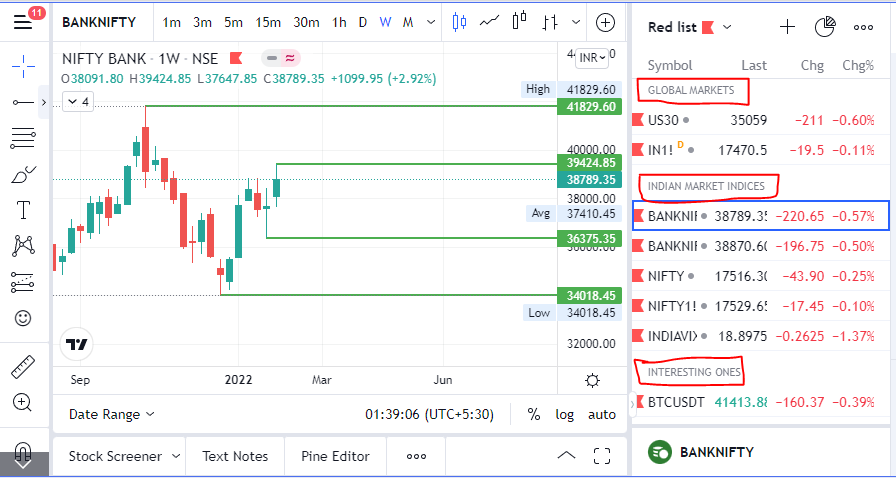
3/ Free Segregation into different headers/sectors
You can create multiple sections sector-wise for free.
1. Long tap on any index/stock and click on "Add section above."
2. Secgregate the stocks/indices based on where they belong.
Kinda like how I did in the picture below.