Here are key takeaways from the book 👇👇
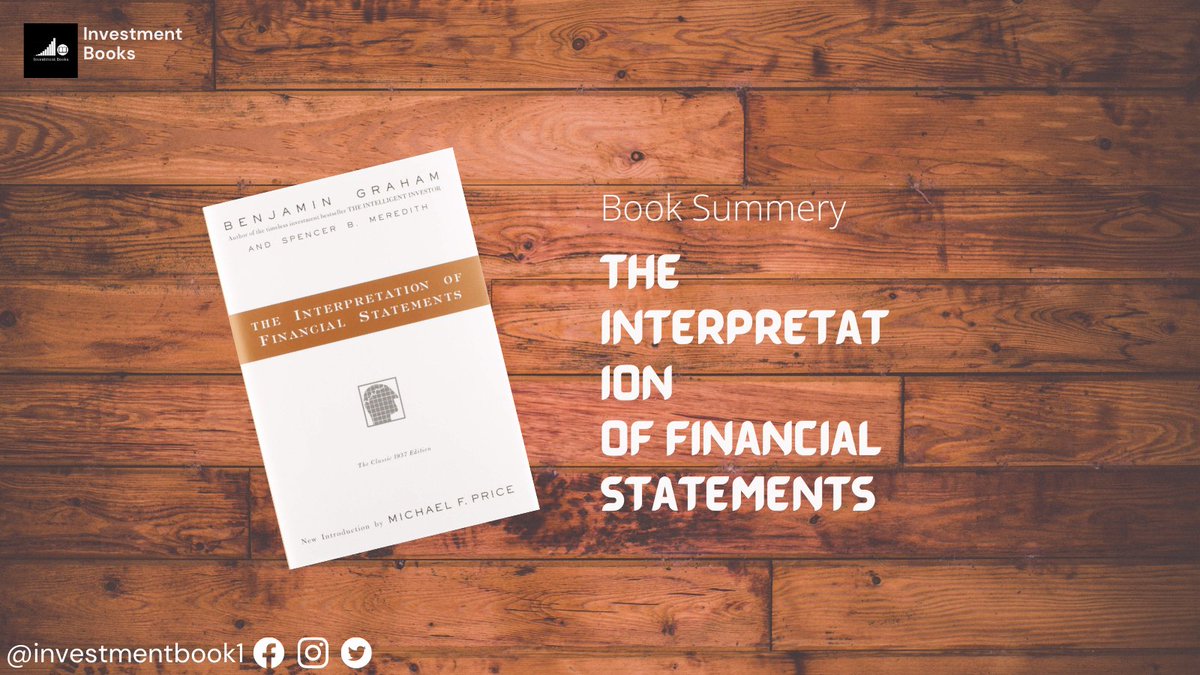
Knowledge sharing initiative Book 4: "The interpretation of financial statements" by Benjamin Graham.
This book was published around 1937 by investing legend Ben Graham. Ben is also regarded as the guy under whom the great Warren Buffett started his investing journey.
Here are key takeaways from the book 👇👇
2.Assets=Tangible (PP&E, inventories, accounts receivable, cash)+intangible Assets (trademark, lease rights, goodwill)
4.Tangible assets are written down through depreciation & intangibles are written down through amortization or impairment
6. Depletion gets applied in commodity businesses like cement, mining, and crude oil.
As they inflated their asset value leading to inflated book value, which was later written off as one-time charges against earnings/profit
8.True value of a company’s assets may be different from the B/s total
10. It is not so essential to invest only in cos. with dominant size, as countless e.g of smaller cos. prospering more than larger ones can be seen in the mkts
High ratio indicates-co. will easily meet short-term obligations
14.Working capital(WC)=current assets–current liabilities
WC makes it easier for a co. to run daily operations & meet emergency needs without taking new financing
15. Quick Ratio = (Current Assets – Inventory)/Current Liabilities
Inventory turnover can be compared on a year-to-year basis. Measures how efficiently the company turns inventories into profits.
18.Valuing companies on book value is majorly applied in banks, insurance cos, & holding companies
23. Net Current Asset Value (NCAV)=Current assets–liabilities & preferred stock.
25. Earning Power of a company = Expected earnings in the future
26. We take current & past earnings as a guide to predict future earnings.
28.Investing requires a balance between facts of the past and possibilities of the future
a) How certain am I that this favorable trend will continue,&
b) How large a price am I paying in advance for the expected continuance of the trend?”
Credits @FinnacleAcademy
Here is the book link: https://t.co/fjfj11MKLf
More from Investment Books
40 Investing Books Recommendations from 20 Legendary Investors
Including Warren Buffett, Charlie Munger, Joel Greenblatt, Mohnish Pabrai, Guy Spier, Li Lu.......
Worth More than $100 Billion!

1. Warren Buffett
The Most Important Thing - https://t.co/9noBa9TIYk
The Outsider -
2. Charlie Munger
Influence: The Psychology of Persuasion - https://t.co/UnBFJ90J9o
The Warren Buffett Portfolio -
3. Mohnish Pabrai
100 Baggers - https://t.co/CrIt3kJlaF
A Gift to My Children: A Father’s Lessons for Life and Investing -
4. Chris Mayer
The Little Book That Beats the Market. - https://t.co/7NEKHgNCSD
100 to 1 in the Stock Market by Thomas Phelps -
Including Warren Buffett, Charlie Munger, Joel Greenblatt, Mohnish Pabrai, Guy Spier, Li Lu.......
Worth More than $100 Billion!
1. Warren Buffett
The Most Important Thing - https://t.co/9noBa9TIYk
The Outsider -
2. Charlie Munger
Influence: The Psychology of Persuasion - https://t.co/UnBFJ90J9o
The Warren Buffett Portfolio -
3. Mohnish Pabrai
100 Baggers - https://t.co/CrIt3kJlaF
A Gift to My Children: A Father’s Lessons for Life and Investing -
4. Chris Mayer
The Little Book That Beats the Market. - https://t.co/7NEKHgNCSD
100 to 1 in the Stock Market by Thomas Phelps -
Learn Investing Lessons From a Top Fund Manager in India
24 Videos selected from 24000+ Video repositories (BQ Prime @_nirajshah)
1) Vijay Kedia (@VijayKedia1)
2) Kenneth Andrade
1.0 https://t.co/0JjC7bw5TW (2018)
2.0 https://t.co/2YNkFMyuJL (2017)
3.0 https://t.co/aY8ZnYSoIO (2020)
3) Basant Maheshwari (@BMTheEquityDesk)
4) Samit Vartak (Sage Investment Manager @SamitVartak )
1.0 https://t.co/CgIYR8dLuk (2017)
2.0 https://t.co/LU9KUcV5dI (2021)
3.0 https://t.co/zHrOMEE646 (2022)
24 Videos selected from 24000+ Video repositories (BQ Prime @_nirajshah)
1) Vijay Kedia (@VijayKedia1)
2) Kenneth Andrade
1.0 https://t.co/0JjC7bw5TW (2018)
2.0 https://t.co/2YNkFMyuJL (2017)
3.0 https://t.co/aY8ZnYSoIO (2020)
3) Basant Maheshwari (@BMTheEquityDesk)
4) Samit Vartak (Sage Investment Manager @SamitVartak )
1.0 https://t.co/CgIYR8dLuk (2017)
2.0 https://t.co/LU9KUcV5dI (2021)
3.0 https://t.co/zHrOMEE646 (2022)

More from Trading


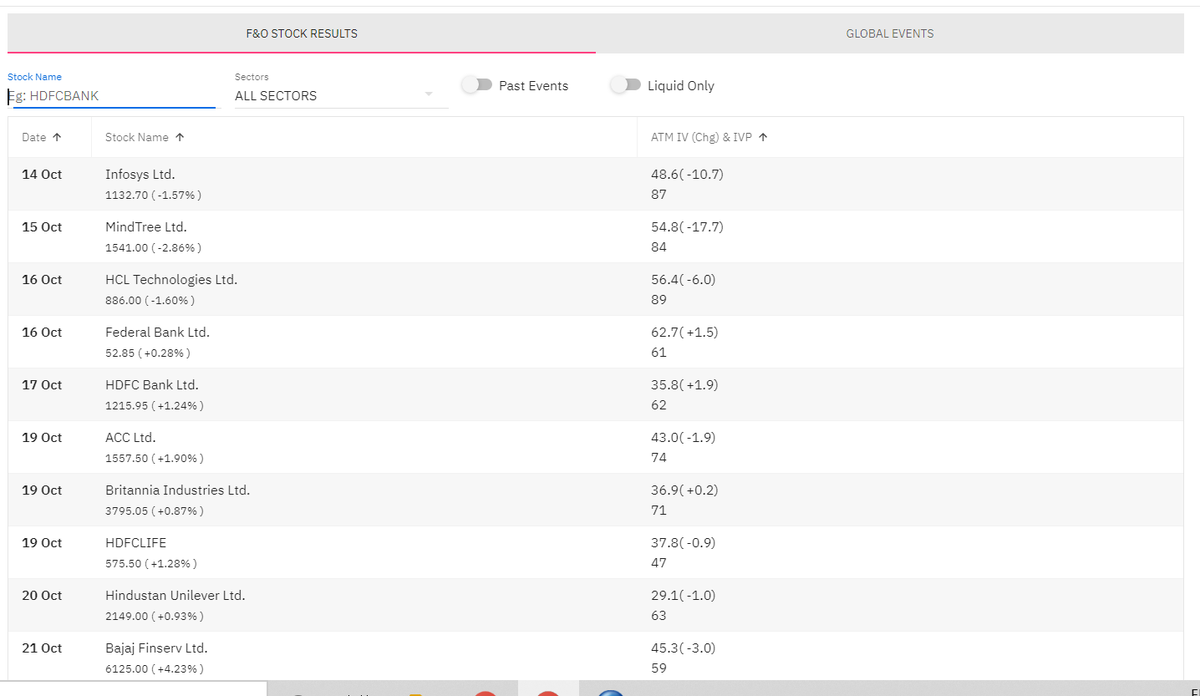

A 🧵on the basics of block and bulk deals.
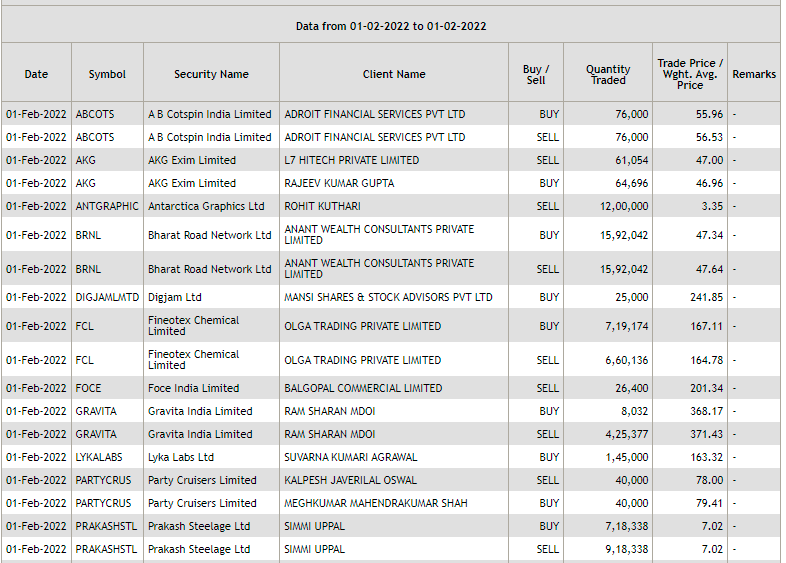
Block and bulk deals are large purchases of stocks by investment banks, mutual funds, hedge funds, pension funds, FIIs, and promoters. Tracking block and bulk deals can help give you a sense of what these large players are thinking.
A single transaction where shares more than Rs 10 crores or the number of shares traded are more than 5 lakh is considered a block deal.
Block deals are carried out in separate trading windows. This trading window operates in two shifts of 15 minutes each:
Morning trading window from 8:45 AM to 9:00 AM.
Afternoon trading window from 2:05 PM to 2:20 PM
Block deals happen in different windows to reduce volatility and sudden price movements. Given that they are traded in a separate window, they do not show up on the volume charts.
Brokers facilitating the transaction are required to inform the exchange. You can track bulk and block deals on NSE & BSE:
https://t.co/pwTyzWTnUL
https://t.co/g9BbHiEag3
Block and bulk deals are large purchases of stocks by investment banks, mutual funds, hedge funds, pension funds, FIIs, and promoters. Tracking block and bulk deals can help give you a sense of what these large players are thinking.
A single transaction where shares more than Rs 10 crores or the number of shares traded are more than 5 lakh is considered a block deal.
Block deals are carried out in separate trading windows. This trading window operates in two shifts of 15 minutes each:
Morning trading window from 8:45 AM to 9:00 AM.
Afternoon trading window from 2:05 PM to 2:20 PM
Block deals happen in different windows to reduce volatility and sudden price movements. Given that they are traded in a separate window, they do not show up on the volume charts.
Brokers facilitating the transaction are required to inform the exchange. You can track bulk and block deals on NSE & BSE:
https://t.co/pwTyzWTnUL
https://t.co/g9BbHiEag3

You May Also Like




I think a plausible explanation is that whatever Corbyn says or does, his critics will denounce - no matter how much hypocrisy it necessitates.
Corbyn opposes the exploitation of foreign sweatshop-workers - Labour MPs complain he's like Nigel
He speaks up in defence of migrants - Labour MPs whinge that he's not listening to the public's very real concerns about immigration:
He's wrong to prioritise Labour Party members over the public:
He's wrong to prioritise the public over Labour Party
One of the oddest features of the Labour tax row is how raising allowances, which the media allowed the LDs to describe as progressive (in spite of evidence to contrary) through the coalition years, is now seen by everyone as very right wing
— Tom Clark (@prospect_clark) November 2, 2018
Corbyn opposes the exploitation of foreign sweatshop-workers - Labour MPs complain he's like Nigel
He speaks up in defence of migrants - Labour MPs whinge that he's not listening to the public's very real concerns about immigration:
He's wrong to prioritise Labour Party members over the public:
He's wrong to prioritise the public over Labour Party