
(2 / 19)
Which libraries do you really need to get started with Machine Learning and why?
🧵👇
(2 / 19)
- Object-oriented programming in Python:Classes,Objects,Methods
- Lists & List functions
- List comprehension
- List slicing
- String formatting
- List,Dictionaries & Tuples
(3 / 19)
We will talk about👇
- TensorFlow (+ Keras)
- PyTorch
- Pandas
- Numpy
- Matplotlib
- SciKit Learn
- Seaborn
(4 / 19)
1. Pandas
Pandas is a python library that allows you to store and read data from spreadsheets ( .csv, .xlsv files ) in structures called Dataframes.
(5 / 19)
Pandas help you make the data frame itself.
(6 / 19)
Numpy allows you to manipulate the data. It replaces python lists and does the same things, like list slicing for example. However numpy lists are much faster to execute than the default python lists.
(7 / 19)
Matplotlib is a library for plotting data into pie charts, bar charts, and whatever kinds of graphs you can imagine.
(8 / 19)
Seaborn is based on Matplotlib and allows you to visualize data with support for themes (as in color schemes like VS code themes) and more visualization options.
(9 / 19)
Use it when you need to.
(10 / 19)
In machine learning, you will have to work with a lot of messy data! A lot!
These libraries are essential for you so that you can manipulate and analyze data.
(11 / 19)
Do not ignore data analysis and cleaning.
It is even more important than neural network!
(12 / 19)
(14 / 19)
- Both PyTorch and TensorFlow are equally amazing libraries.
(15 / 19)
Scikit learn does a lot of things, from regression to classification, you name it.
It is a great tool to have when working on machine learning.
(16 / 19)
Step 1: Learn Python well.
Step 2: Learn the basics of Numpy, Pandas, and matplotlib.
Step 3: Learn either PyTorch or TensorFlow or SciKit learn at the start.
(17 / 19)
More from Pratham Prasoon
This is a beginner's guide on mining cryptocurrencies.
🧵 👇🏻
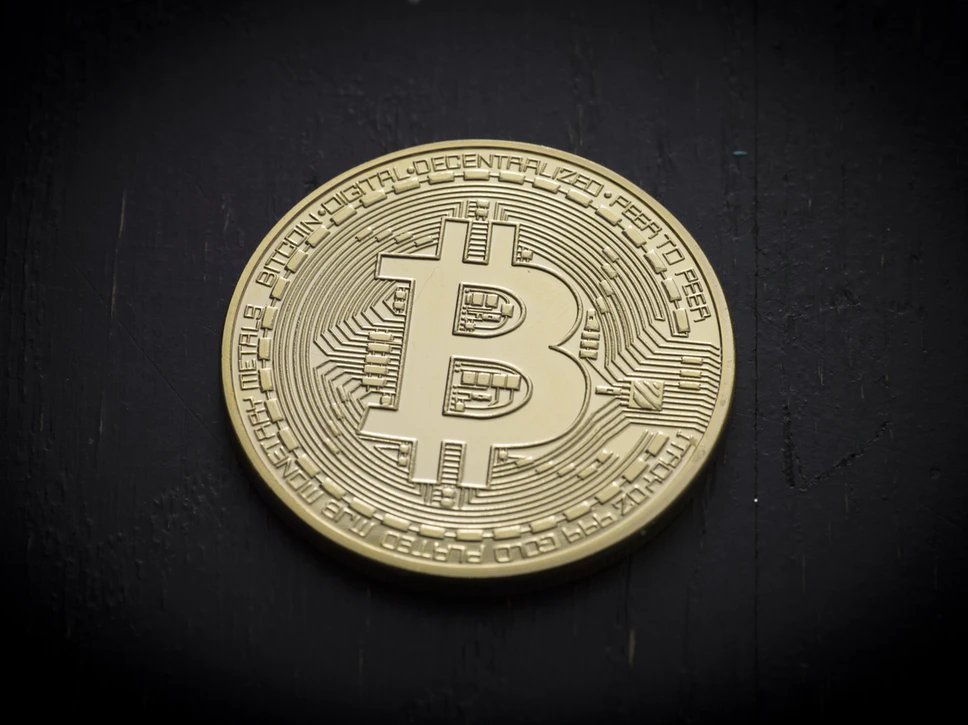
Mining 101
Typically, when you transfer money using a service like Paypal, they take a small cut for facilitating the exchange.
In cryptocurrencies, people like you and me act as Paypal and facilitate exchanges of cryptocurrency. We get a cut for this just like Paypal did.
In order to make these transactions happen, our computers need to do some calculations which requires a lot of computational power.
A GPU or a Graphics Processing Unit which is typically marketed for gaming workloads can be used to mine cryptocurrencies.
Why do you need a GPU?
Today, there are so many miners that the "difficulty" of mining cryptocurrencies has skyrocketed, which basically means it takes a lot of computational power to mine crypto which GPUs can provide and CPUs cannot.
(❗ This is an oversimplification)
If you are interested in the inner workings of how blockchain and cryptocurrency, then I highly suggest that you read this thread by @oliverjumpertz
🧵 👇🏻
Mining 101
Typically, when you transfer money using a service like Paypal, they take a small cut for facilitating the exchange.
In cryptocurrencies, people like you and me act as Paypal and facilitate exchanges of cryptocurrency. We get a cut for this just like Paypal did.
In order to make these transactions happen, our computers need to do some calculations which requires a lot of computational power.
A GPU or a Graphics Processing Unit which is typically marketed for gaming workloads can be used to mine cryptocurrencies.
Why do you need a GPU?
Today, there are so many miners that the "difficulty" of mining cryptocurrencies has skyrocketed, which basically means it takes a lot of computational power to mine crypto which GPUs can provide and CPUs cannot.
(❗ This is an oversimplification)
If you are interested in the inner workings of how blockchain and cryptocurrency, then I highly suggest that you read this thread by @oliverjumpertz
What actually is a Blockchain?
— Oliver Jumpertz (@oliverjumpertz) February 16, 2021
Bitcoin is breaking record after record, but there must be more to the technology than just crypto, or not? Well, we can take a look at the underlying technology first to understand what it actually provides to us.
\U0001f9f5\u2b07\ufe0f


More from Machine learning


With hard work and determination, anyone can learn to code.
Here’s a list of my favorites resources if you’re learning to code in 2021.
👇
1. freeCodeCamp.
I’d suggest picking one of the projects in the curriculum to tackle and then completing the lessons on syntax when you get stuck. This way you know *why* you’re learning what you’re learning, and you're building things
2. https://t.co/7XC50GlIaa is a hidden gem. Things I love about it:
1) You can see the most upvoted solutions so you can read really good code
2) You can ask questions in the discussion section if you're stuck, and people often answer. Free
3. https://t.co/V9gcXqqLN6 and https://t.co/KbEYGL21iE
On stackoverflow you can find answers to almost every problem you encounter. On GitHub you can read so much great code. You can build so much just from using these two resources and a blank text editor.
4. https://t.co/xX2J00fSrT @eggheadio specifically for frontend dev.
Their tutorials are designed to maximize your time, so you never feel overwhelmed by a 14-hour course. Also, the amount of prep they put into making great courses is unlike any other online course I've seen.
Here’s a list of my favorites resources if you’re learning to code in 2021.
👇
1. freeCodeCamp.
I’d suggest picking one of the projects in the curriculum to tackle and then completing the lessons on syntax when you get stuck. This way you know *why* you’re learning what you’re learning, and you're building things
2. https://t.co/7XC50GlIaa is a hidden gem. Things I love about it:
1) You can see the most upvoted solutions so you can read really good code
2) You can ask questions in the discussion section if you're stuck, and people often answer. Free
3. https://t.co/V9gcXqqLN6 and https://t.co/KbEYGL21iE
On stackoverflow you can find answers to almost every problem you encounter. On GitHub you can read so much great code. You can build so much just from using these two resources and a blank text editor.
4. https://t.co/xX2J00fSrT @eggheadio specifically for frontend dev.
Their tutorials are designed to maximize your time, so you never feel overwhelmed by a 14-hour course. Also, the amount of prep they put into making great courses is unlike any other online course I've seen.

Happy 2⃣0⃣2⃣1⃣ to all.🎇
For any Learning machines out there, here are a list of my fav online investing resources. Feel free to add yours.
Let's dive in.
⬇️⬇️⬇️
Investing Services
✔️ @themotleyfool - @TMFStockAdvisor & @TMFRuleBreakers services
✔️ @7investing
✔️ @investing_city
https://t.co/9aUK1Tclw4
✔️ @MorningstarInc Premium
✔️ @SeekingAlpha Marketplaces (Check your area of interest, Free trials, Quality, track record...)
General Finance/Investing
✔️ @morganhousel
https://t.co/f1joTRaG55
✔️ @dollarsanddata
https://t.co/Mj1owkzRc8
✔️ @awealthofcs
https://t.co/y81KHfh8cn
✔️ @iancassel
https://t.co/KEMTBHa8Qk
✔️ @InvestorAmnesia
https://t.co/zFL3H2dk6s
✔️
Tech focused
✔️ @stratechery
https://t.co/VsNwRStY9C
✔️ @bgurley
https://t.co/NKXGtaB6HQ
✔️ @CBinsights
https://t.co/H77hNp2X5R
✔️ @benedictevans
https://t.co/nyOlasCY1o
✔️
Tech Deep dives
✔️ @StackInvesting
https://t.co/WQ1yBYzT2m
✔️ @hhhypergrowth
https://t.co/kcLKITRLz1
✔️ @Beth_Kindig
https://t.co/CjhLRdP7Rh
✔️ @SeifelCapital
https://t.co/CXXG5PY0xX
✔️ @borrowed_ideas
For any Learning machines out there, here are a list of my fav online investing resources. Feel free to add yours.
Let's dive in.
⬇️⬇️⬇️
Investing Services
✔️ @themotleyfool - @TMFStockAdvisor & @TMFRuleBreakers services
✔️ @7investing
✔️ @investing_city
https://t.co/9aUK1Tclw4
✔️ @MorningstarInc Premium
✔️ @SeekingAlpha Marketplaces (Check your area of interest, Free trials, Quality, track record...)
General Finance/Investing
✔️ @morganhousel
https://t.co/f1joTRaG55
✔️ @dollarsanddata
https://t.co/Mj1owkzRc8
✔️ @awealthofcs
https://t.co/y81KHfh8cn
✔️ @iancassel
https://t.co/KEMTBHa8Qk
✔️ @InvestorAmnesia
https://t.co/zFL3H2dk6s
✔️
Tech focused
✔️ @stratechery
https://t.co/VsNwRStY9C
✔️ @bgurley
https://t.co/NKXGtaB6HQ
✔️ @CBinsights
https://t.co/H77hNp2X5R
✔️ @benedictevans
https://t.co/nyOlasCY1o
✔️
Tech Deep dives
✔️ @StackInvesting
https://t.co/WQ1yBYzT2m
✔️ @hhhypergrowth
https://t.co/kcLKITRLz1
✔️ @Beth_Kindig
https://t.co/CjhLRdP7Rh
✔️ @SeifelCapital
https://t.co/CXXG5PY0xX
✔️ @borrowed_ideas

Do you want to learn the maths for machine learning but don't know where to start?
This thread is for you.
🧵👇
The guide that you will see below is based on resources that I came across, and some of my experiences over the past 2 years or so.
I use these resources and they will (hopefully) help you in understanding the theoretical aspects of machine learning very well.
Before diving into maths, I suggest first having solid programming skills in Python.
Read this thread for more
These are topics of math you'll have to focus on for machine learning👇
- Trigonometry & Algebra
These are the main pre-requisites for other topics on this list.
(There are other pre-requites but these are the most common)
- Linear Algebra
To manipulate and represent data.
- Calculus
To train and optimize your machine learning model, this is very important.
This thread is for you.
🧵👇
The guide that you will see below is based on resources that I came across, and some of my experiences over the past 2 years or so.
I use these resources and they will (hopefully) help you in understanding the theoretical aspects of machine learning very well.
Before diving into maths, I suggest first having solid programming skills in Python.
Read this thread for more
Are you planning to learn Python for machine learning this year?
— Pratham Prasoon (@PrasoonPratham) February 13, 2021
Here's everything you need to get started.
\U0001f9f5\U0001f447
These are topics of math you'll have to focus on for machine learning👇
- Trigonometry & Algebra
These are the main pre-requisites for other topics on this list.
(There are other pre-requites but these are the most common)
- Linear Algebra
To manipulate and represent data.
- Calculus
To train and optimize your machine learning model, this is very important.


