5 things that a trader should know and implement:
Google sheets is used by almost 99% people in the world 🌎
Most people don’t know how to use it for TRADING and INVESTING purposes 📖
10 features everyone should know :
5 things that a trader should know and implement:
Above function is a basic one.
Let's decode each parameter in this:
1. Ticker: This is the symbol of the stock.
"NSE: RELIANCE" is the ticker for Reliance Industries

The attribute to fetch about ticker from Google Finance and is required if a date is specified.
Following data can be fetched:
-Open
-Close
-High
-Low
-Volume
-Market Cap
-Price (Ltp)
-52-week high
-52-week low
-Change in price
4. End_Date|Num_Days (O): The end date when fetching historical data, or the number of days from start_date for which to return data.
5. Interval (O): The frequency of returned data; either "D" or "W"
GOOGLEFINANCE("NSE:TCS","PRICE")
This function will help you in fetching stock price live.
Make sure you mention exchange and ticker code properly.
Attribute can be price or any of the above attribute.

=GOOGLEFINANCE("TCS","PRICE", "01/02/2022")
This function will fetch the TCS stock price as on 1st Feb 2022.
Output is shown in the image below image.

=GOOGLEFINANCE("NSE:TCS","price","01/01/2022","15/01/2022")
This will fetch Trent Daily Stock Price from 1st June to 15th June 2022.
Output is shown in the image below image.

=GOOGLEFINANCE("NSE:Tcs","price","01/10/2021","15/01/2022", "Weekly")
This will fetch Trent Weekly Stock Price from 1st Oct to 15th Jan 2022.
Output is shown in the image below image.

Some basic function which you can use are:
1. "Today()" = Fetch Current Date.
2. "Today()-30" = Fetch 30 days back date.
3. EDATE("01/02/2022",-3) = Fetch 3 months back date.
➡️Track all your open and close position just like how we are doing this for years.
➡️If you monitor your closed position, then you can create a graph of your capital and NAV/Equity Curve easily.

In the image, we are fetching the last 7 years' data of TCS stock price in just a few seconds, otherwise it would have taken hours.
Above data, you can use to do backtesting of any strategy.

https://t.co/xEg2LWQ7hC
Google sheets is used by almost 99% people in the world \U0001f30e
— The Chartians (@chartians) August 9, 2022
Most people don\u2019t know how to use it for TRADING and INVESTING purposes \U0001f4d6
10 features everyone should know :
CHARTIANS LIFETIME FREE GROUP ANNOUNCEMENT!
— The Chartians (@chartians) August 8, 2022
\u26a1\ufe0f Positional option strategies [ Stock + Index ].
\u26a1\ufe0f Hero zero calls.
\u26a1\ufe0f Our High Probable Cash and Positional picks \U0001f60e
\u26a1\ufe0f Short & long term Swing bets.
\u26a1\ufe0fIndex Option Spreads for Safe players
How to Join |https://t.co/pUjh0jw1Kk pic.twitter.com/5koT8A2lEi
More from The Chartians
Took me 5 years to get the best Chartink scanners for Stock Market, but you’ll get it in 5 mminutes here ⏰
Do Share the above tweet 👆
These are going to be very simple yet effective pure price action based scanners, no fancy indicators nothing - hope you liked it.
https://t.co/JU0MJIbpRV
52 Week High
One of the classic scanners very you will get strong stocks to Bet on.
https://t.co/V69th0jwBr
Hourly Breakout
This scanner will give you short term bet breakouts like hourly or 2Hr breakout
Volume shocker
Volume spurt in a stock with massive X times
Do Share the above tweet 👆
These are going to be very simple yet effective pure price action based scanners, no fancy indicators nothing - hope you liked it.
https://t.co/JU0MJIbpRV
52 Week High
One of the classic scanners very you will get strong stocks to Bet on.
https://t.co/V69th0jwBr
Hourly Breakout
This scanner will give you short term bet breakouts like hourly or 2Hr breakout
Volume shocker
Volume spurt in a stock with massive X times


Find out the answer for the question we asked today morning.
Here is the
Here is the
Glad that many could guess/ know the candle stick pattern and mainly know how to use it.
— The Chartians (@chartians) July 24, 2021
The one shown in the image was bullish Harami
The word Harami comes from an old Japanese word meaning pregnant.. pic.twitter.com/4qBDCyY2Pq
More from All






You May Also Like

1/ Some initial thoughts on personal moats:
Like company moats, your personal moat should be a competitive advantage that is not only durable—it should also compound over time.
Characteristics of a personal moat below:
2/ Like a company moat, you want to build career capital while you sleep.
As Andrew Chen noted:
3/ You don’t want to build a competitive advantage that is fleeting or that will get commoditized
Things that might get commoditized over time (some longer than
4/ Before the arrival of recorded music, what used to be scarce was the actual music itself — required an in-person artist.
After recorded music, the music itself became abundant and what became scarce was curation, distribution, and self space.
5/ Similarly, in careers, what used to be (more) scarce were things like ideas, money, and exclusive relationships.
In the internet economy, what has become scarce are things like specific knowledge, rare & valuable skills, and great reputations.
Like company moats, your personal moat should be a competitive advantage that is not only durable—it should also compound over time.
Characteristics of a personal moat below:
I'm increasingly interested in the idea of "personal moats" in the context of careers.
— Erik Torenberg (@eriktorenberg) November 22, 2018
Moats should be:
- Hard to learn and hard to do (but perhaps easier for you)
- Skills that are rare and valuable
- Legible
- Compounding over time
- Unique to your own talents & interests https://t.co/bB3k1YcH5b
2/ Like a company moat, you want to build career capital while you sleep.
As Andrew Chen noted:
People talk about \u201cpassive income\u201d a lot but not about \u201cpassive social capital\u201d or \u201cpassive networking\u201d or \u201cpassive knowledge gaining\u201d but that\u2019s what you can architect if you have a thing and it grows over time without intensive constant effort to sustain it
— Andrew Chen (@andrewchen) November 22, 2018
3/ You don’t want to build a competitive advantage that is fleeting or that will get commoditized
Things that might get commoditized over time (some longer than
Things that look like moats but likely aren\u2019t or may fade:
— Erik Torenberg (@eriktorenberg) November 22, 2018
- Proprietary networks
- Being something other than one of the best at any tournament style-game
- Many "awards"
- Twitter followers or general reach without "respect"
- Anything that depends on information asymmetry https://t.co/abjxesVIh9
4/ Before the arrival of recorded music, what used to be scarce was the actual music itself — required an in-person artist.
After recorded music, the music itself became abundant and what became scarce was curation, distribution, and self space.
5/ Similarly, in careers, what used to be (more) scarce were things like ideas, money, and exclusive relationships.
In the internet economy, what has become scarce are things like specific knowledge, rare & valuable skills, and great reputations.


Tip from the Monkey
Pangolins, September 2019 and PLA are the key to this mystery
Stay Tuned!
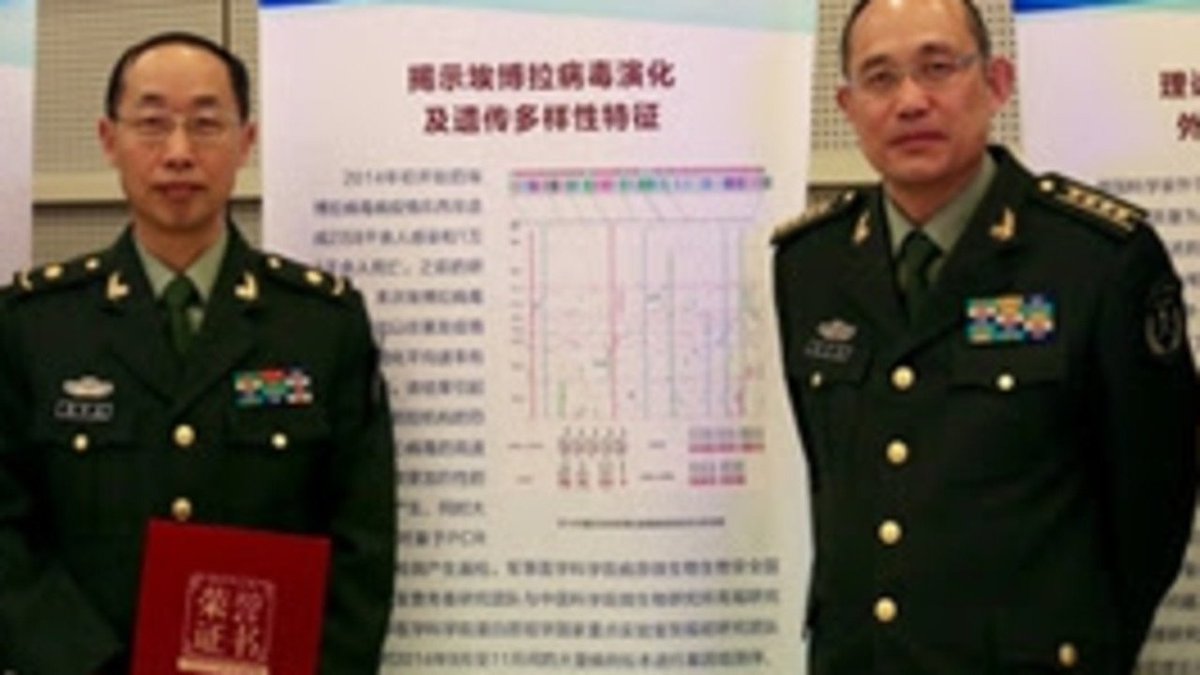
1. Yang
2. A jacobin capuchin dangling a flagellin pangolin on a javelin while playing a mandolin and strangling a mannequin on a paladin's palanquin, said Saladin
More to come tomorrow!

3. Yigang Tong
https://t.co/CYtqYorhzH
Archived: https://t.co/ncz5ruwE2W
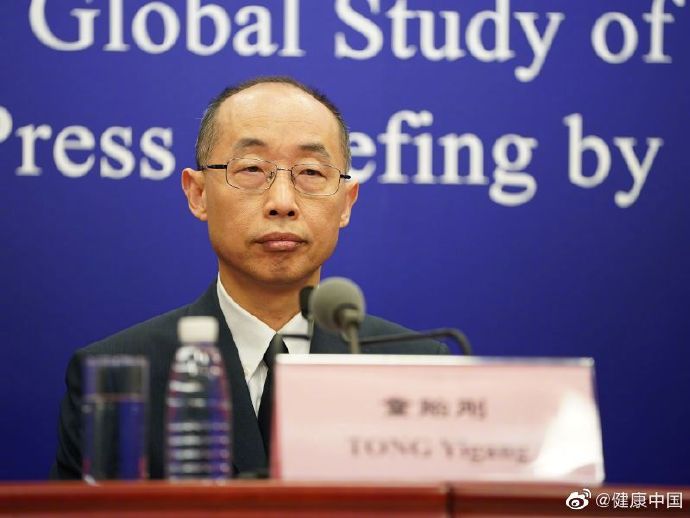
4. YT Interview
Some bats & pangolins carry viruses related with SARS-CoV-2, found in SE Asia and in Yunnan, & the pangolins carrying SARS-CoV-2 related viruses were smuggled from SE Asia, so there is a possibility that SARS-CoV-2 were coming from
Pangolins, September 2019 and PLA are the key to this mystery
Stay Tuned!
1. Yang
Meet Yang Ruifu, CCP's biological weapons expert https://t.co/JjB9TLEO95 via @Gnews202064
— Billy Bostickson \U0001f3f4\U0001f441&\U0001f441 \U0001f193 (@BillyBostickson) October 11, 2020
Interesting expose of China's top bioweapons expert who oversaw fake pangolin research
Paper 1: https://t.co/TrXESKLYmJ
Paper 2:https://t.co/9LSJTNCn3l
Pangolinhttps://t.co/2FUAzWyOcv pic.twitter.com/I2QMXgnkBJ
2. A jacobin capuchin dangling a flagellin pangolin on a javelin while playing a mandolin and strangling a mannequin on a paladin's palanquin, said Saladin
More to come tomorrow!
3. Yigang Tong
https://t.co/CYtqYorhzH
Archived: https://t.co/ncz5ruwE2W
4. YT Interview
Some bats & pangolins carry viruses related with SARS-CoV-2, found in SE Asia and in Yunnan, & the pangolins carrying SARS-CoV-2 related viruses were smuggled from SE Asia, so there is a possibility that SARS-CoV-2 were coming from