
What if you need to manage more complex states? Here useReducers comes into play
React Hooks are so powerful and especially some additional hooks.
Do you know there is an alternative to useState called useReducer hook? It is used to manage more complex states.
Let's look into detail 🧵👇🏻

What if you need to manage more complex states? Here useReducers comes into play
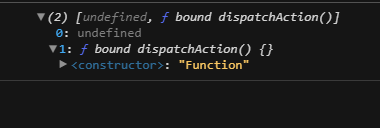
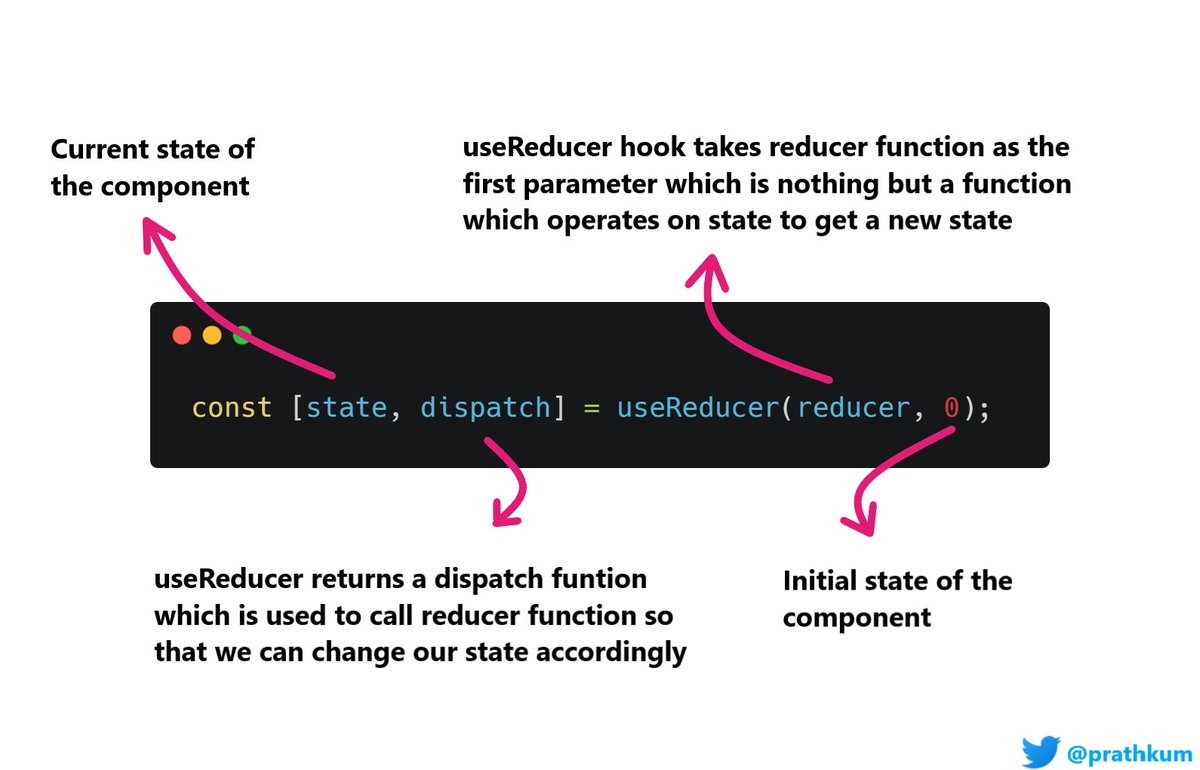
The second value is a dispatch function using which we can update our state.
Here is the complete syntax 👇🏻
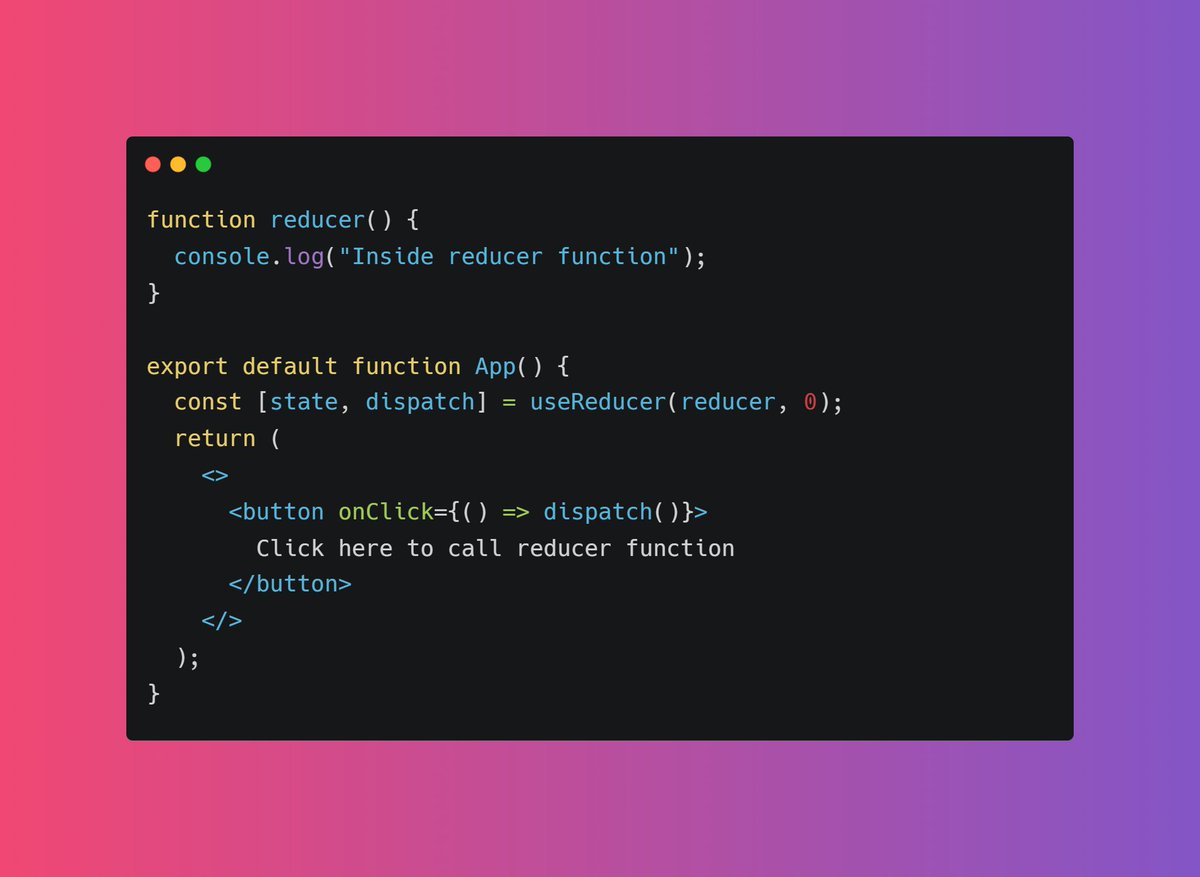
I just implemented a basic code here. Basically, I am calling dispatch function on button click which will eventually call reducer function
Before that one thing to note here is that useReducer is for handling more complex states hence it is recommended to passing the current state as an object
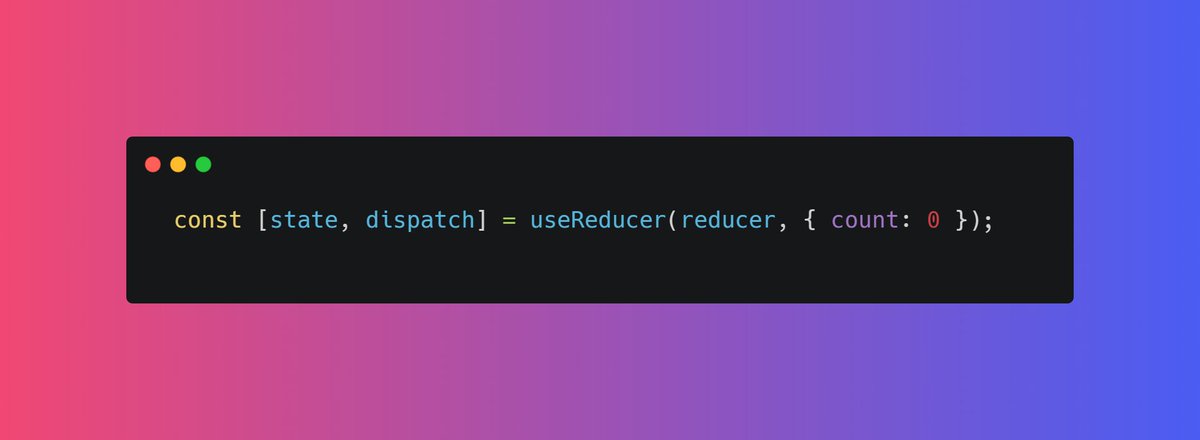
Something like this 👇🏻
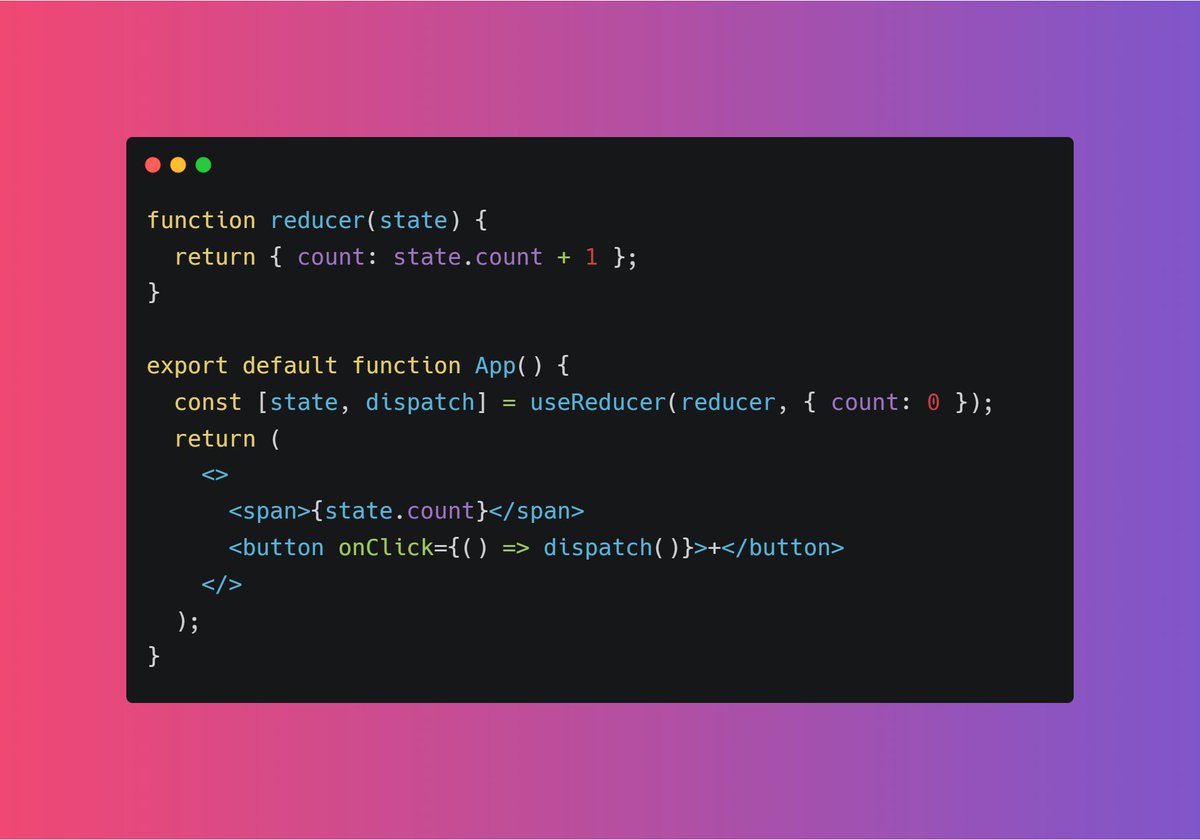
Play around with it here: https://t.co/6BlaBeul1U

Here is "payload" comes into play. It is used to pass the value which represents the payloads of the action.
For example, suppose I want to pass "temp" variable 👇🏻
https://t.co/6BlaBeul1U
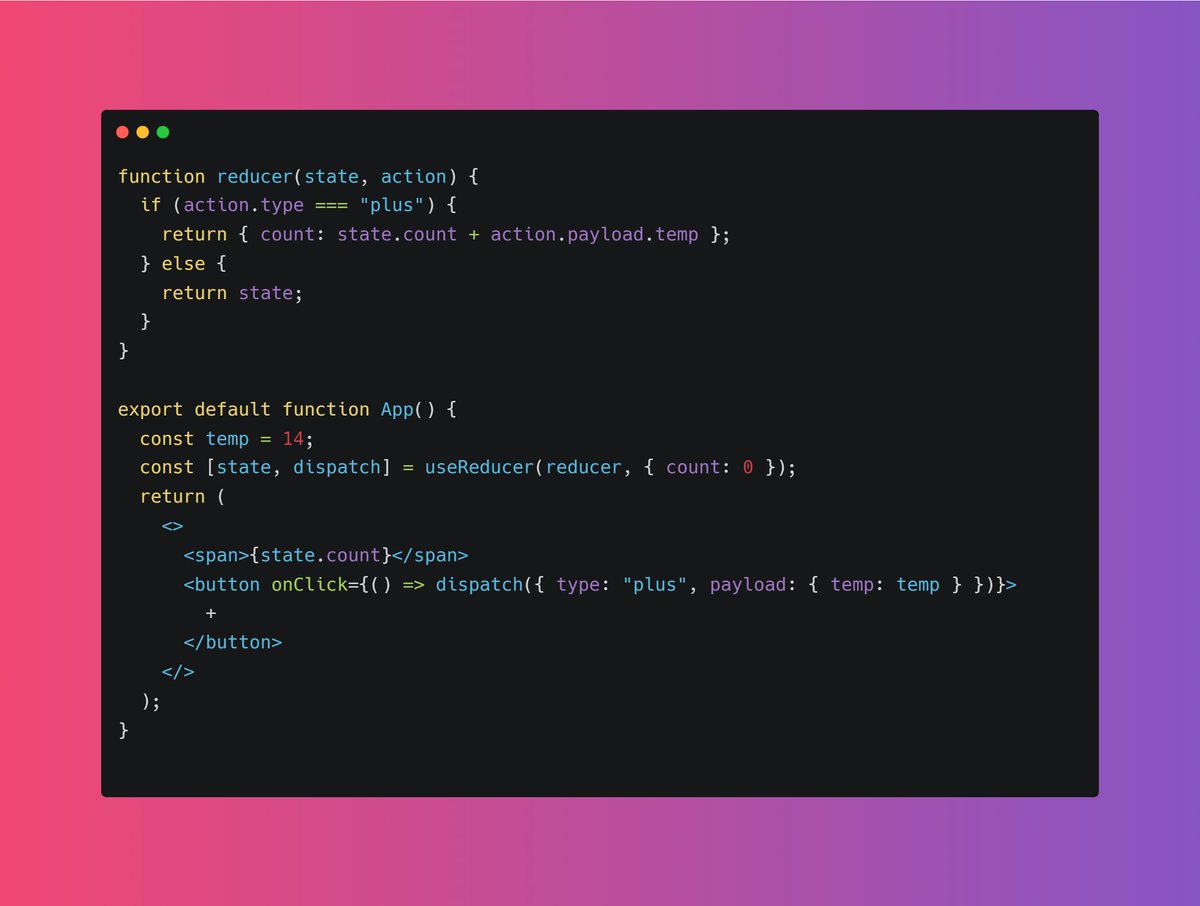
Check out the code and try to play around with it for better understanding.
https://t.co/TCPEn0W3Pz
Check it out: https://t.co/nt4hZzInIR
More from Pratham
5 amazing GitHub repositories for every self taught developer
A Thread 🧵
1️⃣ Computer Science
🎓 Path to a free self-taught education in Computer Science!
🔗 https://t.co/67jB5zqIes

2️⃣ Free Certifications
Curated list of free courses & certifications
🔗 https://t.co/4XtlAVlovs

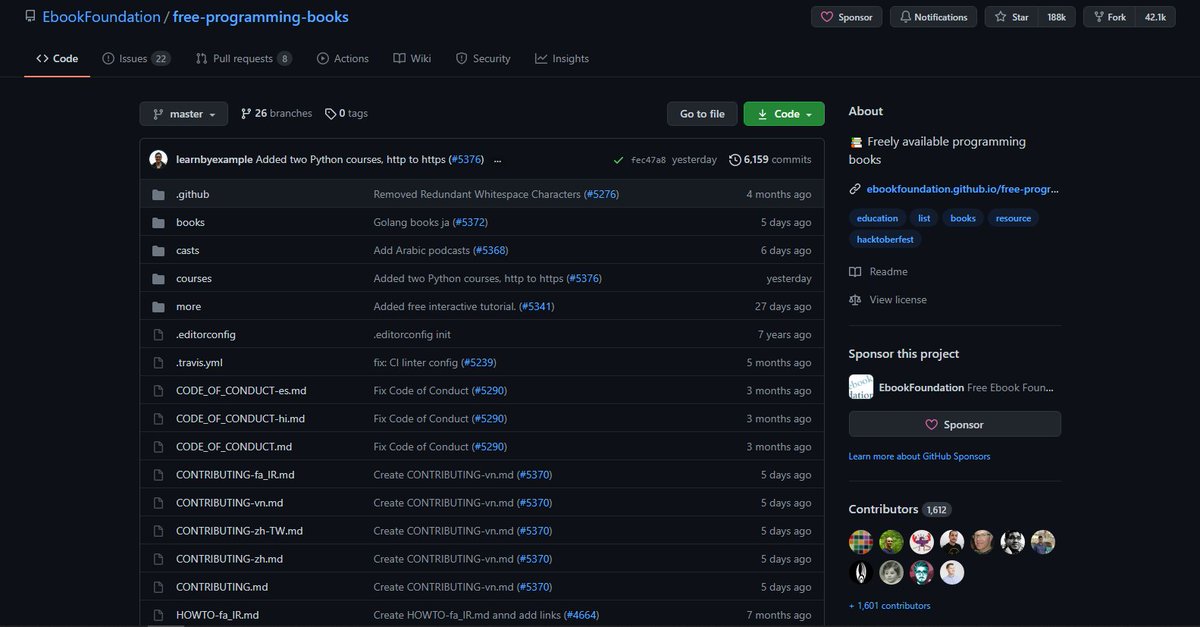
3️⃣ Free Programming Books
📚 Freely available programming books
🔗 https://t.co/eOWLCtwtIV
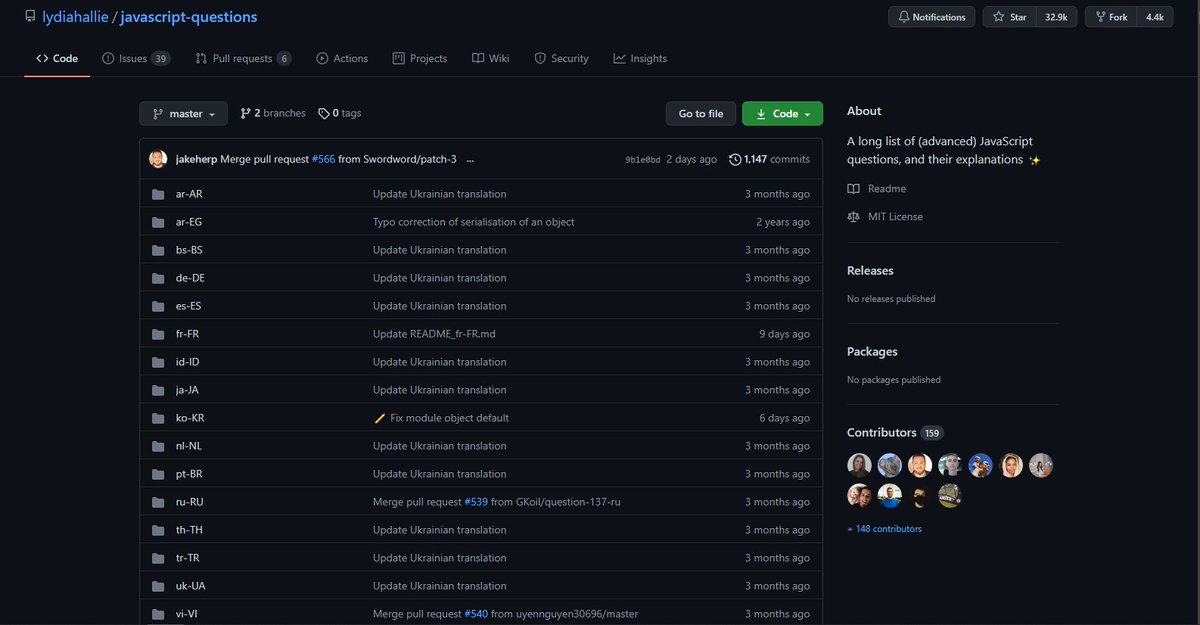
4️⃣ JavaScript Question
A long list of (advanced) JavaScript questions, and their explanations ✨
🔗 https://t.co/UvEl1Esvh3
A Thread 🧵
1️⃣ Computer Science
🎓 Path to a free self-taught education in Computer Science!
🔗 https://t.co/67jB5zqIes
2️⃣ Free Certifications
Curated list of free courses & certifications
🔗 https://t.co/4XtlAVlovs
3️⃣ Free Programming Books
📚 Freely available programming books
🔗 https://t.co/eOWLCtwtIV
4️⃣ JavaScript Question
A long list of (advanced) JavaScript questions, and their explanations ✨
🔗 https://t.co/UvEl1Esvh3
5 great gradient background sites for every web developer and designer 🎨
🧵👇🏻

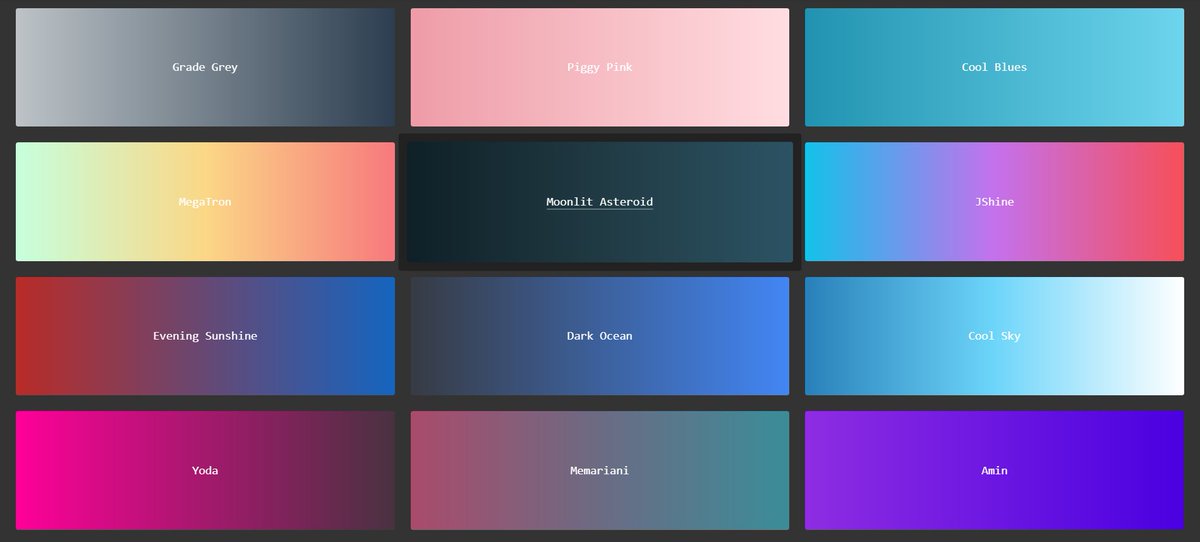
1️⃣ uiGradients
- A handpicked collection of beautiful color gradients for designers and developers.
🔗 https://t.co/EainhiePop
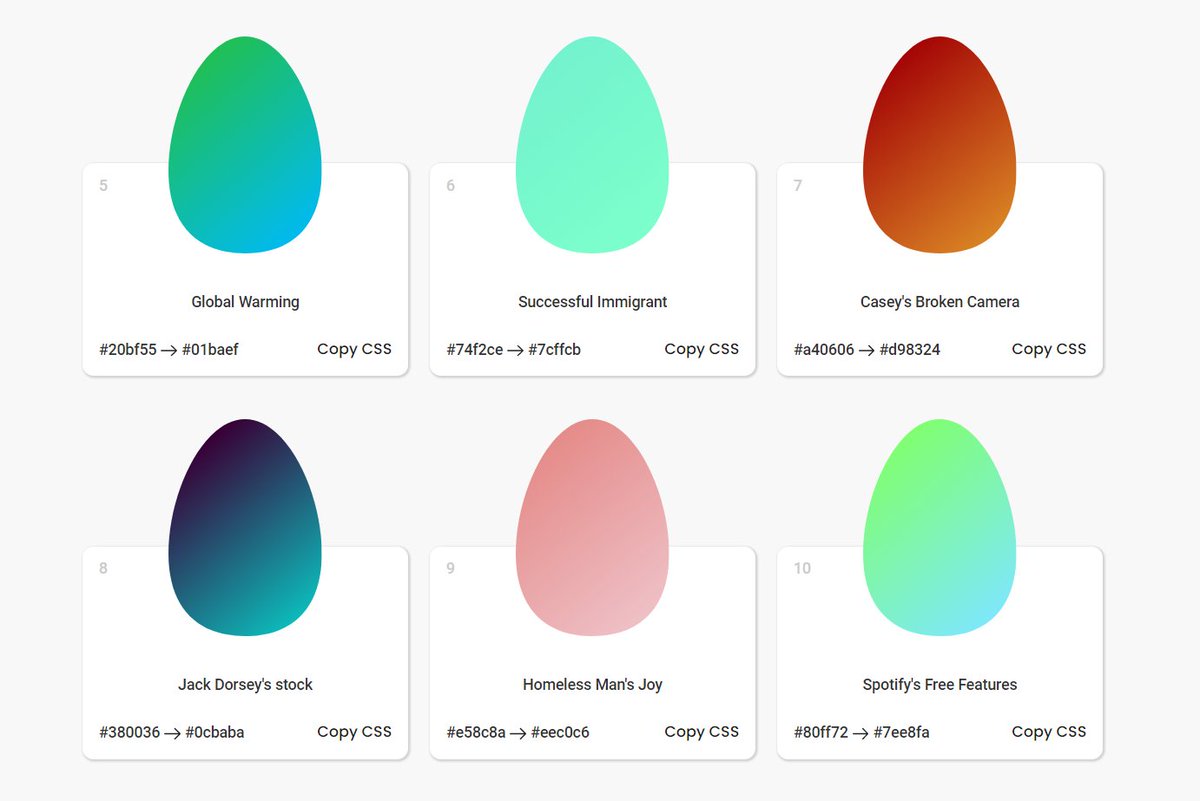
2️⃣ Eggradient
- Ready to use gradient background colors. ✓ Cool Gradients are prepared according to the latest design trends
🔗 https://t.co/F0uYVsZbA4
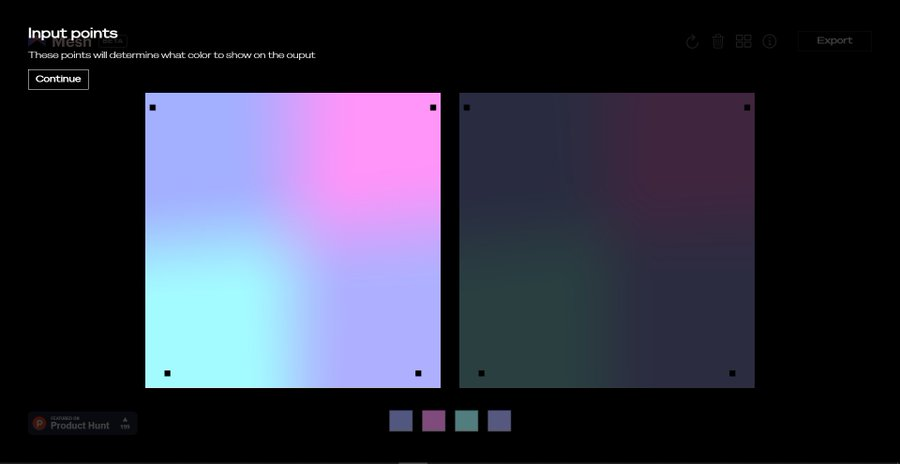
3️⃣ Mesh Gradients
- Create beautiful gradient like aurora UI in few clicks
🔗 https://t.co/MV8PT7q3Kz
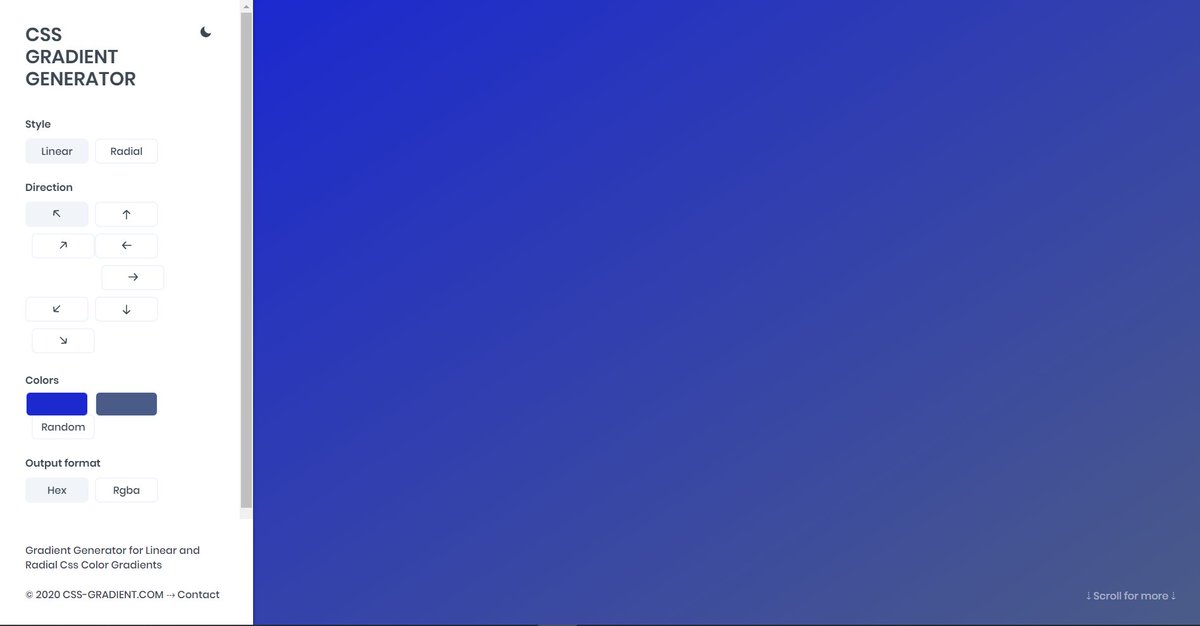
4️⃣ CSS Gradient
- Create beatiful gradeint either linear or radial on different angles
🔗 https://t.co/dlCExilHAT
🧵👇🏻
1️⃣ uiGradients
- A handpicked collection of beautiful color gradients for designers and developers.
🔗 https://t.co/EainhiePop
2️⃣ Eggradient
- Ready to use gradient background colors. ✓ Cool Gradients are prepared according to the latest design trends
🔗 https://t.co/F0uYVsZbA4
3️⃣ Mesh Gradients
- Create beautiful gradient like aurora UI in few clicks
🔗 https://t.co/MV8PT7q3Kz
4️⃣ CSS Gradient
- Create beatiful gradeint either linear or radial on different angles
🔗 https://t.co/dlCExilHAT
If you start with the right course then the process becomes a little easier
I found some amazing YouTube videos and courses that will help you start your Web Development journey
🧵👇🏻
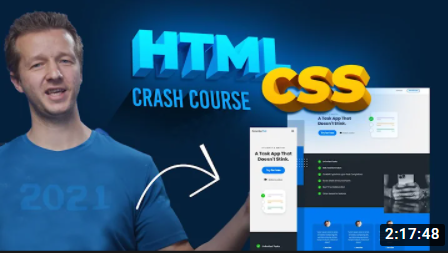
HTML and CSS
- A great way to arouse your web dev journey with Gary's (@designcoursecom) course on YouTube
🔗 https://t.co/xjm7nfV2L2
JavaScript
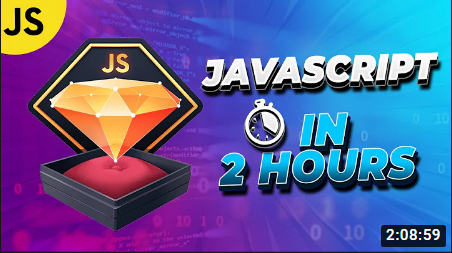
- Although it's impossible to learn JavaScript in 2 hours but JavaScript mastery is one the best YouTube chanel for JavaScript. This 2 hours long crash course will help you start your journey and gives you quick overview.
🔗 https://t.co/1zcSeu4zKE
Git and GitHub
Git is an essential tool. And after learning JavaScript, I think one should go for Git and GitHub. Check out this free great course on Udemy
🔗 https://t.co/E14cibOLXb

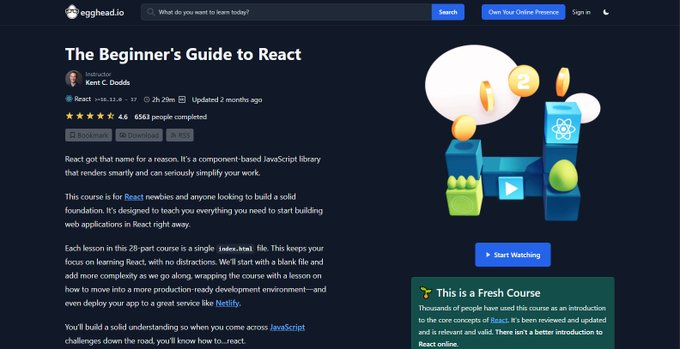
React
What you'll learn
- what problems React can solve
- how React solves those problems under the hood
- what JSX is and how it translates to regular JavaScript function calls and objects
- manage state with hooks
- build forms
🔗 https://t.co/3z22aeVQFc
I found some amazing YouTube videos and courses that will help you start your Web Development journey
🧵👇🏻
HTML and CSS
- A great way to arouse your web dev journey with Gary's (@designcoursecom) course on YouTube
🔗 https://t.co/xjm7nfV2L2
JavaScript
- Although it's impossible to learn JavaScript in 2 hours but JavaScript mastery is one the best YouTube chanel for JavaScript. This 2 hours long crash course will help you start your journey and gives you quick overview.
🔗 https://t.co/1zcSeu4zKE
Git and GitHub
Git is an essential tool. And after learning JavaScript, I think one should go for Git and GitHub. Check out this free great course on Udemy
🔗 https://t.co/E14cibOLXb
React
What you'll learn
- what problems React can solve
- how React solves those problems under the hood
- what JSX is and how it translates to regular JavaScript function calls and objects
- manage state with hooks
- build forms
🔗 https://t.co/3z22aeVQFc
5 great background websites for every web developer and designer
🧵👇

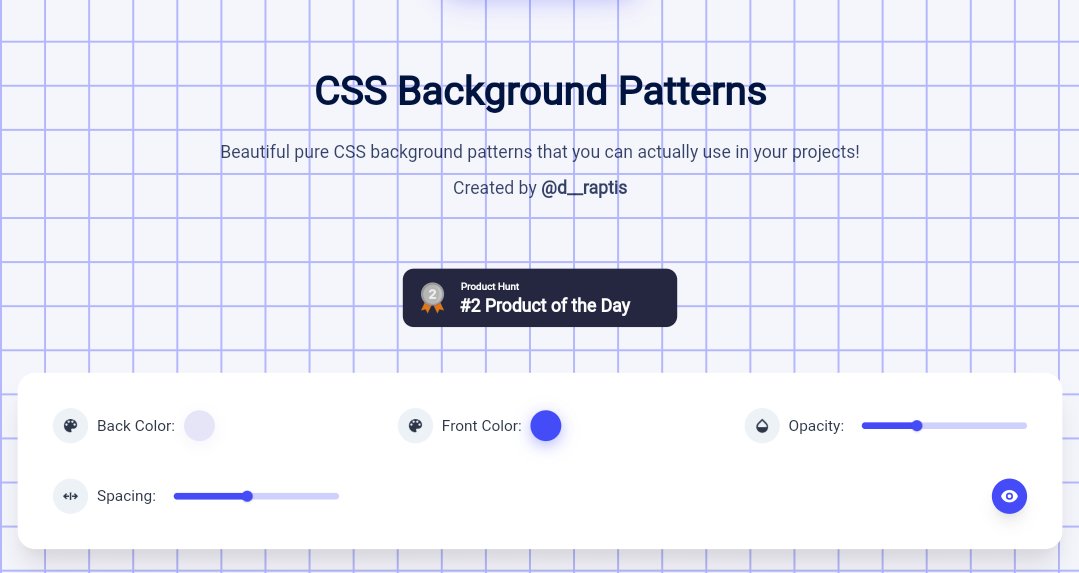
1. Magic pattern
Beautiful pure CSS background patterns that you can actually use in your projects. They are highly customizable as well.
🖇️ https://t.co/ZqczrPfkdZ
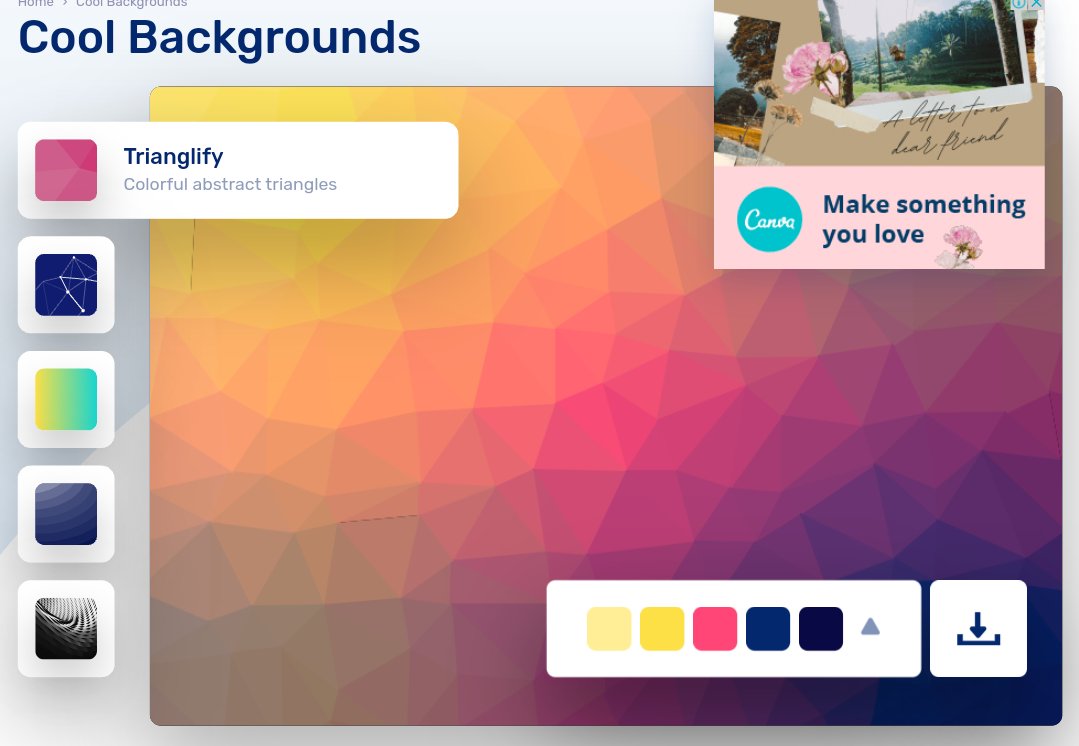
2. Cool backgrounds
Collection of cool backgrounds that you can add to blogs, websites, or as desktop and phone wallpapers
🖇️ https://t.co/df7VSb9t8H
3. Gradienta
Use pure CSS gradient backgrounds for your next website or app, as a JPG image or CSS code, no attribute required
🖇️ https://t.co/R58zrwpZCH

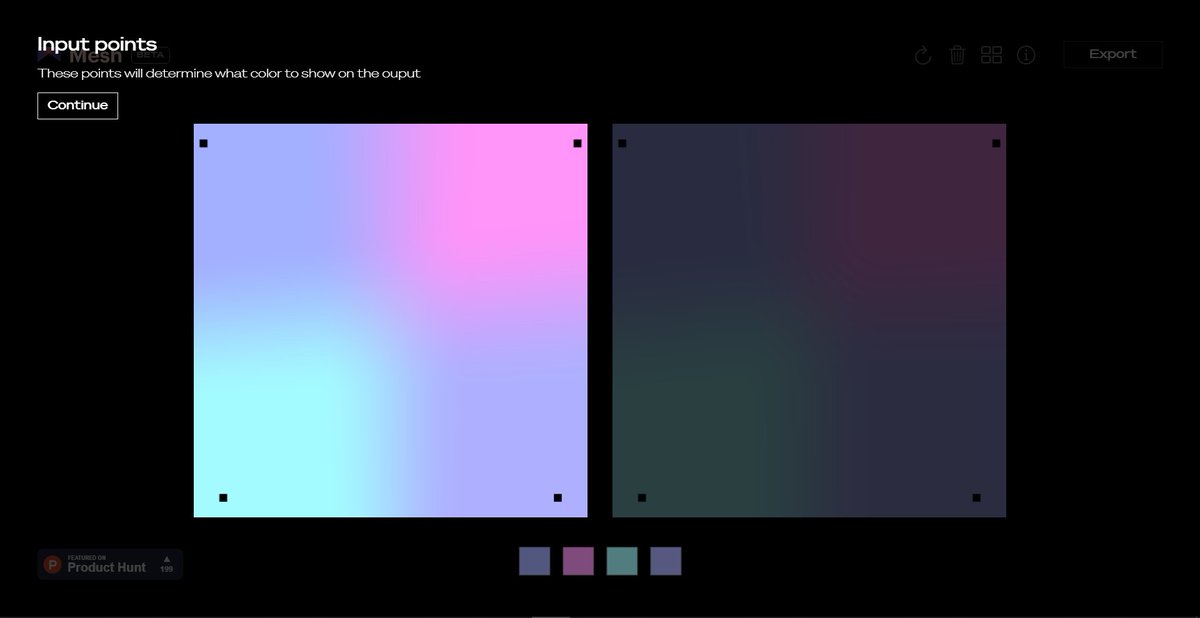
4 Mesh gradient
Creat aurora UI like gradients using few simple clicks
🖇️ https://t.co/vOHHDASr1V
🧵👇
1. Magic pattern
Beautiful pure CSS background patterns that you can actually use in your projects. They are highly customizable as well.
🖇️ https://t.co/ZqczrPfkdZ
2. Cool backgrounds
Collection of cool backgrounds that you can add to blogs, websites, or as desktop and phone wallpapers
🖇️ https://t.co/df7VSb9t8H
3. Gradienta
Use pure CSS gradient backgrounds for your next website or app, as a JPG image or CSS code, no attribute required
🖇️ https://t.co/R58zrwpZCH
4 Mesh gradient
Creat aurora UI like gradients using few simple clicks
🖇️ https://t.co/vOHHDASr1V
You May Also Like

Moderna CEO Stephane Bancel was previously CEO of bioMerieux in France from 07-10.
Alain Merieux, who owns bioMerieux, was instrumental in the creation of the Wuhan Institute of Virology P4 Lab.
The same people who helped create the virus, also helped to create the vaccines...

Moderna partnered with French Pasteur Institute in 2015 to develop mRNA vaccine technology.
Pasteur Institute partnered with the Wuhan P4 Laboratory in 2017 along with the Merieux Foundation to study emerging viruses...
https://t.co/yFsHwrNYaK
https://t.co/9M5lydBKhM

Nobel prize winning scientist Luc Montagnier asserts that Sars-Cov-2 is man-made and originated from the Wuhan Institute of Virology.
Montagnier did extensive work with the Pasteur Institute in France which was partnered with the Wuhan P4.
Merieux Foundation & the Chinese government have worked together since 1965, and partnered to study emerging pathogens in Africa in 2015.
Their research included "PATHOGENS CARRIED BY BATS" that provoke respiratory diseases.
🚨🚨🚨
https://t.co/gVwpT0ssqI

Alain Merieux, who owns bioMerieux, was instrumental in the creation of the Wuhan Institute of Virology P4 Lab.
The same people who helped create the virus, also helped to create the vaccines...
Moderna partnered with French Pasteur Institute in 2015 to develop mRNA vaccine technology.
Pasteur Institute partnered with the Wuhan P4 Laboratory in 2017 along with the Merieux Foundation to study emerging viruses...
https://t.co/yFsHwrNYaK
https://t.co/9M5lydBKhM
Nobel prize winning scientist Luc Montagnier asserts that Sars-Cov-2 is man-made and originated from the Wuhan Institute of Virology.
Montagnier did extensive work with the Pasteur Institute in France which was partnered with the Wuhan P4.
Merieux Foundation & the Chinese government have worked together since 1965, and partnered to study emerging pathogens in Africa in 2015.
Their research included "PATHOGENS CARRIED BY BATS" that provoke respiratory diseases.
🚨🚨🚨
https://t.co/gVwpT0ssqI







I just finished Eric Adler's The Battle of the Classics, and wanted to say something about Joel Christiansen's review linked below. I am not sure what motivates the review (I speculate a bit below), but it gives a very misleading impression of the book. 1/x
The meat of the criticism is that the history Adler gives is insufficiently critical. Adler describes a few figures who had a great influence on how the modern US university was formed. It's certainly critical: it focuses on the social Darwinism of these figures. 2/x
Other insinuations and suggestions in the review seem wildly off the mark, distorted, or inappropriate-- for example, that the book is clickbaity (it is scholarly) or conservative (hardly) or connected to the events at the Capitol (give me a break). 3/x
The core question: in what sense is classics inherently racist? Classics is old. On Adler's account, it begins in ancient Rome and is revived in the Renaissance. Slavery (Christiansen's primary concern) is also very old. Let's say classics is an education for slaveowners. 4/x
It's worth remembering that literacy itself is elite throughout most of this history. Literacy is, then, also the education of slaveowners. We can honor oral and musical traditions without denying that literacy is, generally, good. 5/x
As someone\u2019s who\u2019s read the book, this review strikes me as tremendously unfair. It mostly faults Adler for not writing the book the reviewer wishes he had! https://t.co/pqpt5Ziivj
— Teresa M. Bejan (@tmbejan) January 12, 2021
The meat of the criticism is that the history Adler gives is insufficiently critical. Adler describes a few figures who had a great influence on how the modern US university was formed. It's certainly critical: it focuses on the social Darwinism of these figures. 2/x
Other insinuations and suggestions in the review seem wildly off the mark, distorted, or inappropriate-- for example, that the book is clickbaity (it is scholarly) or conservative (hardly) or connected to the events at the Capitol (give me a break). 3/x
The core question: in what sense is classics inherently racist? Classics is old. On Adler's account, it begins in ancient Rome and is revived in the Renaissance. Slavery (Christiansen's primary concern) is also very old. Let's say classics is an education for slaveowners. 4/x
It's worth remembering that literacy itself is elite throughout most of this history. Literacy is, then, also the education of slaveowners. We can honor oral and musical traditions without denying that literacy is, generally, good. 5/x