Stock analysis and screening tool for investors in India.
For Fundamental analysis, this is the #1 tool.
https://t.co/8EHOpkUTPI
There are so many tools related to trading.
— Aditya Todmal (@AdityaTodmal) July 9, 2022
But very few provide any real value.
Here are 7 of the most valuable FREE Tools you're not using (but should be): \U0001f9f5
Collaborated with @niki_poojary
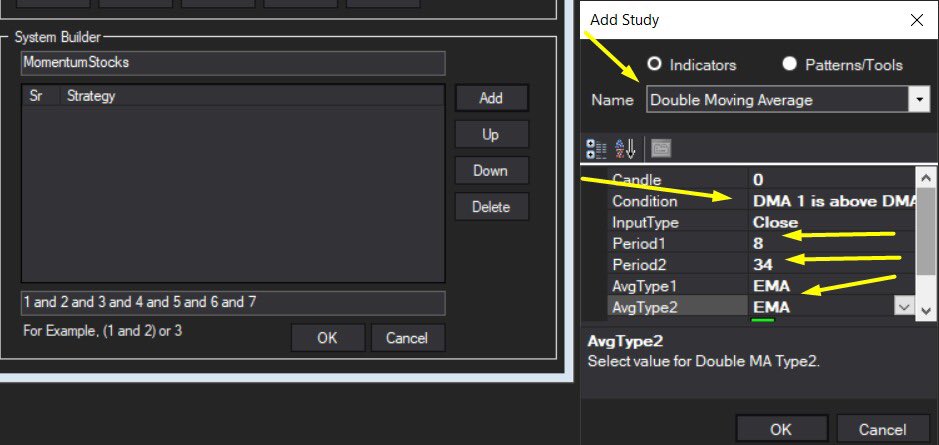
@MiteshFan @Mitesh_Engr @Abhishekkar_ MY TRADING SETUP .... I've been using it for a long time .. result good try it \U0001f607 pic.twitter.com/XThUD0ftbl
— itrade(DJ) (@ITRADE191) June 13, 2020
Volume Should always be above 20 pic.twitter.com/CPgxLgpPKF
— itrade(DJ) (@ITRADE191) June 13, 2020
— itrade(DJ) (@ITRADE191) August 25, 2020
— itrade(DJ) (@ITRADE191) October 20, 2020
First principles thinking is a powerful mental model for driving non-linear outcomes. It also requires a willingness to ask difficult, uncomfortable questions.
— Sahil Bloom (@SahilBloom) March 14, 2021
Here are a few to help you get started: pic.twitter.com/KyuAr7IUf7
Am sharing my journey on how I started trading 15 years before when there was very limited resource. If you are a beginner who is looking to get started with Stock Market, this thread would be helpful.\U0001f9f5
— Kirubakaran Rajendran (@kirubaakaran) April 26, 2022
Many of my friends who work at Corporate culture are fed up with their work life, one question they keep asking me is how much money do I need to retire and live comfortably? Here\u2019s a short thread \U0001f9f5 pic.twitter.com/gNEOFOChlh
— Kirubakaran Rajendran (@kirubaakaran) May 24, 2022
Year 2022 has been disastrous for many asset classes, the world economy is at 40 year high inflation. Are we headed for another stock market crash? Here's a detailed analysis. \U0001f9f5 pic.twitter.com/ZYch9yBHEq
— Kirubakaran Rajendran (@kirubaakaran) May 19, 2022
I have closely observed FinNifty for couple of weeks and then started trading live since last 4 expiry. If you are looking to start trading with FinNifty weekly option then this thread might be of great help to you. \U0001f9f5
— Kirubakaran Rajendran (@kirubaakaran) July 12, 2022
One thing I\u2019ve learnt from the Covid catastrophe is that the so many batch mates from engineering (and maybe b school) have no savings. So many people with like 20 years of really affluent work experience are two month\u2019s salary away from crowd funding to feed their families.
— Sidin (@sidin) July 9, 2021