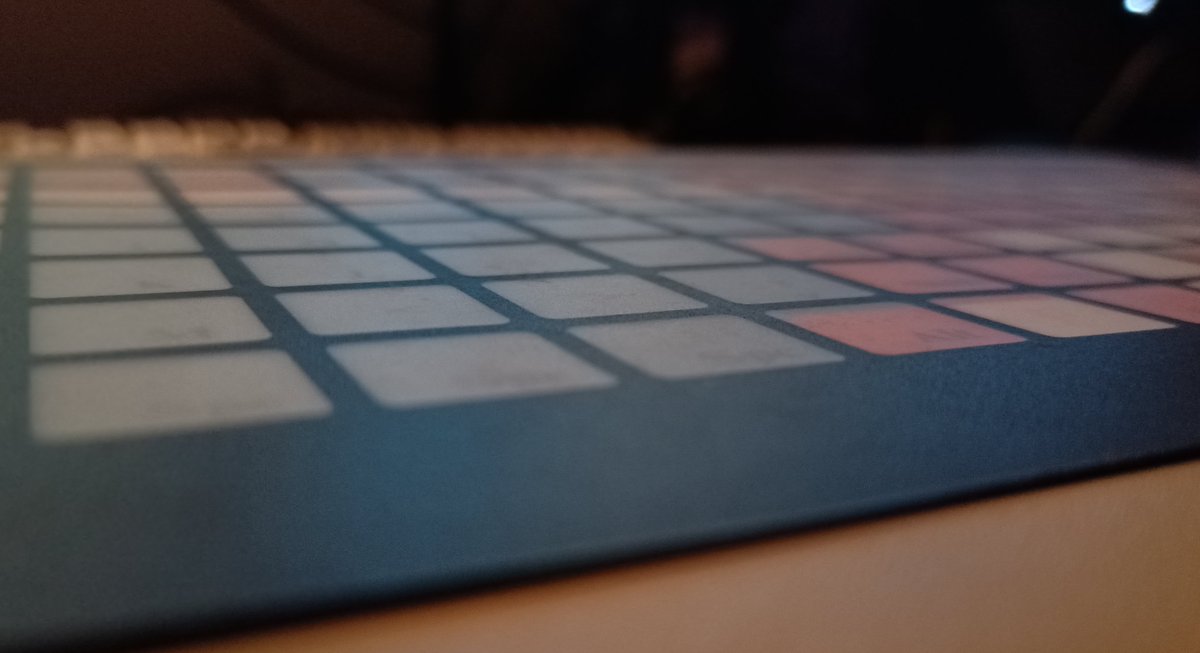
Have you gotten tired of mechanical keyboards with all their physical feedback?

Have you considered... A completely flat keyboard?

It's very flat
my favorite part is that since all buttons are the same shape and size, the spacebar is just 8 space buttons in a row
So why is it flat? Just because they hate good keyboards? Nope! it's for a reason...

Surprise! the plastic cover can be lifted up. The keyboard layout is on a piece of paper.
And it comes with a blank one so you can make your own.
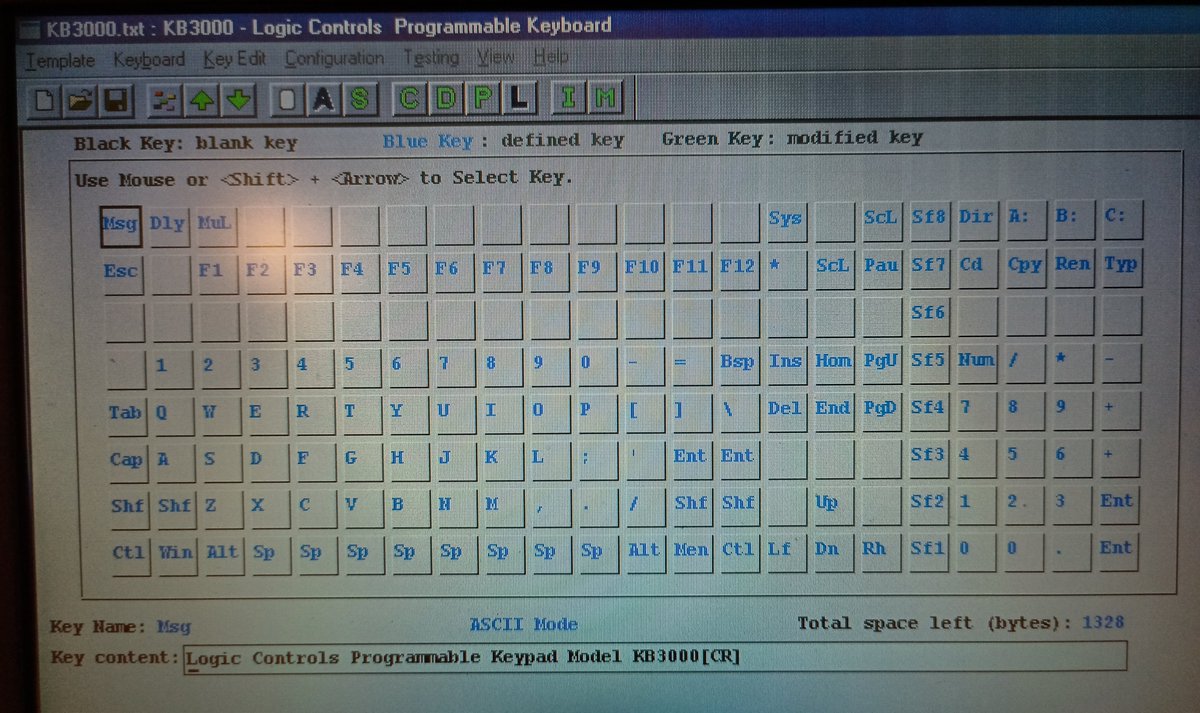
And some of these buttons aren't just buttons. They're macros! From the MS-DOS era, clearly.
the feature I really wasn't expecting:
It has a BEEPER.
It beeps on every key press!
It also has four different connectors. Mine came with an adapter from the left connector to an AT/PS/2 cable.
I think the middle two might be host connectors (AT and PS/2): you can hook a regular keyboard up through them.
The rightmost one is RS-232 serial, most likely
And it turns out this thing is a Model KB3000
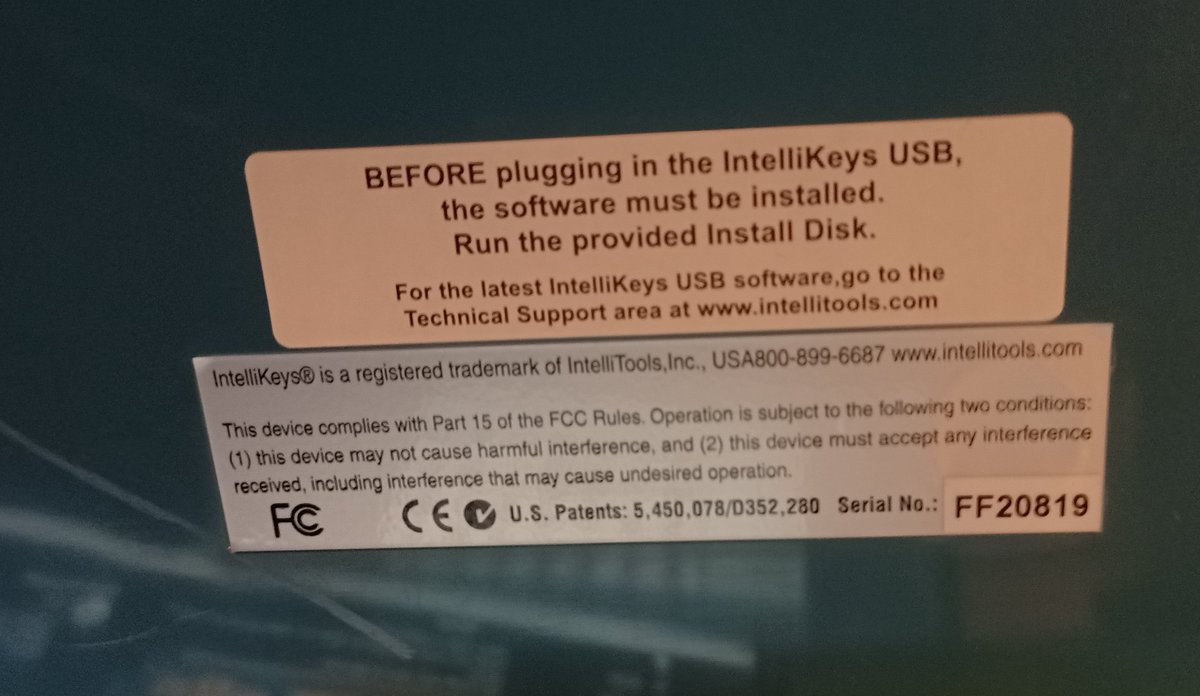
And they taped a piece of paper saying "get the utilities and manual from our website" on the back.
So it's by Logic Controls, apparently.
who are still around!
sadly the KB3000 is no longer on their site. TO THE WAYBACK MACHINE!
here we go.
The KB3000 Programmable Keypad!
Yep, I was right, you can daisy-chain other keyboards into it.
dang it.
if you want the DOS version you gotta ask for it.

WELL that info isn't on their page anymore... but I'm gonna ask.
Interestingly the manual says it can emulate an XT keyboard. Fancy.

The other thing is that apparently you can program it without connecting the serial: serial is fully optional. So it must use some kind of out-of-band PS/2 messages to program it.
emailed 'em.
As much as I want them to provide the files, I will be 0% surprised if they just reply "bruh it's 2020"
anyway while I have the progamming tool here and it's windows and should work fine on my windows PC... I think it's gonna need to talk to a real PS/2 port, not this USB adapter. So it's time to pull out a windows 95 machine with real PS/2
Eh, win98, close enough
XMODEM TIME
There we go. We can configurize all of this.
oh no, keyboard cat is missing!
Doesn't work. Shame.
@yngling located a download which includes the DOS utility, though. Lemme try that one:
https://t.co/op7ByWT9au
TEXT MODE
dang it
Maybe the PS/2 controller on this system is too weird? It's one of those funky ones that can magically do keyboard or mouse by autodetecting which one you plugged into it.
I'll have to grab a more generic computer and try it there.
But not right now. I've dug around in the back room enough already today, so I'll have to play with another keyboard.

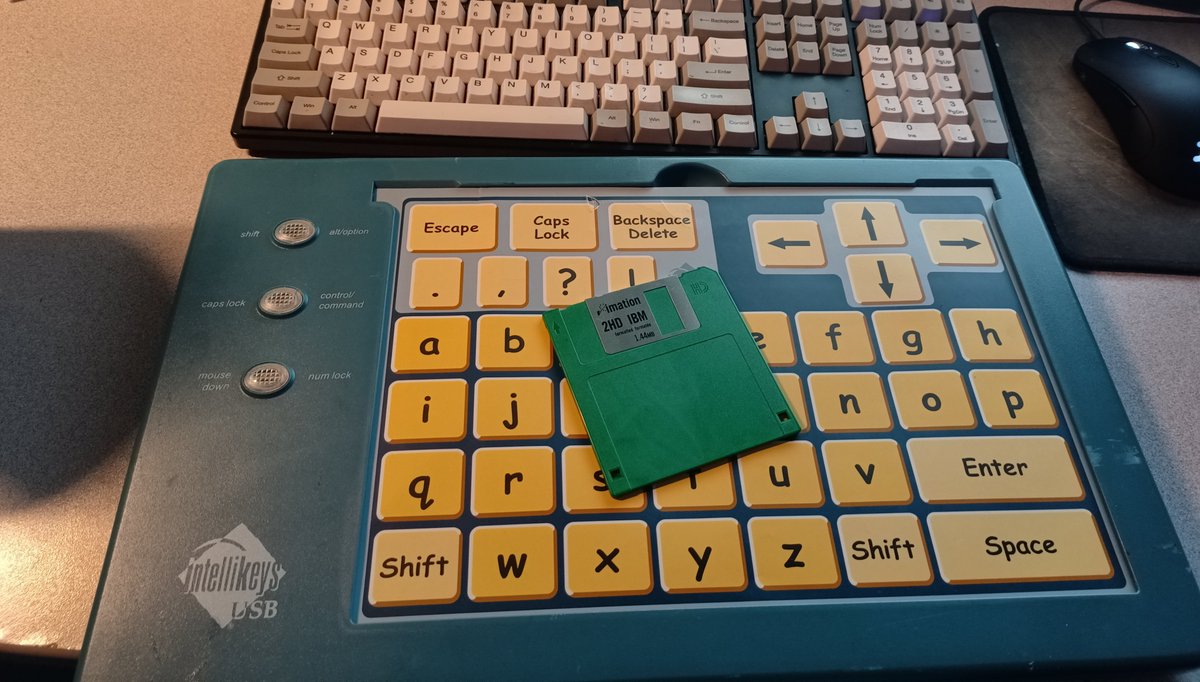
Like this one!
It's just as flat.
And again, the buttons are written on paper. So you can make your own layouts!
And the one it comes with is double-sided, and the other side is AMAZING.
Have you ever wanted to type on alphabetical comic sans?
no? Fuck you, you're gonna.
It's got a feature very few (wired) keyboards have:
An on/off switch.
So this is an IntelliTools IntelliKeys USB. It does not appear as a USB keyboard! so yes, you do need to install the drivers.
It's also got TRS connectors on the side for switches
So unlike the good luck we had with Logic Controls... IntelliTools doesn't exist anymore. They were sold to AbleNet in 2014.
Although apparently they open sourced the drivers!
https://t.co/17fYshhPwu
Anyway, unlike the previous Flat Keyboard which was designed for industrial/retail automation reasons, this one is designed for accessibility reasons. You can design keyboards with specifically placed large buttons for easy use by people with limited motor skills
and that's what the "switches" connectors are about: you can hook up things like sip-and-puff device or foot pedals or whatever is needed.
hello world
typing on this is slow
also keep in mind that this keyboard is HUGE
Anyway let's open up the KB3000 and see what's in side.
Surprisingly little, for how incredibly heavy this keyboard is.
(the case is sheet metal!)
Bottom of the PCB
Flip it, and we've got 3 chips, two jumpers, and the beeper.
There's some missing parts: I think that's because this one has the serial port but doesn't actually support serial. That's an optional function, so those missing chips are probably serial-TTL chips
So that first chip is a MM74HC4066N. That's a quad analog switch. Maybe it's used to switch between the AT/PS/2 inputs and the microcontroller?
Well that's interesting.
This is a RAMTRON FM24C16, a 2 kilobyte FRAM.
FRAM is ferroelectric RAM, it's non-volatile storage, but acts much like a RAM chip for simplicity.
2K is about how much storage is needed to store the keyboard layout.
And the big chip is an Atmel AT87F51.
As you probably guessed already... that's a 8051.
It's got 4 kilobytes of flash storage for code, and 128 bytes of RAM. It can be run from 0 to 24 MHz. Lemme check the oscillator to see how fast they're running this.
Looks like the answer is 12mhz
I don't have a tool to dump the 8051 right now. I could probably build one using a big enough arduino/teensy, but I don't know if they set the lock bits

More from foone

More from Tech

A brief analysis and comparison of the CSS for Twitter's PWA vs Twitter's legacy desktop website. The difference is dramatic and I'll touch on some reasons why.

Legacy site *downloads* ~630 KB CSS per theme and writing direction.

6,769 rules
9,252 selectors
16.7k declarations
3,370 unique declarations
44 media queries
36 unique colors
50 unique background colors
46 unique font sizes
39 unique z-indices

https://t.co/qyl4Bt1i5x


PWA *incrementally generates* ~30 KB CSS that handles all themes and writing directions.

735 rules
740 selectors
757 declarations
730 unique declarations
0 media queries
11 unique colors
32 unique background colors
15 unique font sizes
7 unique z-indices

https://t.co/w7oNG5KUkJ


The legacy site's CSS is what happens when hundreds of people directly write CSS over many years. Specificity wars, redundancy, a house of cards that can't be fixed. The result is extremely inefficient and error-prone styling that punishes users and developers.

The PWA's CSS is generated on-demand by a JS framework that manages styles and outputs "atomic CSS". The framework can enforce strict constraints and perform optimisations, which is why the CSS is so much smaller and safer. Style conflicts and unbounded CSS growth are avoided.
The 12 most important pieces of information and concepts I wish I knew about equity, as a software engineer.

A thread.

1. Equity is something Big Tech and high-growth companies award to software engineers at all levels. The more senior you are, the bigger the ratio can be:


2. Vesting, cliffs, refreshers, and sign-on clawbacks.

If you get awarded equity, you'll want to understand vesting and cliffs. A 1-year cliff is pretty common in most places that award equity.

Read more in this blog post I wrote:
https://t.co/WxQ9pQh2mY


3. Stock options / ESOPs.

The most common form of equity compensation at early-stage startups that are high-growth.

And there are *so* many pitfalls you'll want to be aware of. You need to do your research on this: I can't do justice in a tweet.

https://t.co/cudLn3ngqi


4. RSUs (Restricted Stock Units)

A common form of equity compensation for publicly traded companies and Big Tech. One of the easier types of equity to understand: https://t.co/a5xU1H9IHP

5. Double-trigger RSUs. Typically RSUs for pre-IPO companies. I got these at Uber.


6. ESPP: a (typically) amazing employee perk at publicly traded companies. There's always risk, but this plan can typically offer good upsides.

7. Phantom shares. An interesting setup similar to RSUs... but you don't own stocks. Not frequent, but e.g. Adyen goes with this plan.

You May Also Like