(RM Jr of worm fame was just a kid then.)
AFAIK the only group to discover Ken’s hack was us in PWB/UNIX. One of the other guys noticed C prepreprocessor had gotten bigger, looked at binary namelist, found symbol not in source code. I got onto Ken’s system, found the code, very clever.
(RM Jr of worm fame was just a kid then.)
More chortling, then (must have been Bob): uhh, NSA really doesn’t have sense of humor.
We did audit, agreed with that, BUT:
1) Many terminals had yellow stickies with root password.
2) They’d reused unused lab space w/o adequate HVAC, room got hot, so they often left door open.
As usual, good tech helps, but human error/laziness must always be guarded against.
Same thing happened later with workstations & then PCs: user depts got impatient with central IT.
Just as happened later with workstations/PCs, BTL Directors found that running own computer center well was a pain. The main computer centers then offered to do facilities management, with good HVAC,
I recall centralized mainframe service bureaus of 1960s,reborrn as cloud🙂
More from Software


🚨 🦮 Seven ways to test for accessibility using only what is already in browser developer tools of Chromium browsers https://t.co/C7kdbigHGE
@MSEdgeDev @EdgeDevTools @ChromiumDev
#tools #accessibility #browsers
Also, a thread: 👇🏼
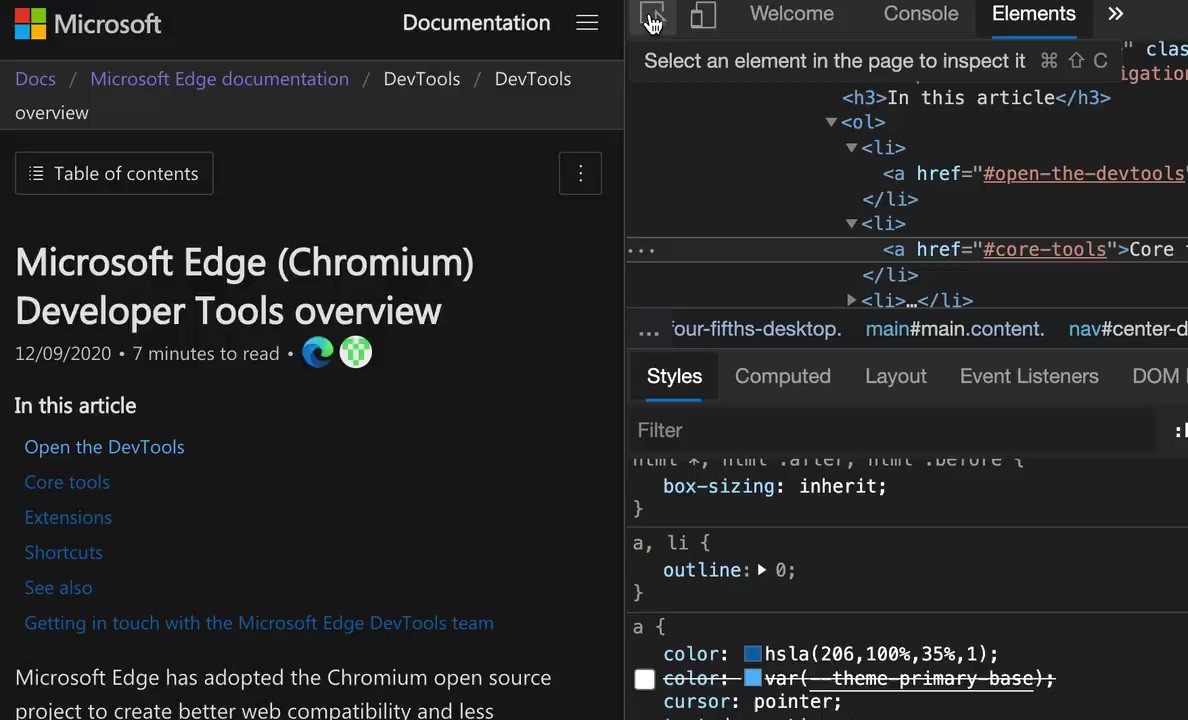
Issues pane, powered by @webhintio, listing accessibility issues with explanations why these are problems, links to more info and direct links to the tools where to fix the problem. https://t.co/4K5RynHhbg
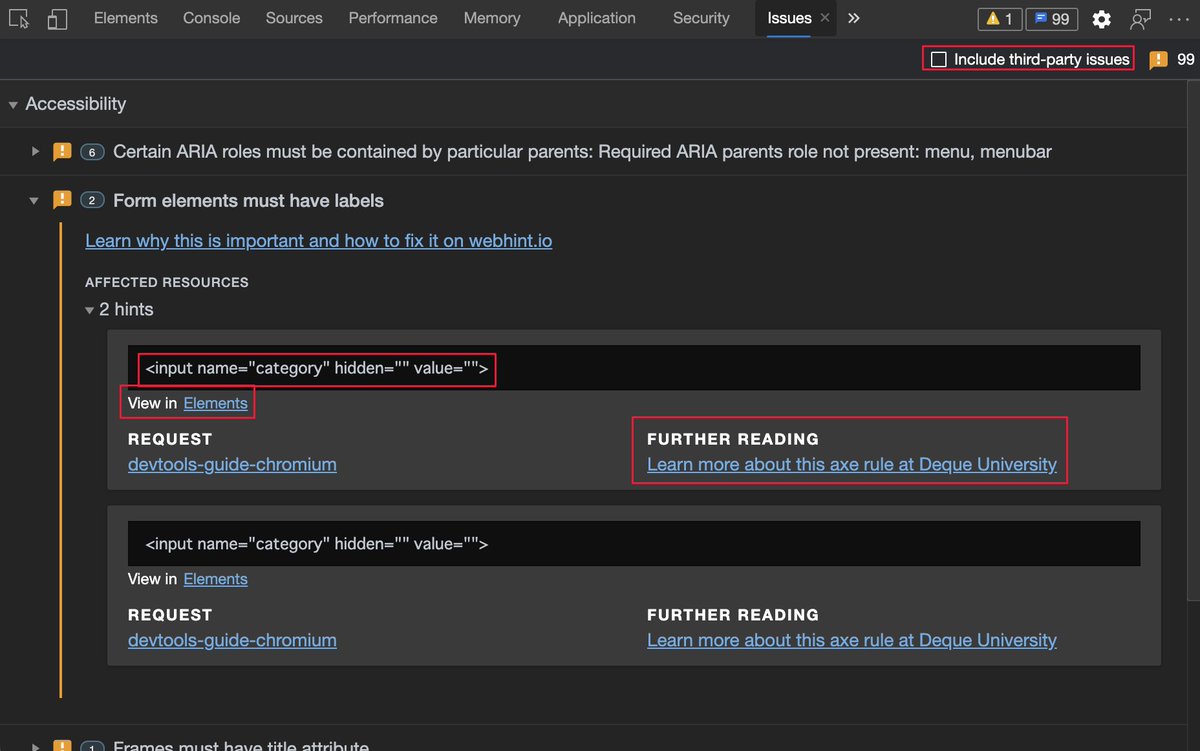
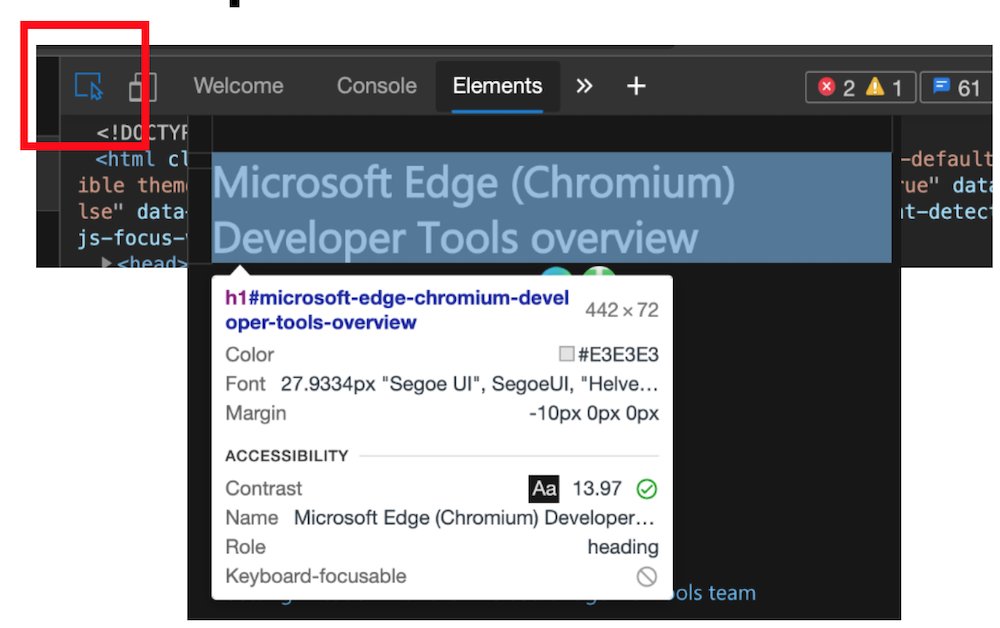
The inspect element overlay showing accessibility relevant information of the element, including contrast information, ARIA name, role and if it can be focused via keyboard.
Colour picker with contrast information offering colours that are AA/AAA compliant. You can also see compliant colours indicated by a line on the colour patch.
Note: the current algorithm fails to take font weight into consideration, that's why there will be a new one.

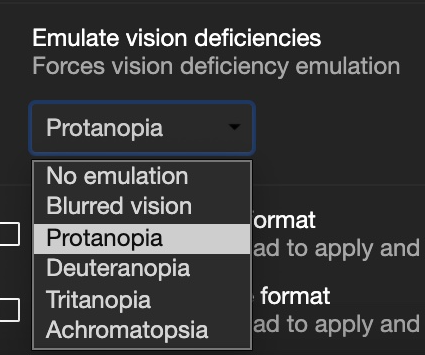
Vision deficit ("colour blindness") emulation. You can see what your product looks like for different visitors.
https://t.co/bxj1vySCAb
@MSEdgeDev @EdgeDevTools @ChromiumDev
#tools #accessibility #browsers
Also, a thread: 👇🏼
Issues pane, powered by @webhintio, listing accessibility issues with explanations why these are problems, links to more info and direct links to the tools where to fix the problem. https://t.co/4K5RynHhbg
The inspect element overlay showing accessibility relevant information of the element, including contrast information, ARIA name, role and if it can be focused via keyboard.
Colour picker with contrast information offering colours that are AA/AAA compliant. You can also see compliant colours indicated by a line on the colour patch.
Note: the current algorithm fails to take font weight into consideration, that's why there will be a new one.
Vision deficit ("colour blindness") emulation. You can see what your product looks like for different visitors.
https://t.co/bxj1vySCAb