Step 1. Download Vivaldi Browser
Step 2. Login to trading view
Step 3. Open bank nifty chart in 4 separate windows
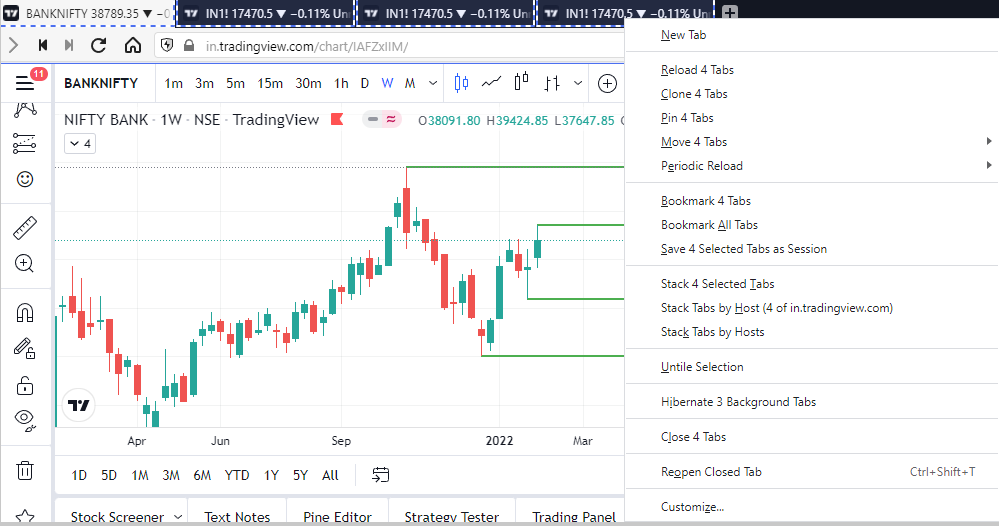
Step 4. Click on the first tab and shift + click by mouse on the last tab.
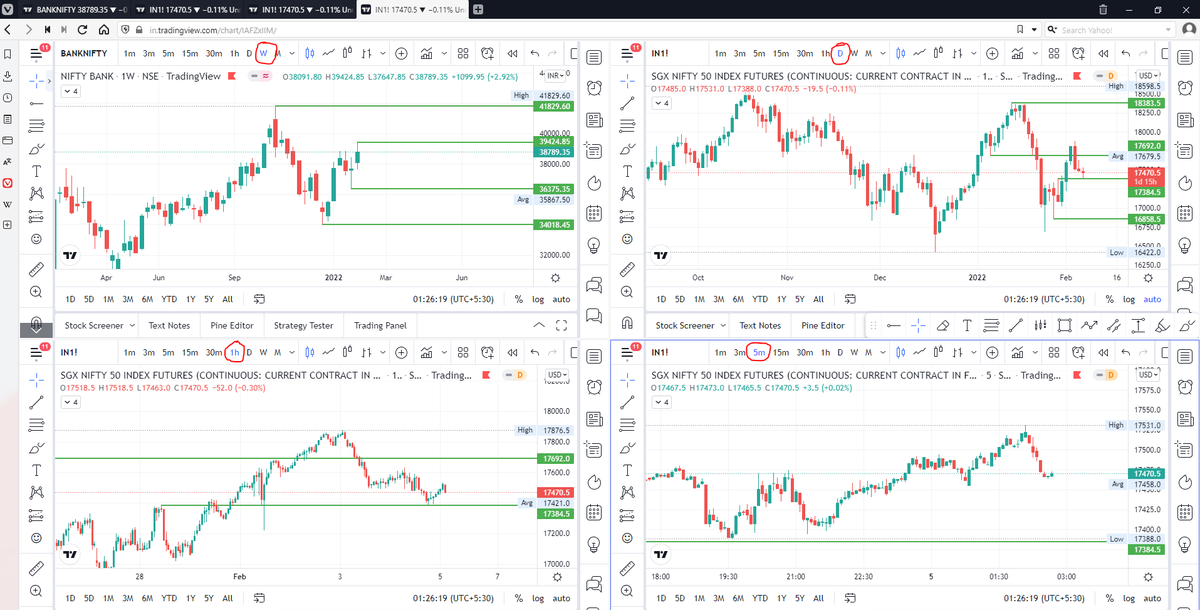
Step 5. Select "Tile all 4 tabs"
\U0001d5e0\U0001d602\U0001d5f9\U0001d601\U0001d5f6\U0001d5fd\U0001d5f9\U0001d5f2 \U0001d600\U0001d5f2\U0001d5f0\U0001d601\U0001d5fc\U0001d5ff \U0001d604\U0001d5ee\U0001d601\U0001d5f0\U0001d5f5\U0001d5f9\U0001d5f6\U0001d600\U0001d601 \U0001d5fc\U0001d5fb \U0001d5e7\U0001d5ff\U0001d5ee\U0001d5f1\U0001d5f6\U0001d5fb\U0001d5f4\U0001d603\U0001d5f6\U0001d5f2\U0001d604 \U0001d602\U0001d600\U0001d5f6\U0001d5fb\U0001d5f4 \U0001d601\U0001d5f5\U0001d5f2 \U0001d5d9\U0001d5e5\U0001d5d8\U0001d5d8 \U0001d603\U0001d5f2\U0001d5ff\U0001d600\U0001d5f6\U0001d5fc\U0001d5fb!
— Sarosij Ghosh (@sarosijghosh) September 18, 2021
A THREAD \U0001f9f5
Please Like and Re-Tweet. It took a lot of effort to put this together. #StockMarket #TradingView #trading #watchlist #Nifty500 #stockstowatch
A small thread on how to use Risk Management tool on @tradingview platform : \U0001f9f5
— \uff33\uff2f\uff35\uff36\uff29\uff2b \uea00 (@price_trader_) January 30, 2022
Those who are trading in cash segments and want to trade based on risk management it will be very helpful.
Ps : Many may have been using it from before...So this thread is only for Novice like me \U0001f643

HOW TO APPLY MORE THAN 3 MOVING AVERAGES IN #TradingView Free Version
— JayneshKasliwal (@JayneshKasliwal) November 13, 2021
Step 1 : Just Write "3 expo "
You will get multiple Options
Select "skollerposion"
Step 2 : TO add Normal moving Averages refer the 2nd Picture
Add other indicators as your own
3/n pic.twitter.com/cB7iAee7NV

1. Let's start option selling learning.
— Mitesh Patel (@Mitesh_Engr) February 10, 2019
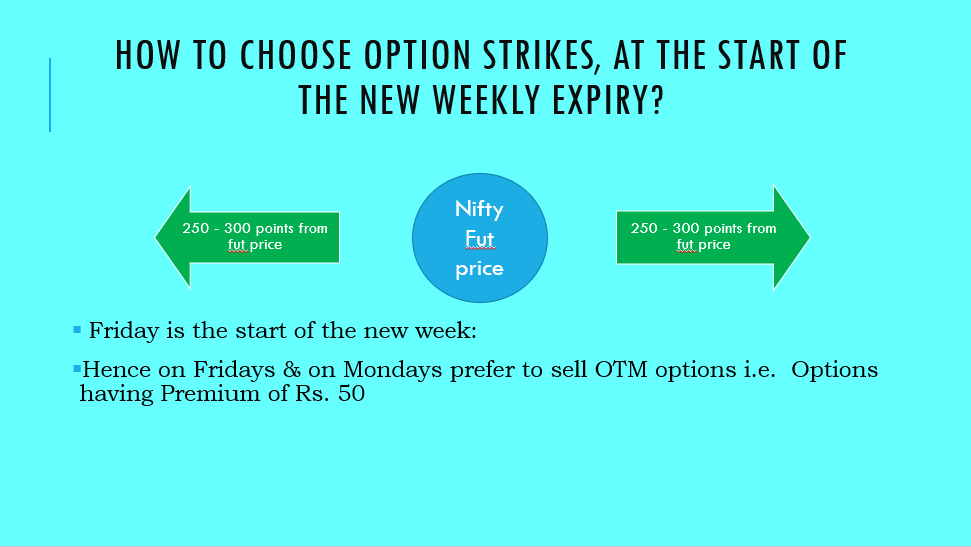
Strangle selling. ( I am doing mostly in weekly Bank Nifty)
When to sell? When VIX is below 15
Assume spot is at 27500
Sell 27100 PE & 27900 CE
say premium for both 50-50
If bank nifty will move in narrow range u will get profit from both.
Few are selling 20-25 Rs positional option selling course.
— Mitesh Patel (@Mitesh_Engr) November 3, 2019
Nothing big deal in that.
For selling weekly option just identify last week low and high.
Now from that low and high keep 1-1.5% distance from strike.
And sell option on both side.
1/n
Sold 29200 put and 30500 call
— Mitesh Patel (@Mitesh_Engr) April 12, 2019
Used 20% capital@44 each
Already giving more than 2% return in a week. Now I will prefer to sell 32500 call at 74 to make it strangle in equal ratio.
— Mitesh Patel (@Mitesh_Engr) February 7, 2020
To all. This is free learning for you. How to play option to make consistent return.
Stay tuned and learn it here free of cost. https://t.co/7J7LC86oW0
@moneycontrolcom did a detailed story on my trading journey.
— Sourabh Sisodiya, CFA (@sourabhsiso19) May 26, 2020
But many couldn\u2019t read it as it needed a pro-subscription.
So here\u2019s a blog on the same :https://t.co/dwN2xieUKd#trading #journey #quant #options #algotrading #markets #OptionsTrading
Getting many DM\u2019s on how I can learn and trade like you.
— Sourabh Sisodiya, CFA (@sourabhsiso19) January 10, 2020
To be a succesful trader one needs an edge
My edge:
1)focus on selected instruments (Banknifty majorly and few stocks)
2) backtested my strategies historically (for past 10years)
(1)
Do I trade only BNF ?
— Sourabh Sisodiya, CFA (@sourabhsiso19) March 4, 2020
Other than BNF intraday , I run few other systems too.
1) Intraday Momentum
2) Positional systems
3) Vol Crush Trade etc
Goal of system trading is to run few non-correlated strategies together so that system drawdown is at the minimum.#trading #systems pic.twitter.com/mS8jFEaLUW
Options Thread
— Sourabh Sisodiya, CFA (@sourabhsiso19) December 7, 2019
How options allows to change and adjust view dynamically.
Let\u2019s understand with a live example.
Example : Nifty is at 11921 and you are bullish on Nifty.
1) Buy Naked 11900 CE(call) at 167
Breakeven : 12068
Max Loss : Rs 12555
Max Profit : Unlimited pic.twitter.com/TXMhh5HWsd
Screeners helps trader in saving lot of time in filtering best stocks out of 5000+ stocks listed.
— Yash Mehta (@YMehta_) October 28, 2022
Here is the list of top 10 Free Candlestick Pattern based screeners that I use:
Also, last two screeners are my favorite to pick early momentum stocks.
Screeners helps trader in saving lot of time in filtering best stocks out of 1000+ stocks listed.
— Yash Mehta (@YMehta_) September 16, 2022
Here is the list of top 9 Free Price Action based screeners that I use:
Also, last screener is my favorite to pick early momentum stocks.
Screeners helps trader in saving lot of time in filtering best stocks out of 5000+ listed stocks.
— Yash Mehta (@YMehta_) December 9, 2022
Here is the list of top 7 Free Strategy and its respective screeners that I use:
Also, last screener is my favorite to pick early momentum stocks.
There are so many investment strategies, still hardly anyone creates long term wealth in stocks.
— Yash Mehta (@YMehta_) November 25, 2022
Sharing 4 Investment Strategies based on Technical Analysis and Screeners for free (sold as a \u20b9 50,000 course!).
Shared a bonus trading strategy at the end.
A thread \U0001f9f5:


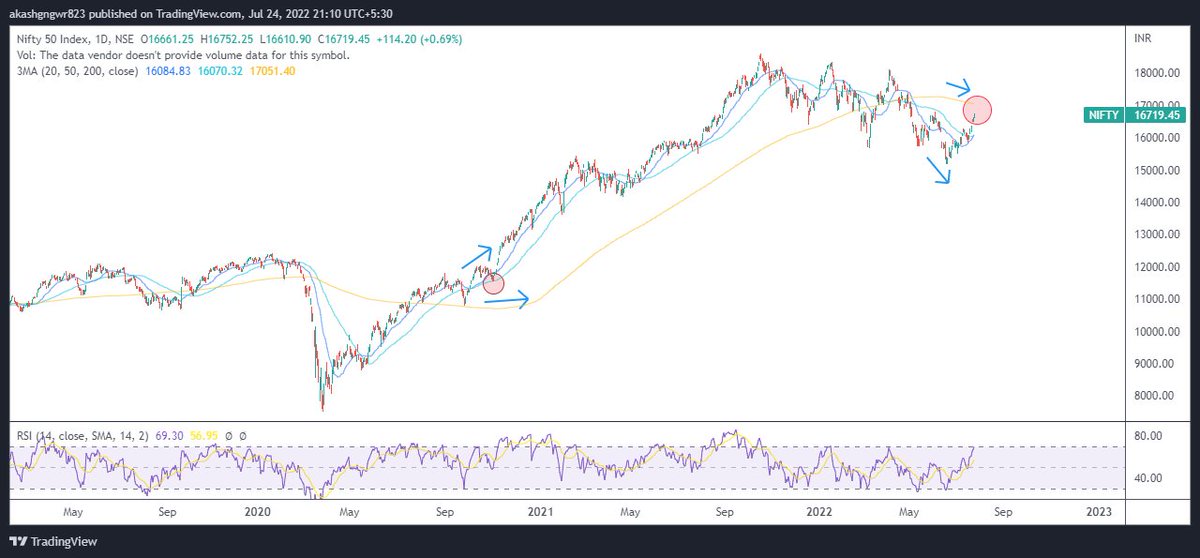
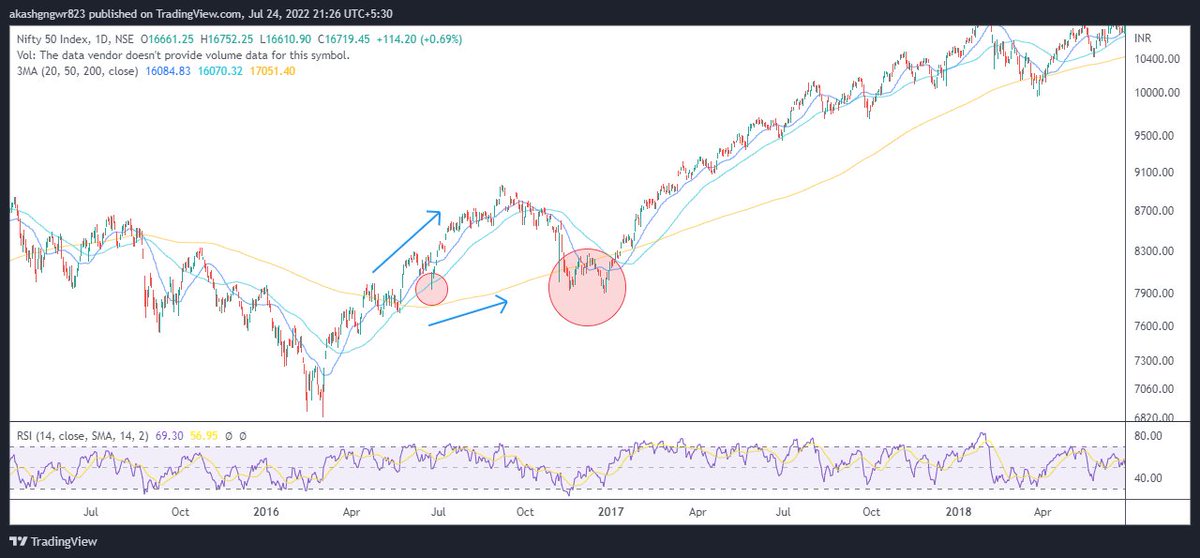
This thread will present a highly probable scenario of markets for the upcoming months. Will update the scenario too if there is a significant change in view in between.
— Aakash Gangwar (@akashgngwr823) May 15, 2022
1/n https://t.co/jfWOyEgZyd