
Premium & Free Services (I use) - Investing & Trading🧵
I asked this question last month and was surprised by the replies. Most of us are using some form of premium service whether that is research tools, stock picking or trading. In my first year, I've used many. /1
CML Pro 👑 - PAID (Invest)
By @OphirGottlieb. Top picks with brilliant research and CEO/CFO interviews. Provides clarity and perspective for investors. Long term mindset. @CMLviz https://t.co/NZOJ9k1vZG /4
A fantastic free portfolio tracking tool. It's how I get most of the pie charts etc. I post. It also has a brilliant screener and SEC Filing Search. Premium Version available. I have no need for it. @wallminecom /5 https://t.co/0VrZTHwKMh
@BorsaHQ is a useful Earnings Calls App that allows you to search and stream old or new calls and play them on demand. Premium version available that allows you to download and stream calls live. /6
https://t.co/XSPiJ0yhBR
@WebullGlobal is a broker but you can use their app on phone and desktop with just an email. Great for watchlist, tracking portfolios, a quick look at price, info similar to YahooFinance. My go-to for a quick look. iPhone App is great. /7
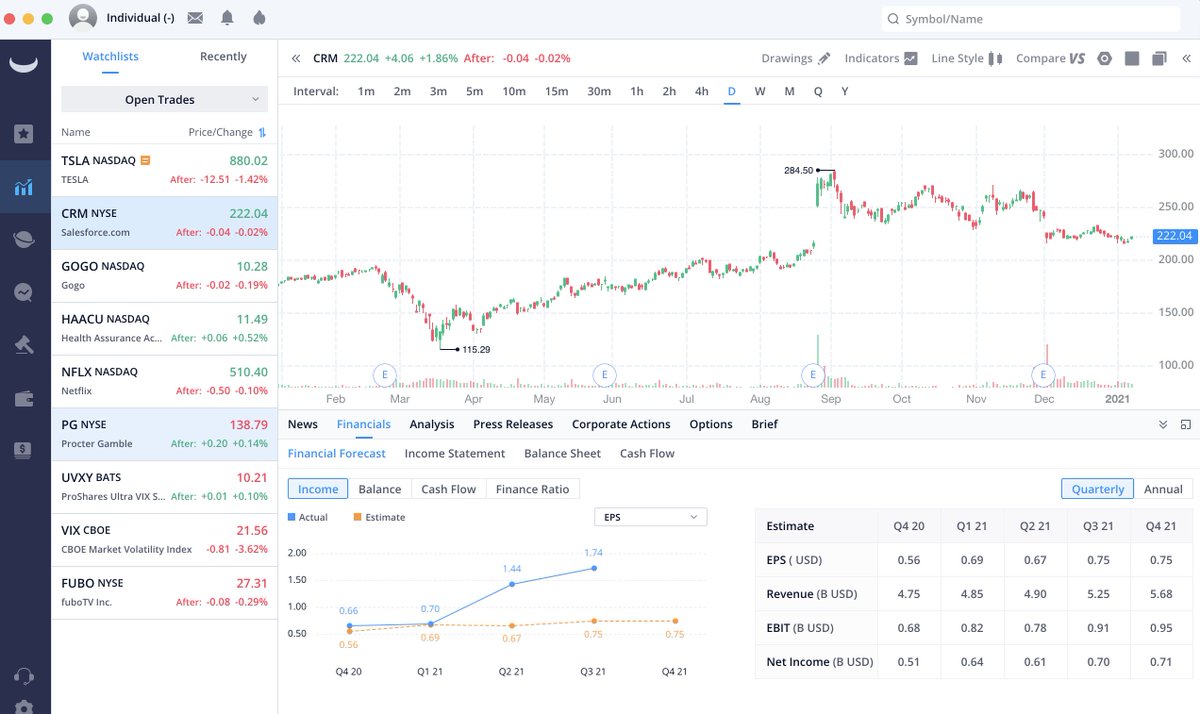
@KoyfinCharts is a wonderful free tool that has the data of paid services like YCharts. Great tool for comparing companies and looking at their stats , tons of features. Will likely go behind a paywall someday. /8
https://t.co/t4UQnGYBbH
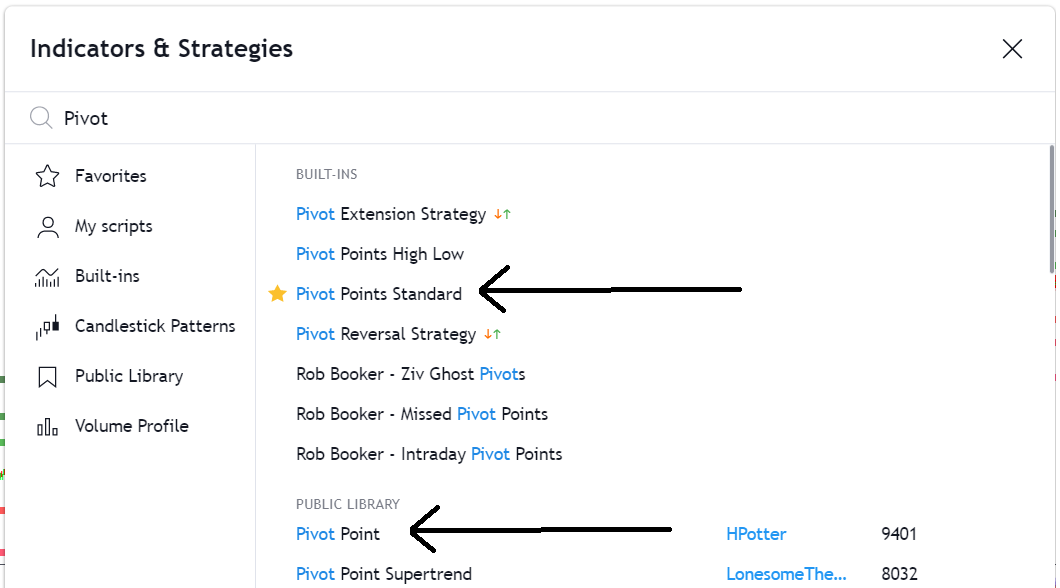
CMLViz provides a ton of really useful information without even a login required. I particularly like TearSheets for a company overview as well as Pivot Points for an easy view of the Moving Avgs. @CMLviz /9
https://t.co/sQgel7VaQ6
FinViz is a powerful screener which can be used for investing and trading. I currently use it mainly to pick out high volume price action in real-time. As such I use their ELITE Premium service (for now). /10
https://t.co/Zo2ZmXrI8Z
I've tried several charting services and ended up with @TrendSpider due to simplicity, UI & Price. The more I use it the more I like it. I found other services overwhelming. A lot of pros seem to use it. /11
https://t.co/8KYsRylxvC
I'm new to @tradersync. Previously I had my own XL docs to track my trading but this service is so many levels up from what I could do. With CSV Import it'll save me tons of time while giving me A+ Metrics. /12 https://t.co/Jdc7i6FGCj
A useful tool to track earnings dates confirmed or expected. I use their free service and follow on Twitter @eWhispers /13
https://t.co/JH5KcvY3pq
A useful tool for calculating the expected trajectory of an option whether it's complex or simple. I use this a lot. I'm not 100% on accuracy maybe someone can advise? But it gives a decent idea when learning. /14 https://t.co/D7Aey3pkJ9
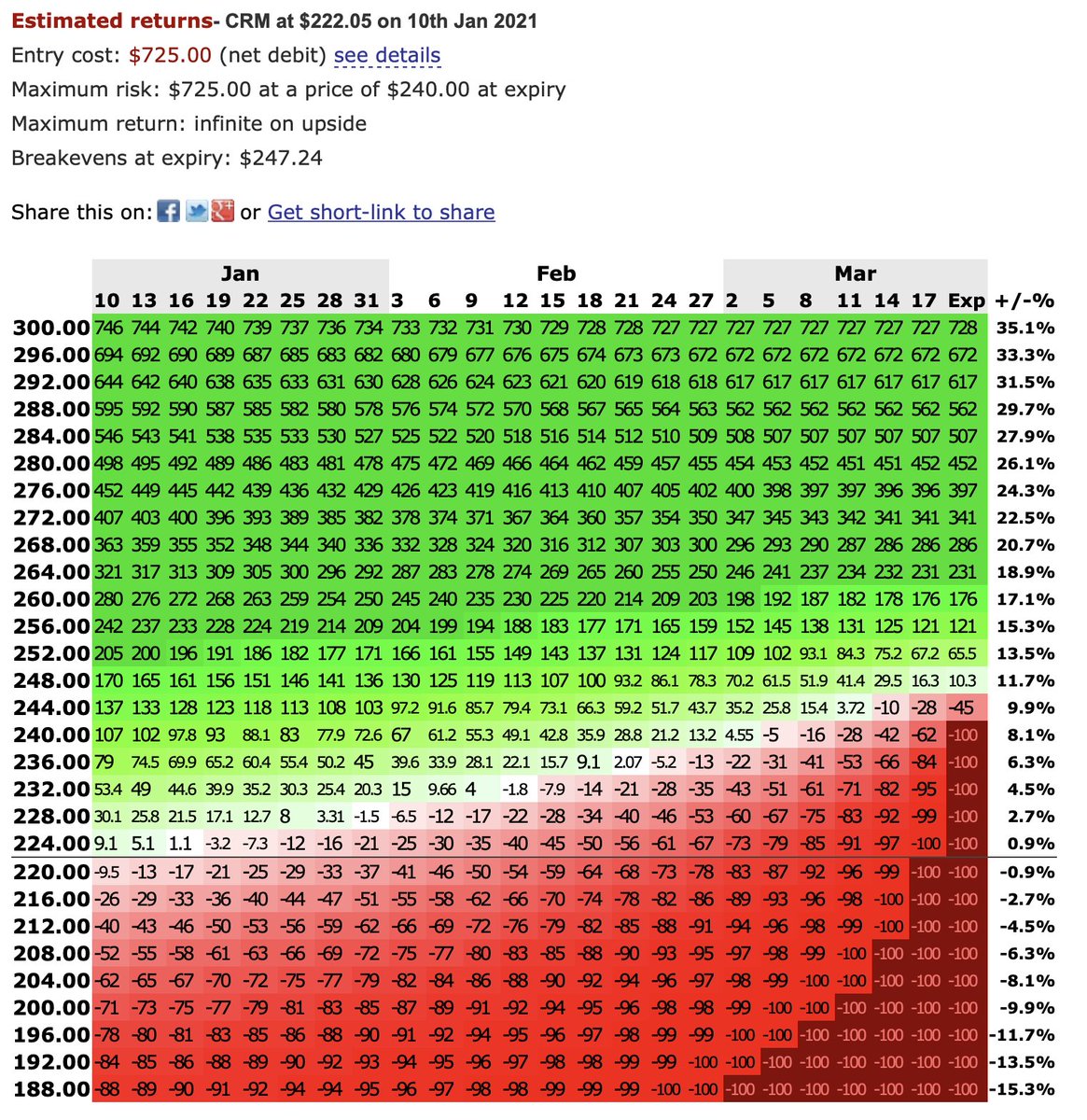
https://t.co/qS386o4wxN is a backtesting software for options and stock trades. It's really excellent for finding high probability trades based on empirical data by @OphirGottlieb. I use this every day. /15
@moon_shine15 provides a trading service for stocks, crypto etc. TBH his public account is worth a follow for any trader for commentary. You can piggyback with him if that's what you want to do but I've learned a lot. /16
More from Trading




Want to master Option Selling for free?
Here are the best resources.
A thread 🧵👇
Collaborated with @niki_poojary
1. Best book of knowledge for a beginner?
Zerodha Varsity from @Nithin0dha's team is the best book for a newcomer to read and increase his basic knowledge about options, especially for the Indian markets.
Link:
2. Best Youtube channel on Options Trading?
The @tastytrade financial network. It's a foreign channel that focuses mostly on selling options.
They teach all strategies for free with their backtests.
Big on Straddle/Strangles selling.
Links:
3. Top Indian YouTube Channel for Options?
Power of Stocks - Subhasish Pani
What you'll learn:
1. How to form a trading plan.
2. How to scale an account with risk-reward in option selling.
3. Technical analysis logics you can use daily.
15
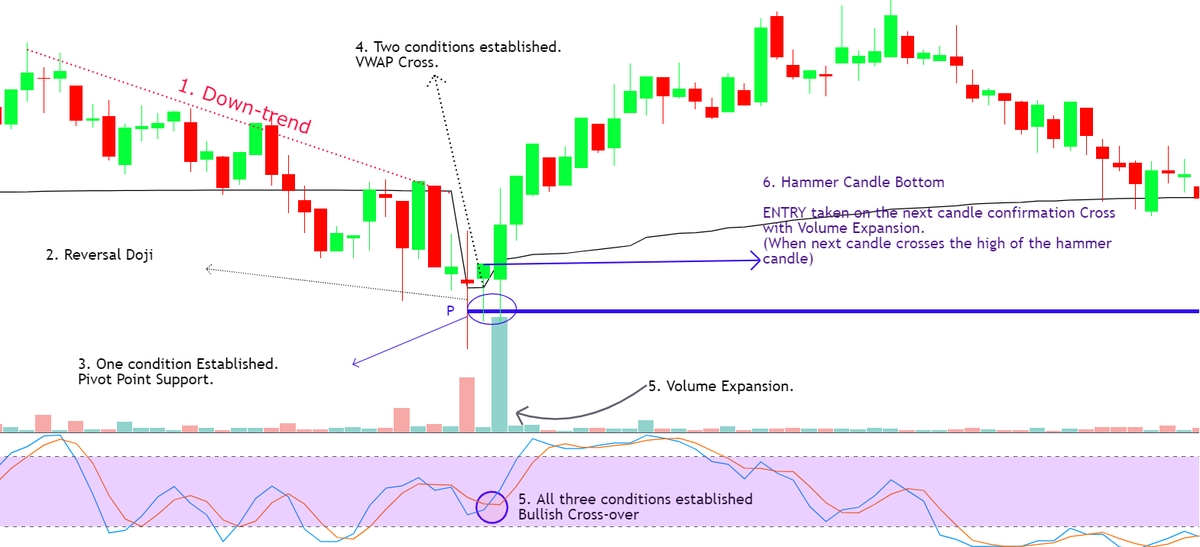
4. What are the preconditions to start option Selling:
You should know technical Analysis basics like:
- Support/Resistance
- Chart Patterns
- Candle Patterns
- Dow Theory (HH, LL)
This will help you start taking high-probability trades.
Here are the best resources.
A thread 🧵👇
Collaborated with @niki_poojary
1. Best book of knowledge for a beginner?
Zerodha Varsity from @Nithin0dha's team is the best book for a newcomer to read and increase his basic knowledge about options, especially for the Indian markets.
Link:
2. Best Youtube channel on Options Trading?
The @tastytrade financial network. It's a foreign channel that focuses mostly on selling options.
They teach all strategies for free with their backtests.
Big on Straddle/Strangles selling.
Links:
3. Top Indian YouTube Channel for Options?
Power of Stocks - Subhasish Pani
What you'll learn:
1. How to form a trading plan.
2. How to scale an account with risk-reward in option selling.
3. Technical analysis logics you can use daily.
15
15 Learnings from Power of Stocks: \U0001f9f5
— Aditya Todmal (@AdityaTodmal) January 23, 2022
Collaborated with @niki_poojary
4. What are the preconditions to start option Selling:
You should know technical Analysis basics like:
- Support/Resistance
- Chart Patterns
- Candle Patterns
- Dow Theory (HH, LL)
This will help you start taking high-probability trades.

You May Also Like




Recently, the @CNIL issued a decision regarding the GDPR compliance of an unknown French adtech company named "Vectaury". It may seem like small fry, but the decision has potential wide-ranging impacts for Google, the IAB framework, and today's adtech. It's thread time! 👇
It's all in French, but if you're up for it you can read:
• Their blog post (lacks the most interesting details): https://t.co/PHkDcOT1hy
• Their high-level legal decision: https://t.co/hwpiEvjodt
• The full notification: https://t.co/QQB7rfynha
I've read it so you needn't!
Vectaury was collecting geolocation data in order to create profiles (eg. people who often go to this or that type of shop) so as to power ad targeting. They operate through embedded SDKs and ad bidding, making them invisible to users.
The @CNIL notes that profiling based off of geolocation presents particular risks since it reveals people's movements and habits. As risky, the processing requires consent — this will be the heart of their assessment.
Interesting point: they justify the decision in part because of how many people COULD be targeted in this way (rather than how many have — though they note that too). Because it's on a phone, and many have phones, it is considered large-scale processing no matter what.
It's all in French, but if you're up for it you can read:
• Their blog post (lacks the most interesting details): https://t.co/PHkDcOT1hy
• Their high-level legal decision: https://t.co/hwpiEvjodt
• The full notification: https://t.co/QQB7rfynha
I've read it so you needn't!
Vectaury was collecting geolocation data in order to create profiles (eg. people who often go to this or that type of shop) so as to power ad targeting. They operate through embedded SDKs and ad bidding, making them invisible to users.
The @CNIL notes that profiling based off of geolocation presents particular risks since it reveals people's movements and habits. As risky, the processing requires consent — this will be the heart of their assessment.
Interesting point: they justify the decision in part because of how many people COULD be targeted in this way (rather than how many have — though they note that too). Because it's on a phone, and many have phones, it is considered large-scale processing no matter what.

Trading view scanner process -
1 - open trading view in your browser and select stock scanner in left corner down side .
2 - touch the percentage% gain change ( and u can see higest gainer of today)
3. Then, start with 6% gainer to 20% gainer and look charts of everyone in daily Timeframe . (For fno selection u can choose 1% to 4% )
4. Then manually select the stocks which are going to give all time high BO or 52 high BO or already given.
5. U can also select those stocks which are going to give range breakout or already given range BO
6 . If in 15 min chart📊 any stock sustaing near BO zone or after BO then select it on your watchlist
7 . Now next day if any stock show momentum u can take trade in it with RM
This looks very easy & simple but,
U will amazed to see it's result if you follow proper risk management.
I did 4x my capital by trading in only momentum stocks.
I will keep sharing such learning thread 🧵 for you 🙏💞🙏
Keep learning / keep sharing 🙏
@AdityaTodmal
1 - open trading view in your browser and select stock scanner in left corner down side .
2 - touch the percentage% gain change ( and u can see higest gainer of today)
Making thread \U0001f9f5 on trading view scanner by which you can select intraday and btst stocks .
— Vikrant (@Trading0secrets) October 22, 2021
In just few hours (Without any watchlist)
Some manual efforts u have to put on it.
Soon going to share the process with u whenever it will be ready .
"How's the josh?"guys \U0001f57a\U0001f3b7\U0001f483
3. Then, start with 6% gainer to 20% gainer and look charts of everyone in daily Timeframe . (For fno selection u can choose 1% to 4% )
4. Then manually select the stocks which are going to give all time high BO or 52 high BO or already given.
5. U can also select those stocks which are going to give range breakout or already given range BO
6 . If in 15 min chart📊 any stock sustaing near BO zone or after BO then select it on your watchlist
7 . Now next day if any stock show momentum u can take trade in it with RM
This looks very easy & simple but,
U will amazed to see it's result if you follow proper risk management.
I did 4x my capital by trading in only momentum stocks.
I will keep sharing such learning thread 🧵 for you 🙏💞🙏
Keep learning / keep sharing 🙏
@AdityaTodmal


