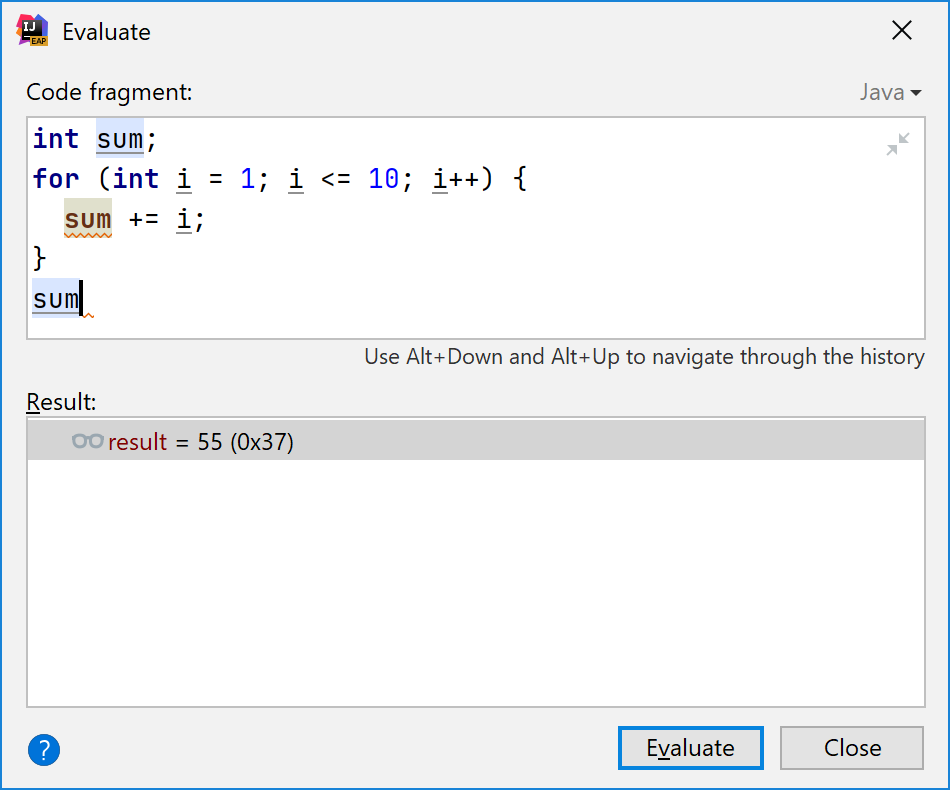
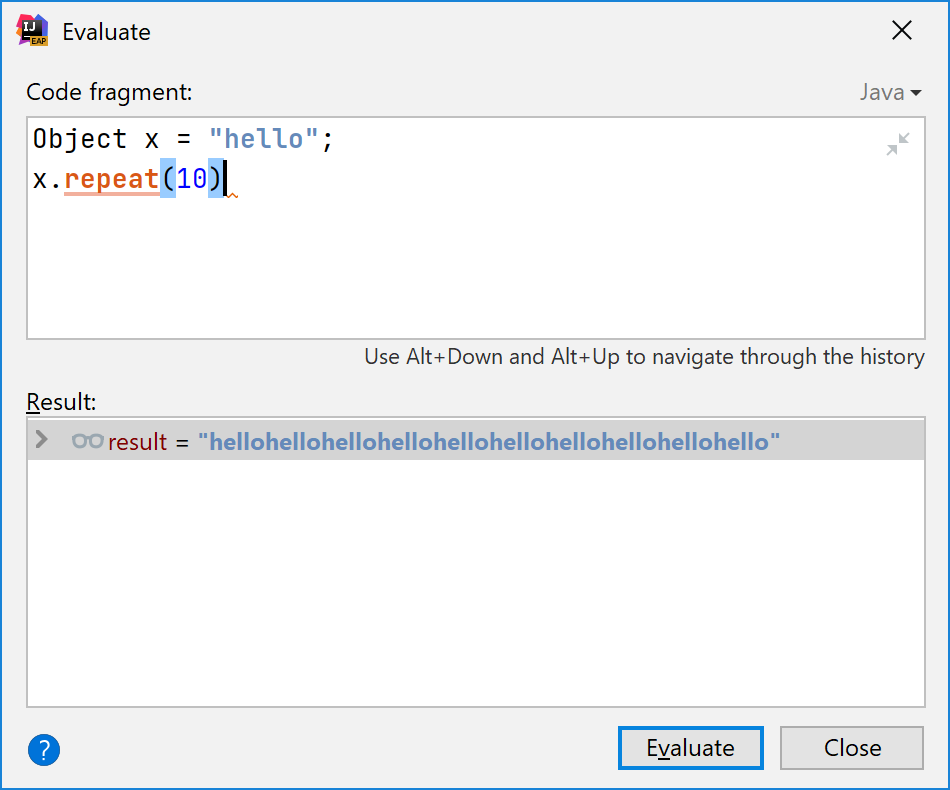
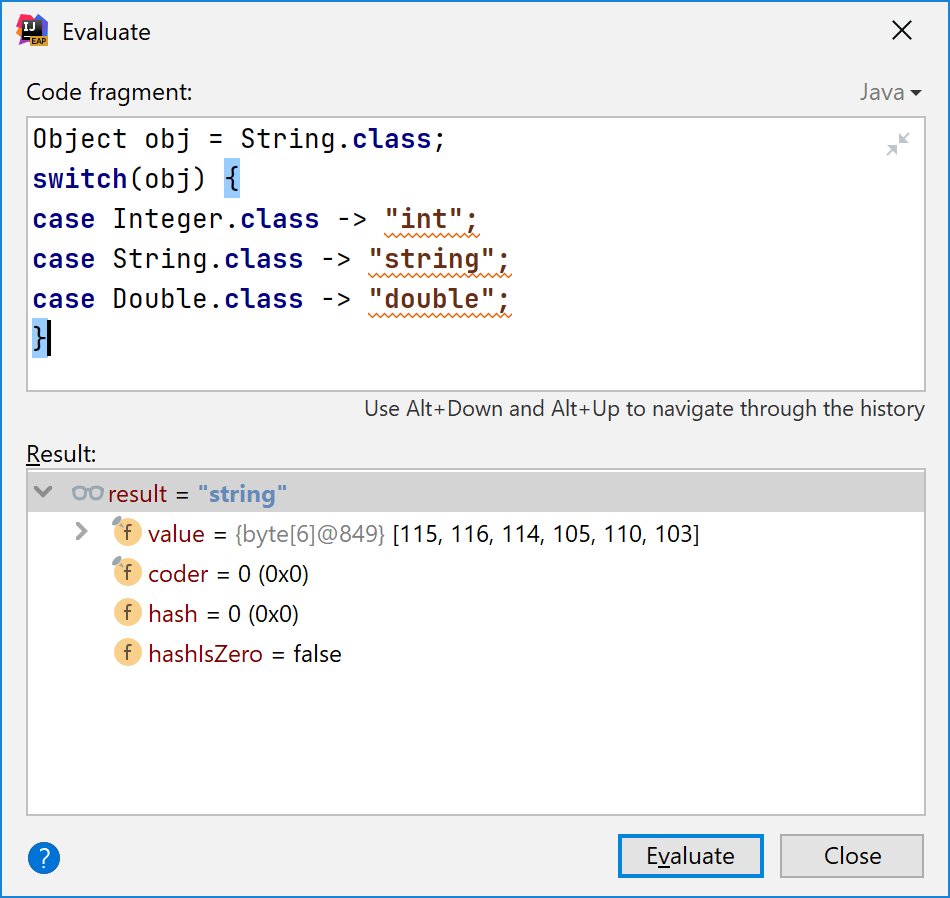
Ever wondered how the JVM debugger 'Evaluate' feature works in IDEs? Long ago I thought that the Java debug interface (JDI) actually allows you to specify the expression and get back its value.
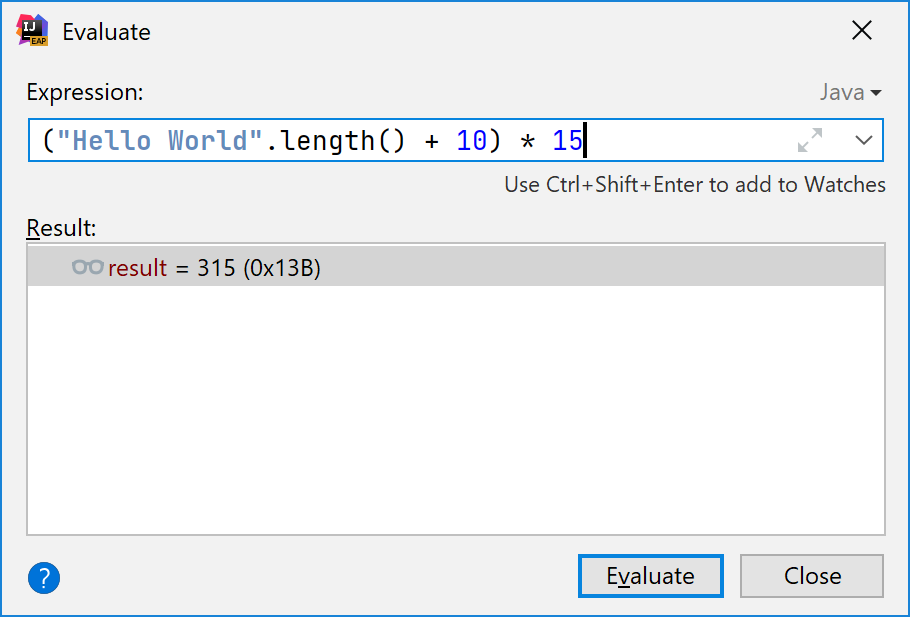
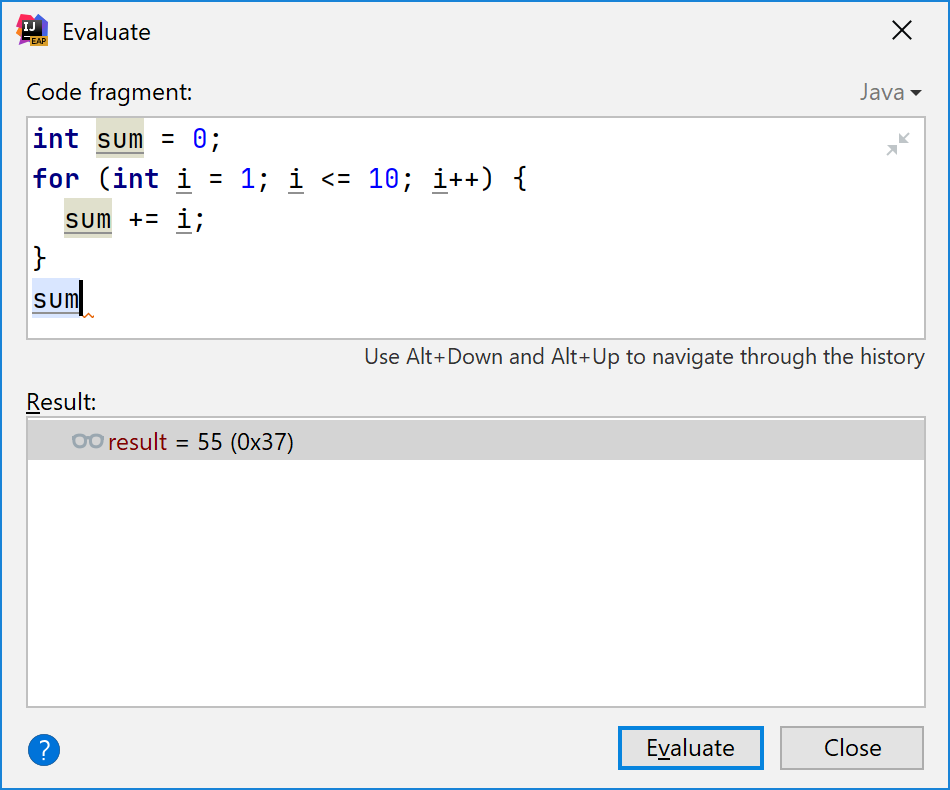
However, this is not quite possible: there's no Java language compiler inside the JVM. When the process is paused JDI allows you to read or write any variables and fields or even execute an existing method with given arguments. But nothing like addition or multiplication.
On the other hand, #IntelliJIDEA debugger allows you to evaluate even statements! You can write there `for`, `if`, `while`, `switch` - whatever. You can even declare local variables. So how this works?
The answer is simple: IDEA debugger has a built-in interpreter for Java! If you access an existing variable or a field, call a method or instantiate an object, it queries JDI. Otherwise, IDE itself does all the calculations.
The amusing thing is that debugger authors didn't bother to make it as strict as Java itself, so the language inside the interpreter is a much more permissive version of Java. For example, you don't need to initialize variables there! Default values like 0 are used automatically.
Of course, final variables could be changed. Why artificial limitations?
Another thing: most of the casts are not necessary. This interpreted Java more resembles dynamically typed languages like JavaScript. Duck-typing works: if there's a method, we can call it. Even if the highlighter complains.
Switch statements and expressions are more permissive there: you can switch over any type. Also, no default is necessary for switch expressions. If it's not visited, the evaluation will be successful.
In addition to use any type, you can use any expressions as case labels, not just constants! The first matching branch will be executed.
Finally, even if your project still uses Java 6 JDK, it doesn't stop you from using new language features. For example, 'var' declarations and patterns in instanceof work perfectly, because they are interpreted by IDE, not by your JDK. Just ignore error messages!

More from Tech

🙂 Hey - have you heard of @RevolutApp Business before?

🌐 Great international transfer and 🏦 foreign #exchange rates, and various tools to manage your #business.

👉 https://t.co/dkuBrYrfMq

#banking #fintech #revolut #growth #startups
1/10


One place to manage all things business
Get more from your business account with powerful tools that give you total control over your finances.

👉
https://t.co/dkuBrYrfMq
2/10


Accept payments
online at great rates
Receive card payments from around the world with low fees and next-day settlement.

👉 https://t.co/dkuBrYrfMq
3/10


Send and receive international payments, with no hidden fees
Multi-currency accounts allow you to hold, exchange, send and receive funds in 28+ currencies - always at the real (interbank) exchange rate...

👉 https://t.co/dkuBrYrfMq
4/10


Optimise spend with smart company cards
Spend in over 150 currencies at the real (interbank) exchange rate
Stay in control – issue physical and virtual cards, track spending in real-time for your entire team...

👉 https://t.co/dkuBrYrfMq
5/10

You May Also Like

MASTER THREAD on Short Strangles.

Curated the best tweets from the best traders who are exceptional at managing strangles.

• Positional Strangles
• Intraday Strangles
• Position Sizing
• How to do Adjustments
• Plenty of Examples
• When to avoid
• Exit Criteria

How to sell Strangles in weekly expiry as explained by boss himself. @Mitesh_Engr

• When to sell
• How to do Adjustments
• Exit


Beautiful explanation on positional option selling by @Mitesh_Engr
Sir on how to sell low premium strangles yourself without paying anyone. This is a free mini course in


1st Live example of managing a strangle by Mitesh Sir. @Mitesh_Engr

• Sold Strangles 20% cap used
• Added 20% cap more when in profit
• Booked profitable leg and rolled up
• Kept rolling up profitable leg
• Booked loss in calls
• Sold only


2nd example by @Mitesh_Engr Sir on converting a directional trade into strangles. Option Sellers can use this for consistent profit.

• Identified a reversal and sold puts

• Puts decayed a lot

• When achieved 2% profit through puts then sold
Master Thread of all my threads!

Hello!! 👋

• I have curated some of the best tweets from the best traders we know of.

• Making one master thread and will keep posting all my threads under this.

• Go through this for super learning/value totally free of cost! 😃

1. 7 FREE OPTION TRADING COURSES FOR


2. THE ABSOLUTE BEST 15 SCANNERS EXPERTS ARE USING

Got these scanners from the following accounts:

1. @Pathik_Trader
2. @sanjufunda
3. @sanstocktrader
4. @SouravSenguptaI
5. @Rishikesh_ADX


3. 12 TRADING SETUPS which experts are using.

These setups I found from the following 4 accounts:

1. @Pathik_Trader
2. @sourabhsiso19
3. @ITRADE191
4.


4. Curated tweets on HOW TO SELL STRADDLES.

Everything covered in this thread.
1. Management
2. How to initiate
3. When to exit straddles
4. Examples
5. Videos on