
What is #Trendindicator ?
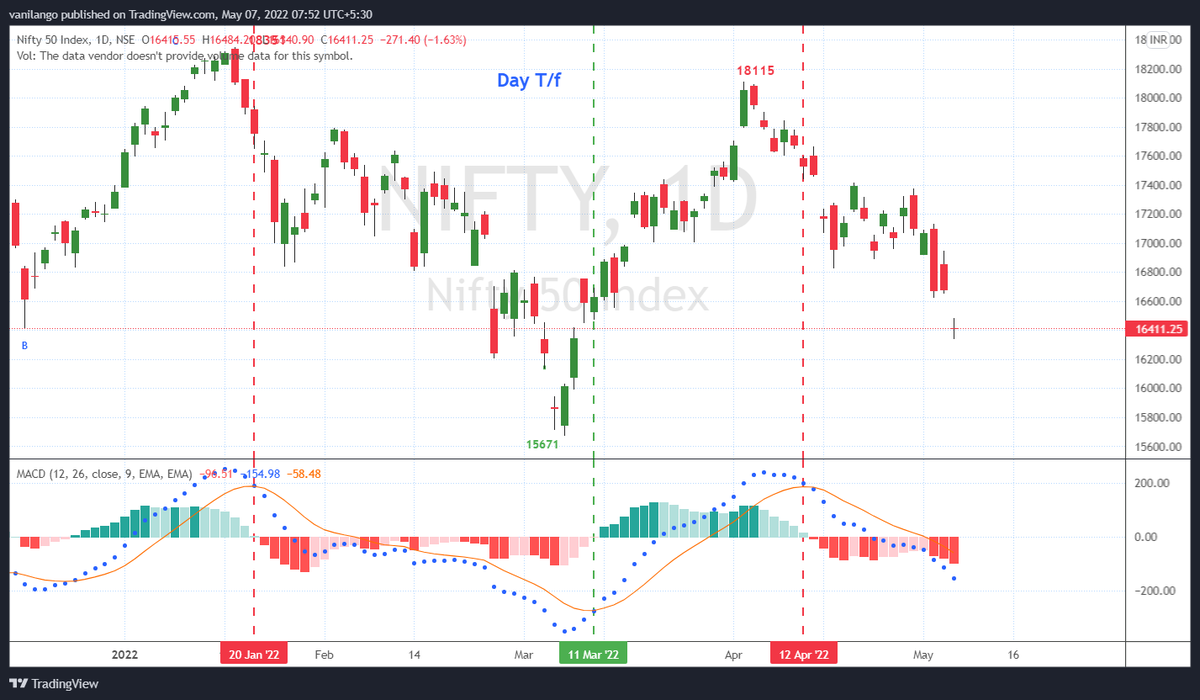
Technical Analysis with "Macd"
Do back test on index & stocks in #Tradingview chart using MACD, how your trading positions would have been on the right side!
https://t.co/I2n6qX4TL2
Spend just 15-30 minutes to learn a skill
with 100% focus & attention
More from Van Ilango (JustNifty)
Holding 660 & 680, poised for big run in the days, weeks & months ahead.
Volume goes with rises
Thank you.\U0001f64f
— Van Ilango (JustNifty) (@JustNifty) August 18, 2021
A fresh input for you. #McDowell
A major triangle break out in the coming months.
Presently poised to move out of recent consolidation pic.twitter.com/J15F06ODUq
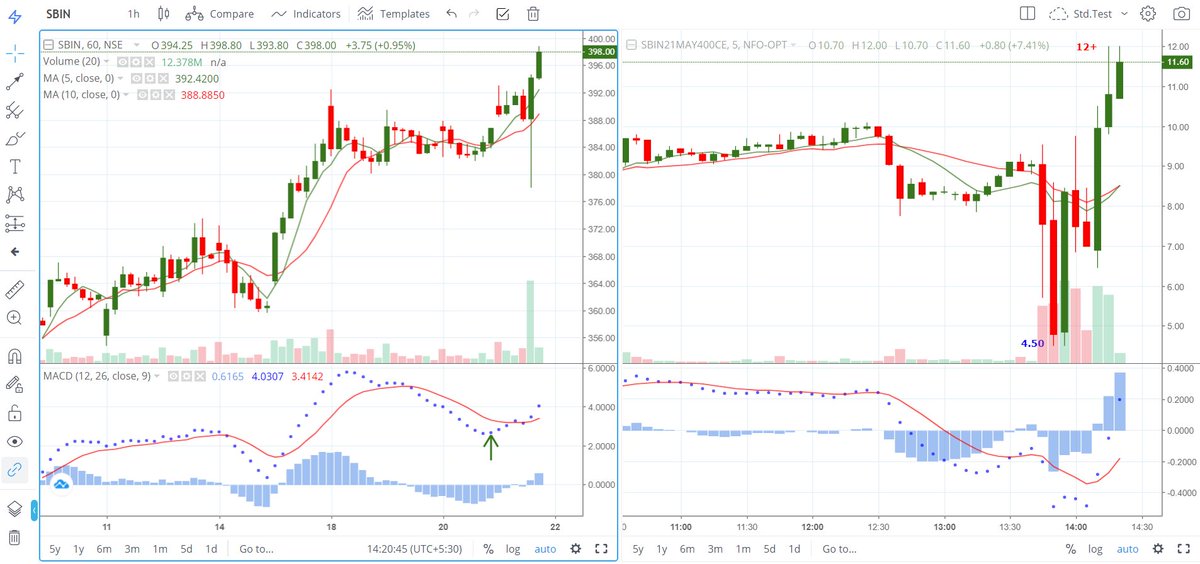
His simple mechanical system of MACD multi t/f with 4 Hour setting seems to remove whipsaws & is producing amazing result with #Nifty
Experience speaks - you listen and adopt
Develop patience to wait for such good set up. Now trail your SL once price has gains https://t.co/jC8tcrZ0Cv
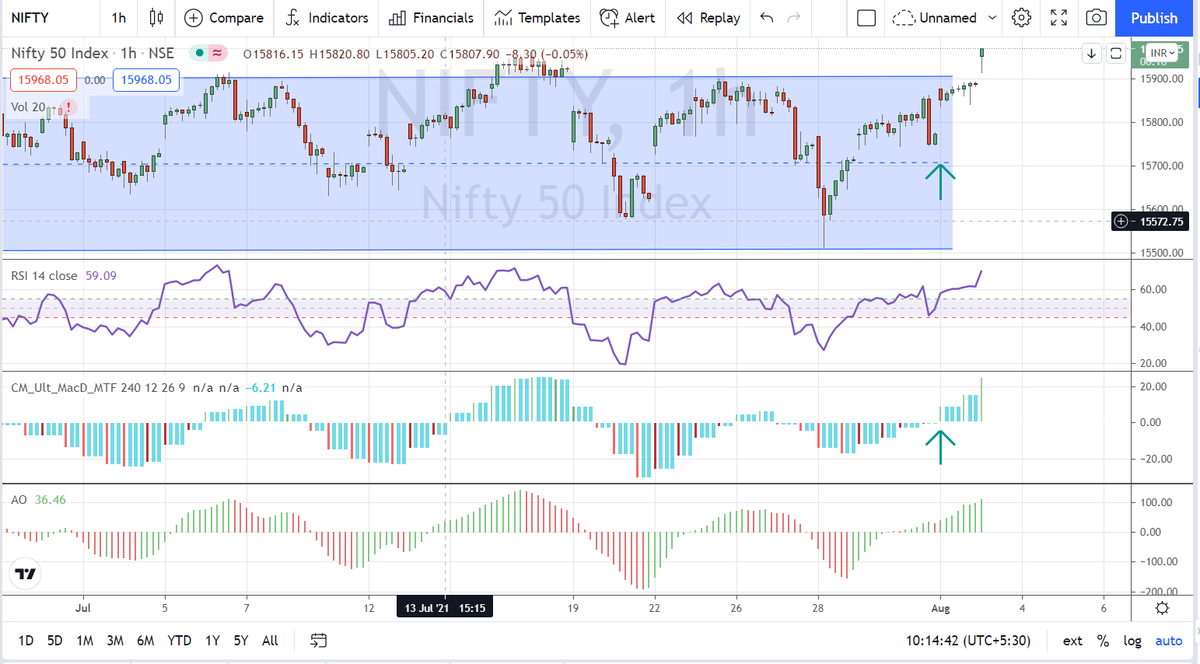
Book mark this and revisit every day or every week till you get it right as a trader. Coming from an experienced trader like @MaverickAmit01 , it's priceless.
— Van Ilango (JustNifty) (@JustNifty) July 31, 2021
Wish we had it when we started out.\U0001f64f https://t.co/0NYKqedy9w
An "ABC" correction ended & "C" wave's "12345" ended in this highly traded stock.
#Elliottwave captures Nature's law, human actions in a collective way
and,
in Top gainers' https://t.co/9bw8A0tgUp
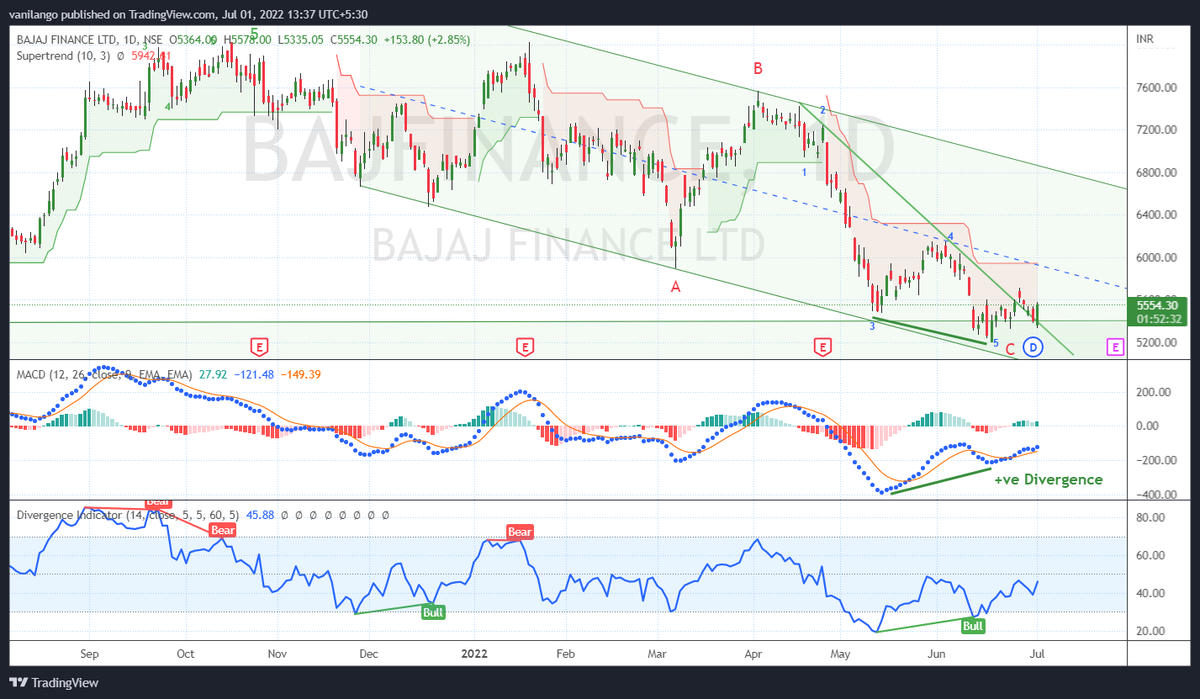
#bajfinance is almost @ sloping channel bottom & has entered the demand zone.
— Van ilango (JustNifty) (@JustNifty) June 22, 2022
One of few stocks that are displaying +ve #Divergence in "Day t/f"
"ABC" correction "almost" done.
Above 5650, mild strength. https://t.co/IJlQ0GKtN3 pic.twitter.com/4uqY0DRqiW
More from Screeners

#BroTip
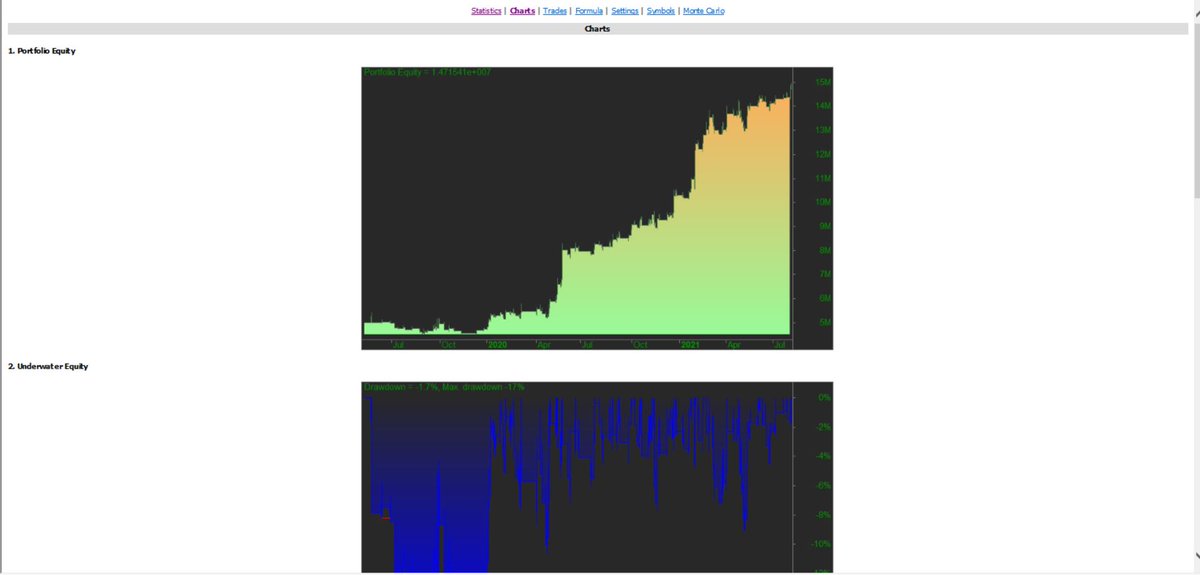
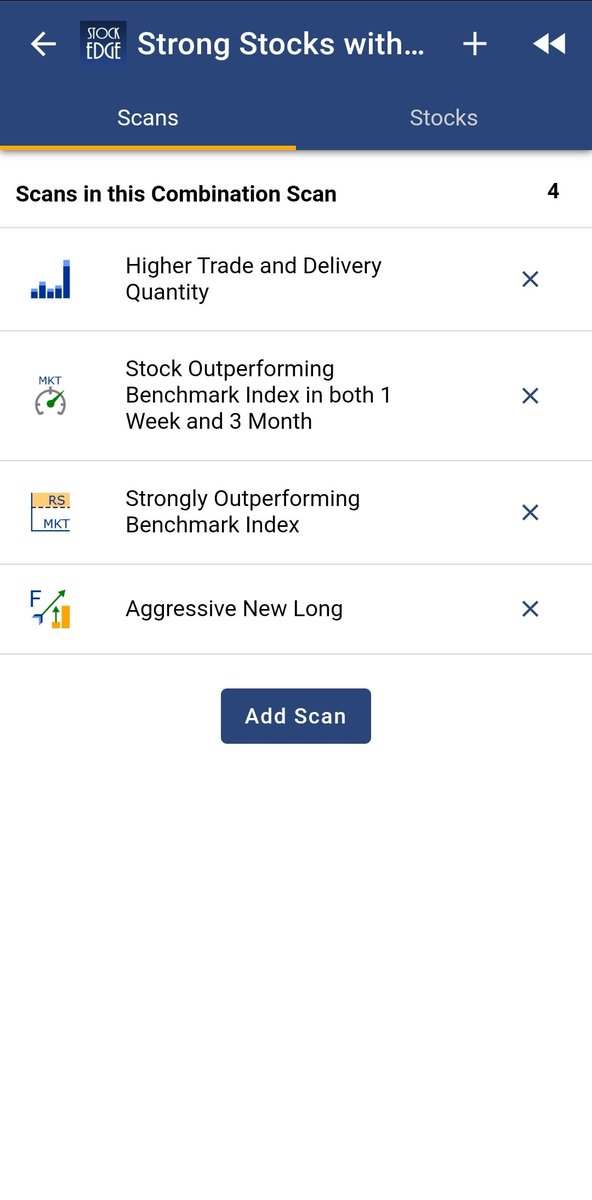
If you want to trade only stocks with established trend/momentum, then you can look for stocks which have never(or barely did) closed below a certain MA (say 50MA) in the last say 50 days.
— Manas Arora (@iManasArora) November 8, 2021
There are countless ways to run scans. Just have to get creative. #BroTip




You May Also Like

Always. No, your company is not an exception.
A tactic I don’t appreciate at all because of how unfairly it penalizes low-leverage, junior employees, and those loyal enough not to question it, but that’s negotiation for you after all. Weaponized information asymmetry.
Listen to Aditya
"we don't negotiate salaries" really means "we'd prefer to negotiate massive signing bonuses and equity grants, but we'll negotiate salary if you REALLY insist" https://t.co/80k7nWAMoK
— Aditya Mukerjee, the Otterrific \U0001f3f3\ufe0f\u200d\U0001f308 (@chimeracoder) December 4, 2018
And by the way, you should never be worried that an offer would be withdrawn if you politely negotiate.
I have seen this happen *extremely* rarely, mostly to women, and anyway is a giant red flag. It suggests you probably didn’t want to work there.
You wish there was no negotiating so it would all be more fair? I feel you, but it’s not happening.
Instead, negotiate hard, use your privilege, and then go and share numbers with your underrepresented and underpaid colleagues. […]









RT-PCR corona (test) scam
Symptomatic people are tested for one and only one respiratory virus. This means that other acute respiratory infections are reclassified as
4/10
— Dr. Thomas Binder, MD (@Thomas_Binder) October 22, 2020
...indication, first of all that testing for a (single) respiratory virus is done outside of surveillance systems or need for specific therapy, but even so the lack of consideration of Ct, symptoms and clinical findings when interpreting its result. https://t.co/gHH6kwRdZG
2/12
It is tested exquisitely with a hypersensitive non-specific RT-PCR test / Ct >35 (>30 is nonsense, >35 is madness), without considering Ct and clinical context. This means that more acute respiratory infections are reclassified as
6/10
— Dr. Thomas Binder, MD (@Thomas_Binder) October 22, 2020
The neither validated nor standardised hypersensitive RT-PCR test / Ct 35-45 for SARS-CoV-2 is abused to mislabel (also) other diseases, especially influenza, as COVID-19.https://t.co/AkFIfTCTkS
3/12
The Drosten RT-PCR test is fabricated in a way that each country and laboratory perform it differently at too high Ct and that the high rate of false positives increases massively due to cross-reaction with other (corona) viruses in the "flu
External peer review of the RTPCR test to detect SARS-CoV-2 reveals 10 major scientific flaws at the molecular and methodological level: consequences for false positive results.https://t.co/mbNY8bdw1p pic.twitter.com/OQBD4grMth
— Dr. Thomas Binder, MD (@Thomas_Binder) November 29, 2020
4/12
Even asymptomatic, previously called healthy, people are tested (en masse) in this way, although there is no epidemiologically relevant asymptomatic transmission. This means that even healthy people are declared as COVID
Thread web\u2b06\ufe0f\u2b07\ufe0f
— Dr. Thomas Binder, MD (@Thomas_Binder) December 16, 2020
The fabrication of the "asymptomatic (super) spreader" is the coronation of the total nons(ci)ense in the belief system of #CoronasWitnesses.
Asymptomatic transmission 0.7%; 95% CI 0%-4.9% - could well be 0%!https://t.co/VeZTzxXfvT
5/12
Deaths within 28 days after a positive RT-PCR test from whatever cause are designated as deaths WITH COVID. This means that other causes of death are reclassified as
8/8
— Dr. Thomas Binder, MD (@Thomas_Binder) March 24, 2020
By the way, who the f*** created this obviously (almost) worldwide definition of #CoronaDeath?
This is not only medical malpractice, this is utterly insane!https://t.co/FFsTx4L2mw