Inside Bar (IB) is an effective trading strategy where a range is formed & we trade on a Breakout/Breakdown.
What is IB?
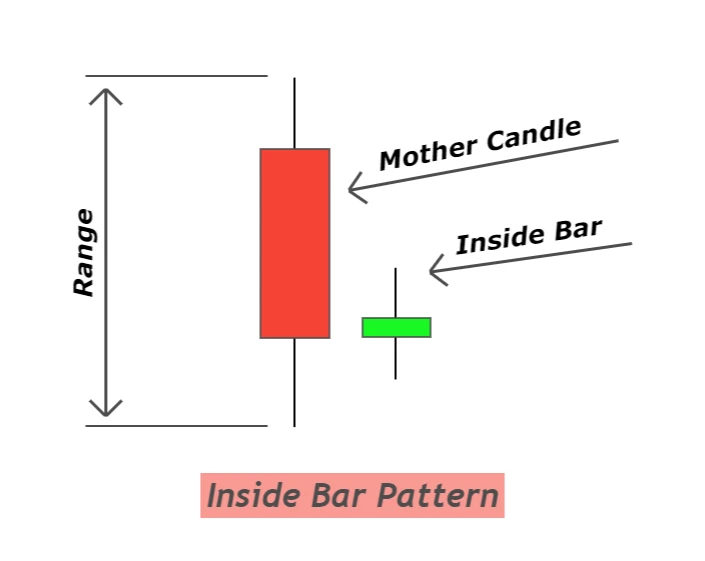
Textbook definition of IB:
When the current bar is trading inside the previous candle's high and low (range)
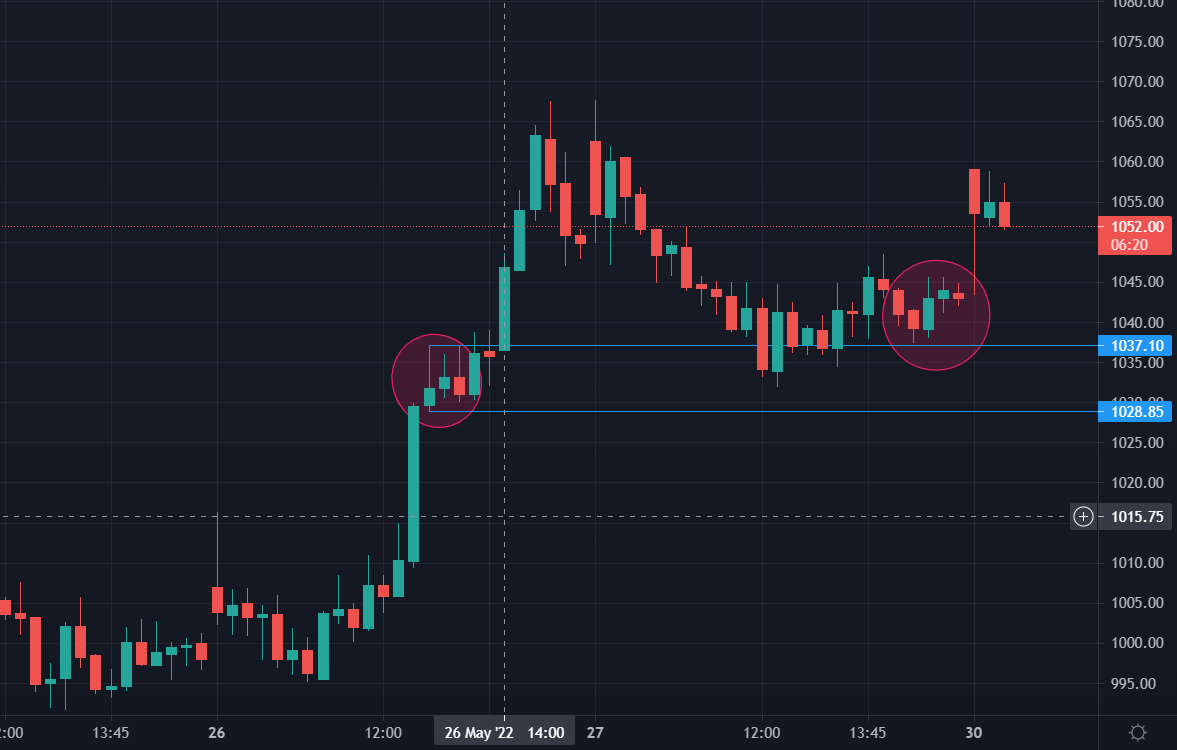
Here's a live example from the Tata Steel Chart where you can see multiple IB forming on 15 minutes chart.
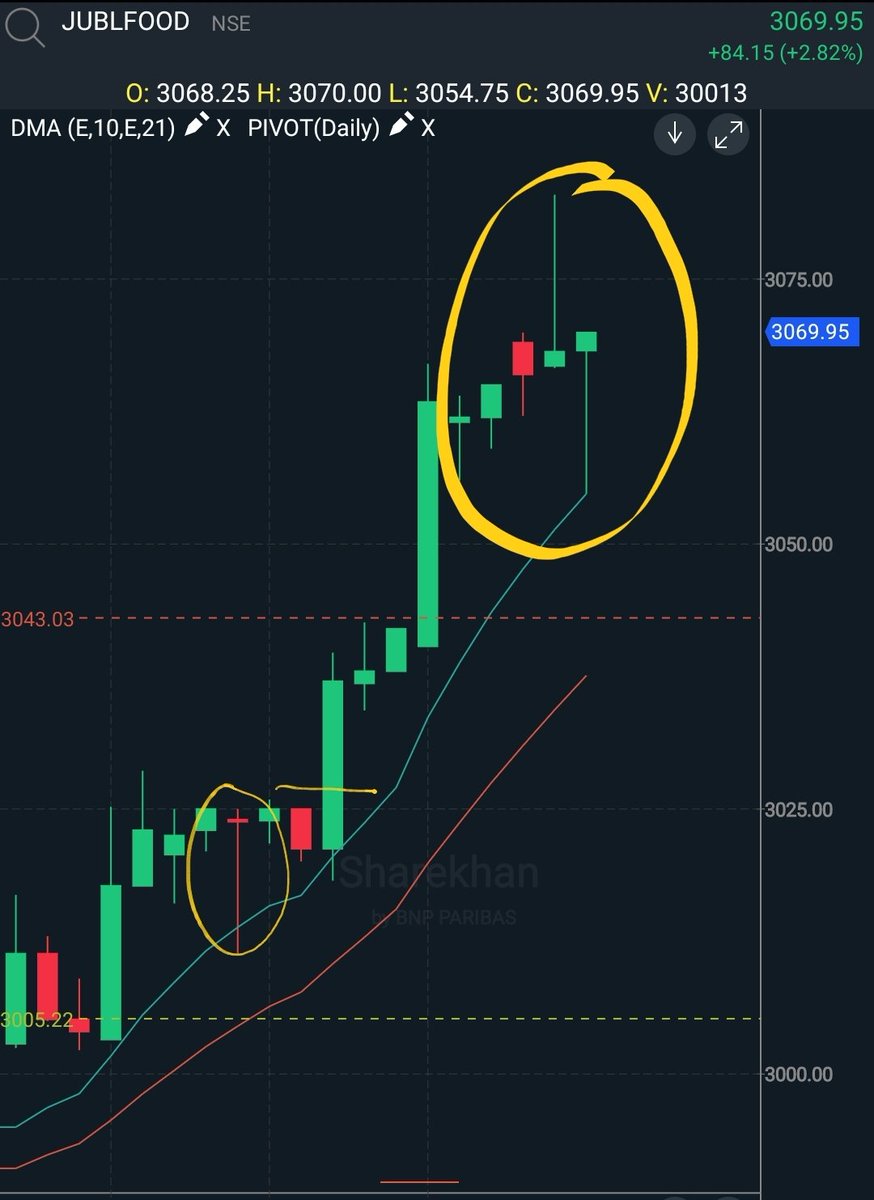
I've marked 2 IBs in the circle where we can find the mother candle & the inside bar candle.
So how do we trade this?
If the overall trend is bullish, then you should be looking at high on the mother candle. When the mother candle's high is broken, you can place your SL at:
1. Low of the mother candle, or
2. Low of the Inside Bar candle.
Both the eg are in charts:
And Vice Versa for the Bearish bias.
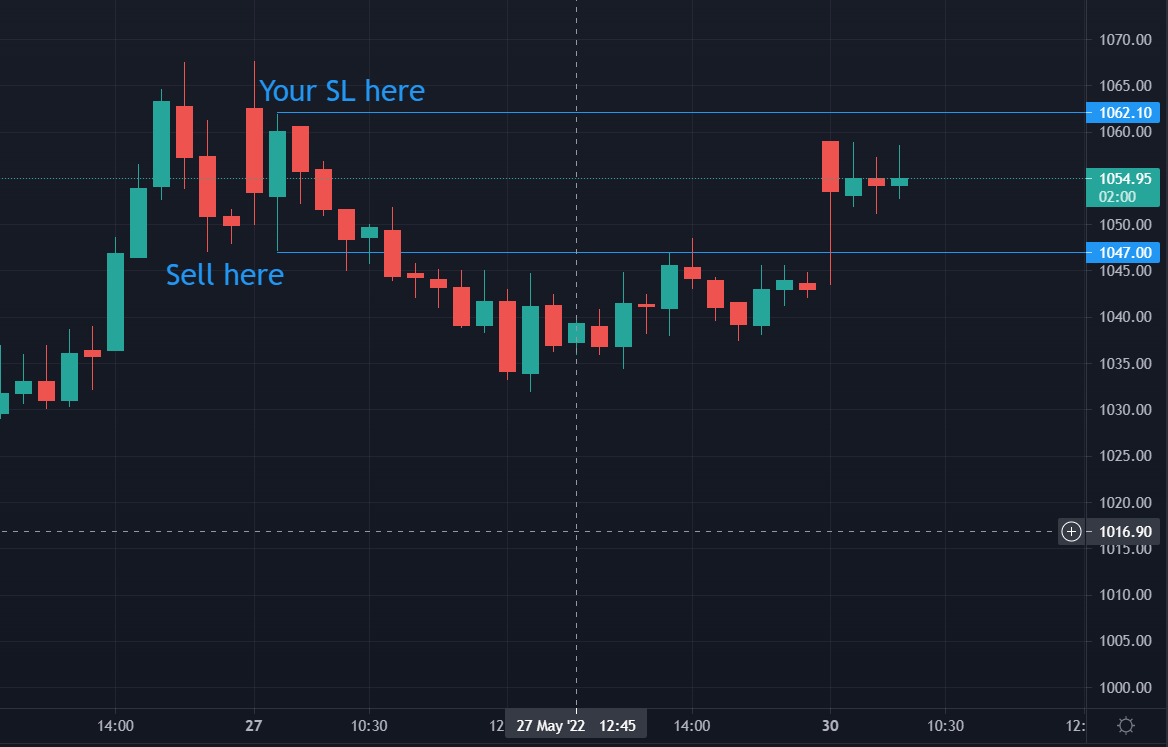
If the overall trend is bearish, then you should be looking at low on the mother candle. When the mother candle's low is broken, you can place your SL at:
1. High of the mother candle, or
2. High of the Inside Bar candle.
I prefer keeping the high or low of the inside bar candle as my SL.
Remember there are 100s of ways to trade this, ultimately your position sizing & risk management will come into play.
Position sizing can be calculated using the SL, and risk can be managed.