Some “obvious” research workflows & shortcuts that everyone already knows:
(once someone tells you)
https://t.co/3cuqgOOHdu

https://t.co/8Y1Jnf6N8z
https://t.co/GnvB0tEmVW
https://t.co/ItGkgXuKFI
https://t.co/fuVc8MLtq5
https://t.co/QyZzWQuOVB
If you think they’re too expensive, just google “site:https://t.co/Nd4n3N6Fw0 cheap whiteboard”
https://t.co/hIRXGnEK8O

Be wary of:
-YoY % shifts where holidays fall
-thinking more volume = positive news (negative news spreads fast)
-unknown methodology changes by Google
h/t @NolanAntonucci @ByrneHobart

Template here: https://t.co/2w0kRrDQnb

Same idea for “https://t.co/UHnTdY0M78” for Docs and “https://t.co/PNn4vAwXxl” for Sheets.
@Inoreader will find RSS feeds automatically for you on any site (eg Medium articles), and https://t.co/PSIA04uco5 converts email subscriptions to RSS.
Now Forbes / WaPost / etc are readable.

https://t.co/ySShwN6CwV
@davidperell wrote about a similar idea here: https://t.co/IFrSFpUDJE
Read “Remove the Legend to Become One” by @eugenewei
https://t.co/2mkwzQBdcn
Better yet, just transcribe it in @DescriptApp
For some reason, the hardest one to remember is that the ∆ shortcut is Opt + J on Mac and 0394 + wait 2 seconds + Alt + X on Windows
🧙🏻♂️🧙🏻♂️🧙🏻♂️
More from All








The best morning routine?
Starts the night before.
9 evening habits that make all the difference:
1. Write down tomorrow's 3:3:3 plan
• 3 hours on your most important project
• 3 shorter tasks
• 3 maintenance activities
Defining a "productive day" is crucial.
Or else you'll never be at peace (even with excellent output).
Learn more
2. End the workday with a shutdown ritual
Create a short shutdown ritual (hat-tip to Cal Newport). Close your laptop, plug in the charger, spend 2 minutes tidying your desk. Then say, "shutdown."
Separating your life and work is key.
3. Journal 1 beautiful life moment
Delicious tacos, presentation you crushed, a moment of inner peace. Write it down.
Gratitude programs a mindset of abundance.
4. Lay out clothes
Get exercise clothes ready for tomorrow. Upon waking up, jump rope for 2 mins. It will activate your mind + body.
Starts the night before.
9 evening habits that make all the difference:
1. Write down tomorrow's 3:3:3 plan
• 3 hours on your most important project
• 3 shorter tasks
• 3 maintenance activities
Defining a "productive day" is crucial.
Or else you'll never be at peace (even with excellent output).
Learn more
How to be 5x more productive.
— Ben Meer (@SystemSunday) August 1, 2022
A best-selling author\u2019s 3-3-3 Method:
2. End the workday with a shutdown ritual
Create a short shutdown ritual (hat-tip to Cal Newport). Close your laptop, plug in the charger, spend 2 minutes tidying your desk. Then say, "shutdown."
Separating your life and work is key.
3. Journal 1 beautiful life moment
Delicious tacos, presentation you crushed, a moment of inner peace. Write it down.
Gratitude programs a mindset of abundance.
4. Lay out clothes
Get exercise clothes ready for tomorrow. Upon waking up, jump rope for 2 mins. It will activate your mind + body.

You May Also Like



THE MEANING, SIGNIFICANCE AND HISTORY OF SWASTIK
The Swastik is a geometrical figure and an ancient religious icon. Swastik has been Sanatan Dharma’s symbol of auspiciousness – mangalya since time immemorial.

The name swastika comes from Sanskrit (Devanagari: स्वस्तिक, pronounced: swastik) &denotes “conducive to wellbeing or auspicious”.
The word Swastik has a definite etymological origin in Sanskrit. It is derived from the roots su – meaning “well or auspicious” & as meaning “being”.
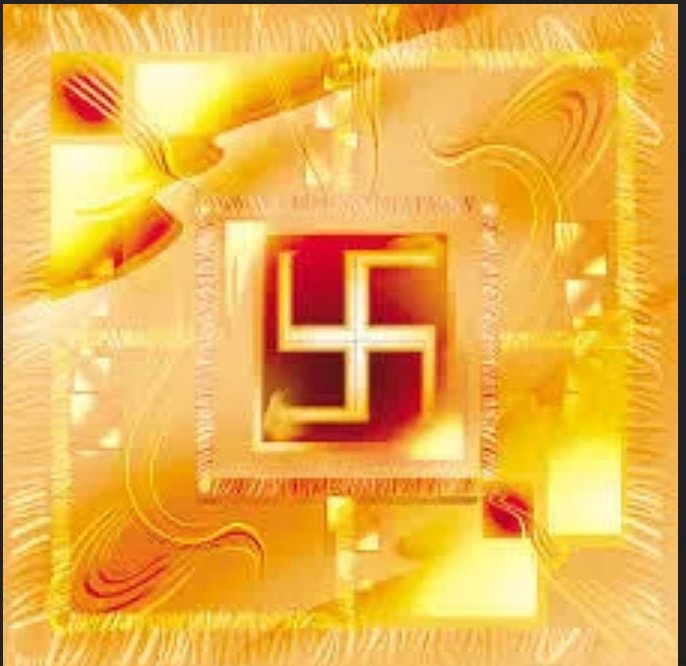
"सु अस्ति येन तत स्वस्तिकं"
Swastik is de symbol through which everything auspicios occurs
Scholars believe word’s origin in Vedas,known as Swasti mantra;
"🕉स्वस्ति ना इन्द्रो वृधश्रवाहा
स्वस्ति ना पूषा विश्ववेदाहा
स्वस्तिनास्तरक्ष्यो अरिश्तनेमिही
स्वस्तिनो बृहस्पतिर्दधातु"
It translates to," O famed Indra, redeem us. O Pusha, the beholder of all knowledge, redeem us. Redeem us O Garudji, of limitless speed and O Bruhaspati, redeem us".
SWASTIK’s COSMIC ORIGIN
The Swastika represents the living creation in the whole Cosmos.
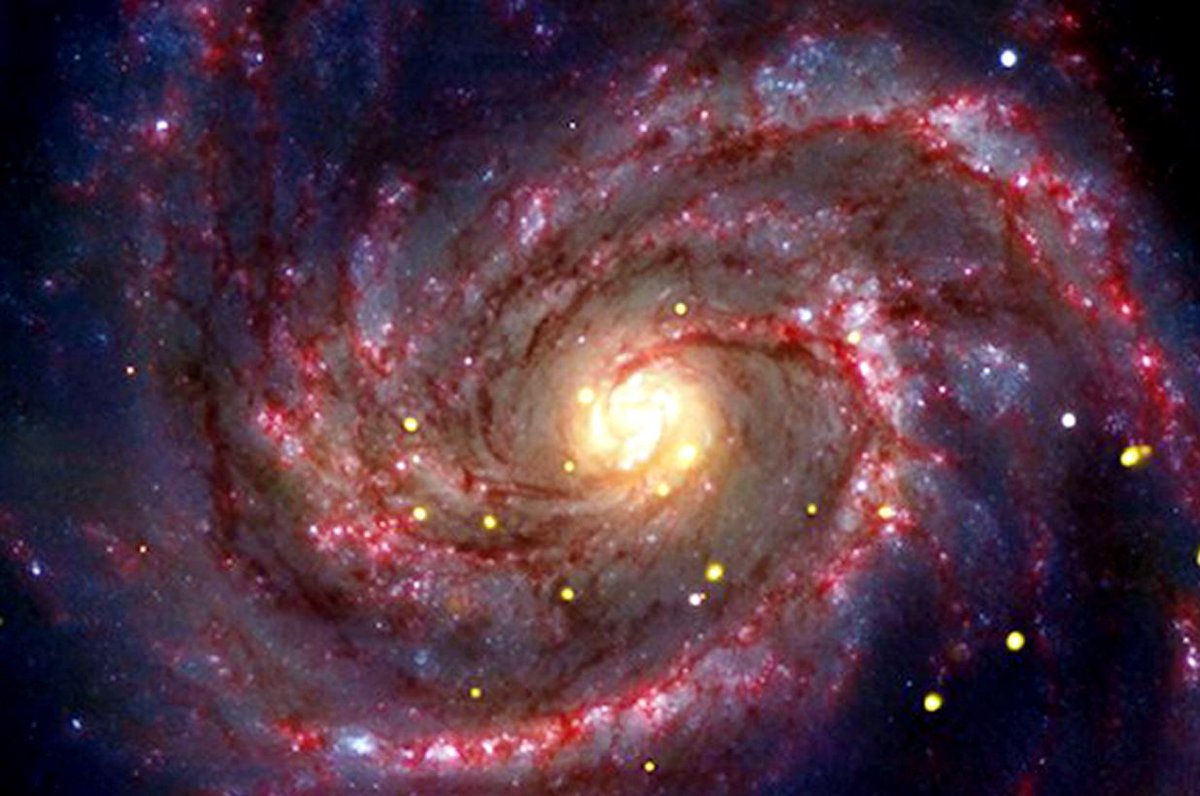
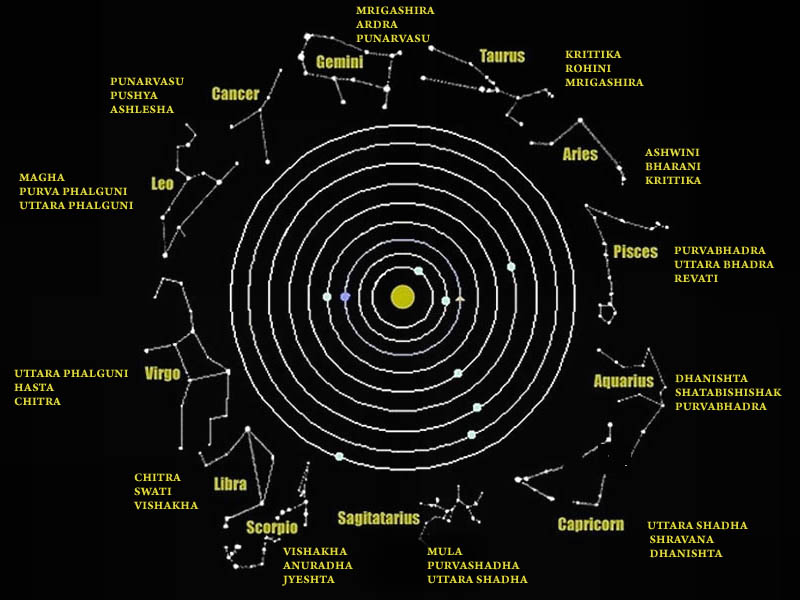
Hindu astronomers divide the ecliptic circle of cosmos in 27 divisions called https://t.co/sLeuV1R2eQ this manner a cross forms in 4 directions in the celestial sky. At centre of this cross is Dhruva(Polestar). In a line from Dhruva, the stars known as Saptarishi can be observed.
The Swastik is a geometrical figure and an ancient religious icon. Swastik has been Sanatan Dharma’s symbol of auspiciousness – mangalya since time immemorial.
The name swastika comes from Sanskrit (Devanagari: स्वस्तिक, pronounced: swastik) &denotes “conducive to wellbeing or auspicious”.
The word Swastik has a definite etymological origin in Sanskrit. It is derived from the roots su – meaning “well or auspicious” & as meaning “being”.
"सु अस्ति येन तत स्वस्तिकं"
Swastik is de symbol through which everything auspicios occurs
Scholars believe word’s origin in Vedas,known as Swasti mantra;
"🕉स्वस्ति ना इन्द्रो वृधश्रवाहा
स्वस्ति ना पूषा विश्ववेदाहा
स्वस्तिनास्तरक्ष्यो अरिश्तनेमिही
स्वस्तिनो बृहस्पतिर्दधातु"
It translates to," O famed Indra, redeem us. O Pusha, the beholder of all knowledge, redeem us. Redeem us O Garudji, of limitless speed and O Bruhaspati, redeem us".
SWASTIK’s COSMIC ORIGIN
The Swastika represents the living creation in the whole Cosmos.
Hindu astronomers divide the ecliptic circle of cosmos in 27 divisions called https://t.co/sLeuV1R2eQ this manner a cross forms in 4 directions in the celestial sky. At centre of this cross is Dhruva(Polestar). In a line from Dhruva, the stars known as Saptarishi can be observed.