I built a monthly budget & expense tracker in Google Sheets this week.
Here's a breakdown of how it works and a free template you can use: 📊
First things first:
There are about 1,000,000 different ways you can budget your money.
But if you're looking for a financial advisor, that ain't me.
I'm just sharing a simple template that anyone can use to get started.
(Link at the end)
Wanna know how it works?
Read on:👇🏻
Step 1: Setup
We'll start by creating our framework.
Put simply:
• What do we want to track?
• How often?
I prefer to track finances on a monthly basis.
Begin by renaming one tab (or worksheet) within your doc & creating another.
Tab 1 - "YTD Dashboard"
Tab 2 - "January"
Step 2: What to track?
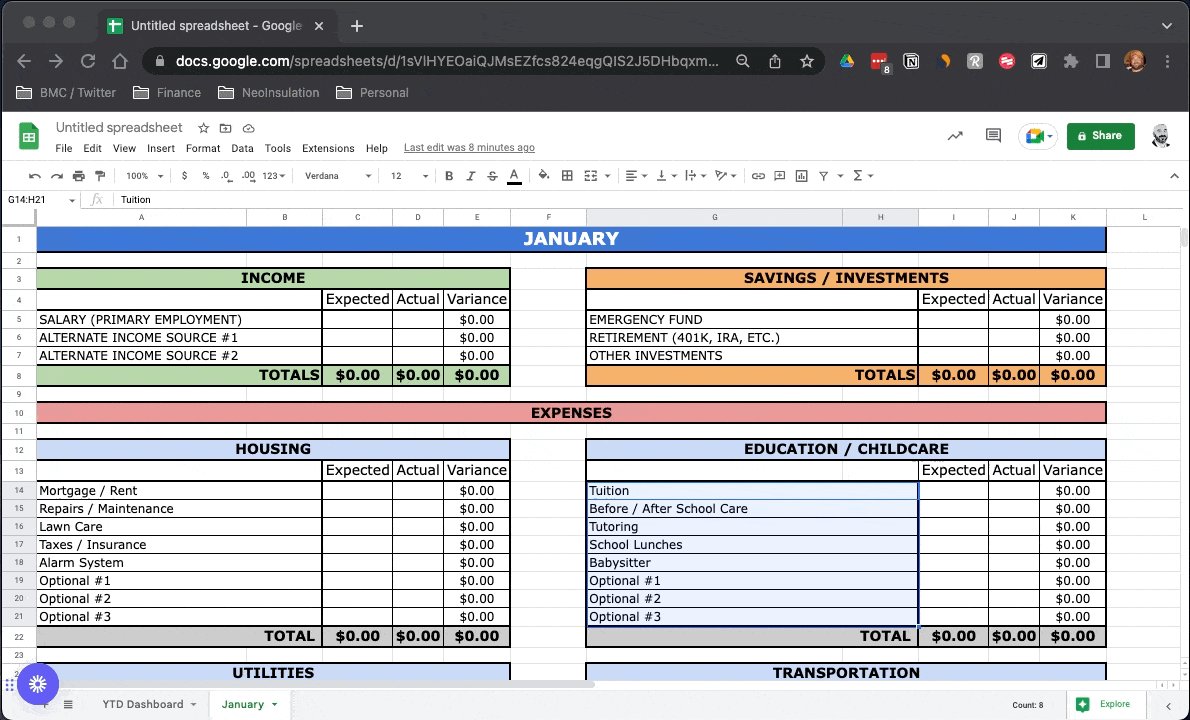
For the sake of time & simplicity, I've gone ahead & populated January with a few sample ideas:
• High-level categories: Income, Savings, & Expenses.
• Subitems below each:
Income → Salary
Housing → Lawn Care
Utilities → Electric
And so on...
Step 3: Basic Formatting
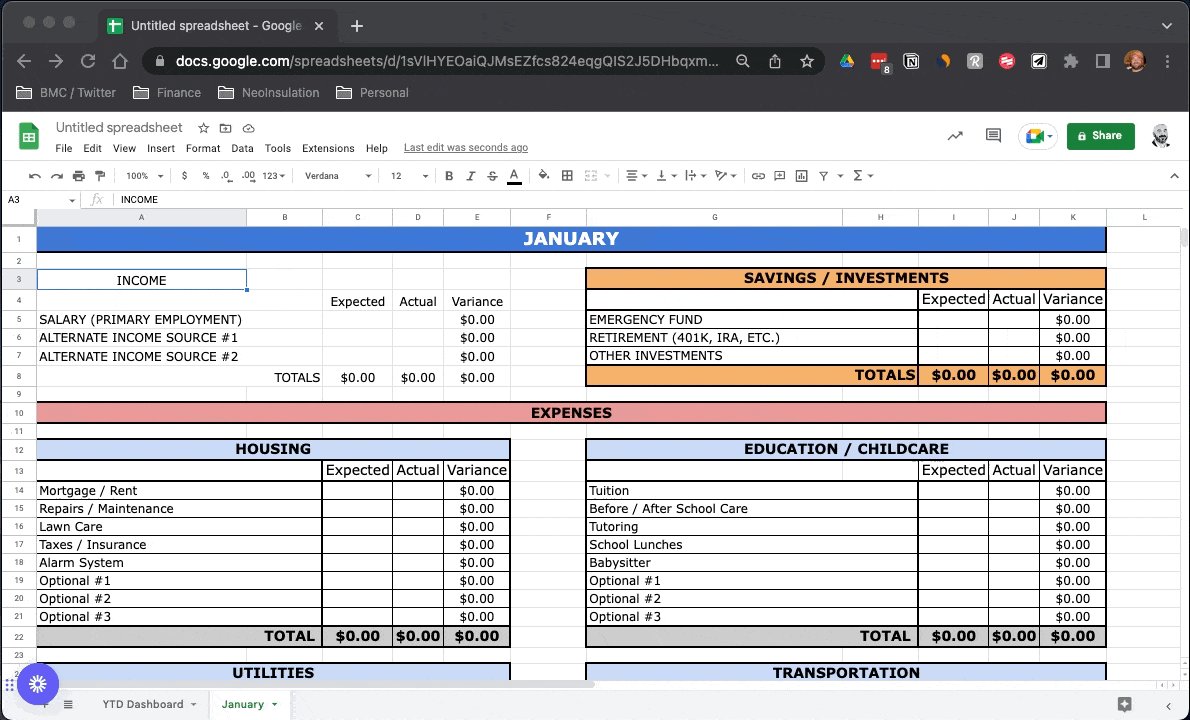
I like things to be formatted in a similar manner across sheets.
A few quick rules of thumb I've used here:
• Headings: Merge + Center, ⬆ Font, Bold
• Sheet Gridlines: Turned off
• Subitems: Heavy borders
• Totals: ⬆ Font, Bold
For example: